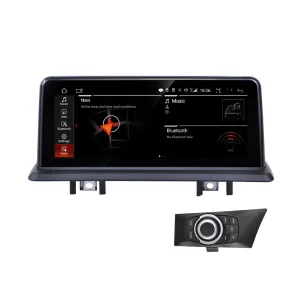
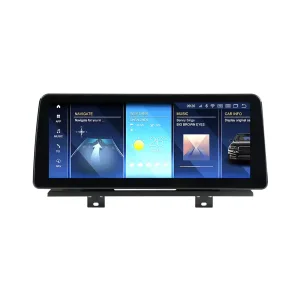
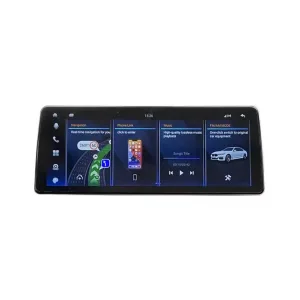
Upgrade the Driver Display Before You Change the Whole Interior
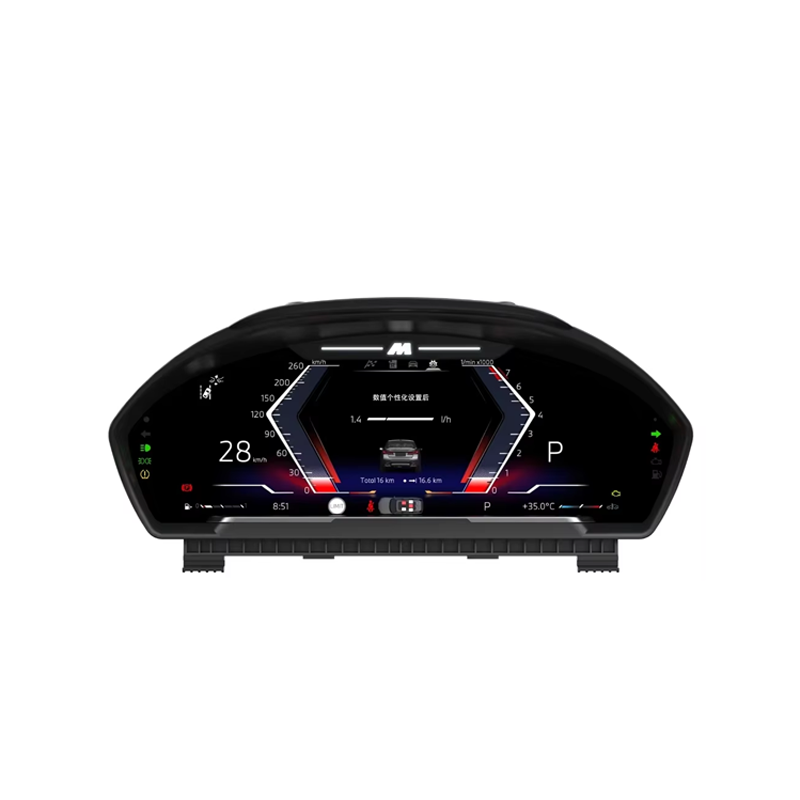
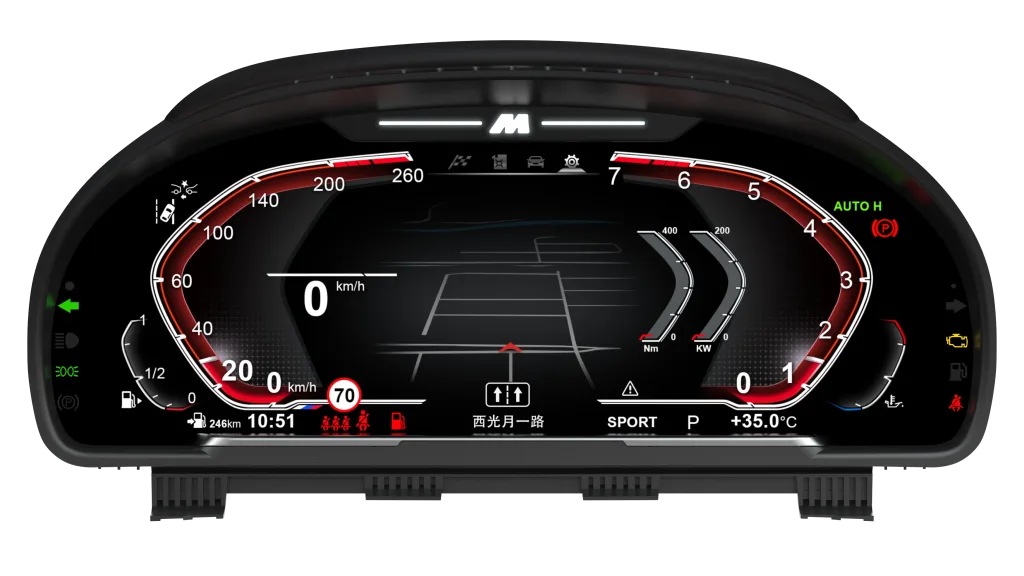
This 12.3-inch BMW F34 Digital Instrument Cluster replaces the older analog-style gauge area with a wide LCD cockpit while keeping the dashboard shape clean and factory-like. It is built for BMW 3 Series GT F34 vehicles with NBT or EVO systems, so the upgrade path focuses on vehicle data, dashboard fitment and a non-destructive wiring route.
BMW F34 digitaal instrumentenpaneel voor de 3-serie GT 2013–2020
Give your BMW 3 Series GT F34 a more modern driver display without turning the cabin into a universal aftermarket project. iKAGOO checks your vehicle year, steering position, original dashboard layout and NBT/EVO system information before shipment to prepare the correct version for your order.
This is a digital instrument cluster upgrade, not a universal Android head unit. It is mainly for improving the driver display, vehicle-data presentation and cabin appearance while keeping the original center system route in place.
What is this upgrade?
The BMW F34 Digital Instrument Cluster is a 12.3-inch LCD dashboard upgrade for BMW 3 Series GT F34 vehicles from 2013 to 2020 with NBT or EVO systems.
It upgrades the original driver gauge area into a modern digital cockpit with speed, RPM, fuel, driving mode and supported vehicle warning data shown in a cleaner wide-screen layout.
Original vehicle information depends on the correct vehicle interface, wiring route and factory system, so iKAGOO checks your model year, dashboard photos, steering position and system details before shipment.
The matched wiring route is designed for supported cars without intentional cutting of factory wiring, helping reduce wrong-version risk before international delivery.
Choose iKAGOO when you want more than a product photo: you get vehicle-specific preparation, order-based support and a clear route if installation evidence shows a cable, setting or hardware issue.
Five Things BMW F34 Owners Usually Need to Know Before Ordering
This product is for buyers who want a cleaner BMW-style cockpit upgrade, but still need the correct vehicle match before the parcel leaves China.
Exact F34 Fitment Comes First
BMW 3 Series GT F34 cars can differ by market, model year, steering position and factory system. iKAGOO checks the vehicle information before shipment so the order is not prepared only from the product title.
Vehicle Data Must Stay Useful
The value of a digital cluster is not only the new screen. Speed, RPM, fuel, warnings and supported driving information must remain readable and practical after the correct connection and configuration.
Not a Generic Display Swap
This upgrade is prepared around the BMW F34 dashboard architecture and NBT/EVO route. The aim is a factory-style visual result, not a random tablet-style display in front of the driver.
No Intentional Factory Wire Cutting
The supported installation route uses matched wiring and vehicle interface components. That helps keep the installation cleaner and makes the vehicle easier to return to its original structure if needed.
NBT / EVO Needs to Be Checked
The product page targets BMW F34 vehicles with NBT or EVO systems. If your factory system, screen size, previous retrofit or fiber-optic route is unusual, send photos before shipment.
Support Continues After Payment
The order number becomes the support record. If your installer finds a setting, connector, accessory or software-route question, iKAGOO asks for useful evidence instead of guessing.
BMW-Style Digital Cockpit Look for the F34 Driver Area
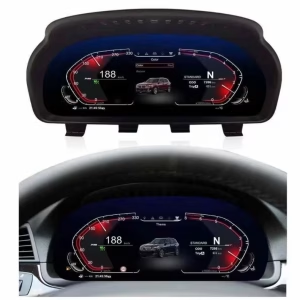
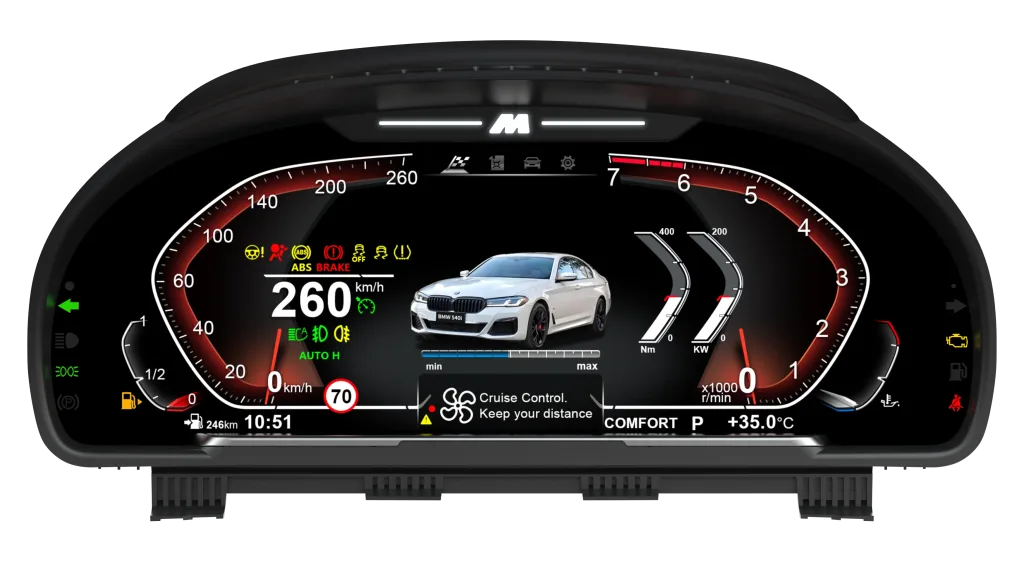
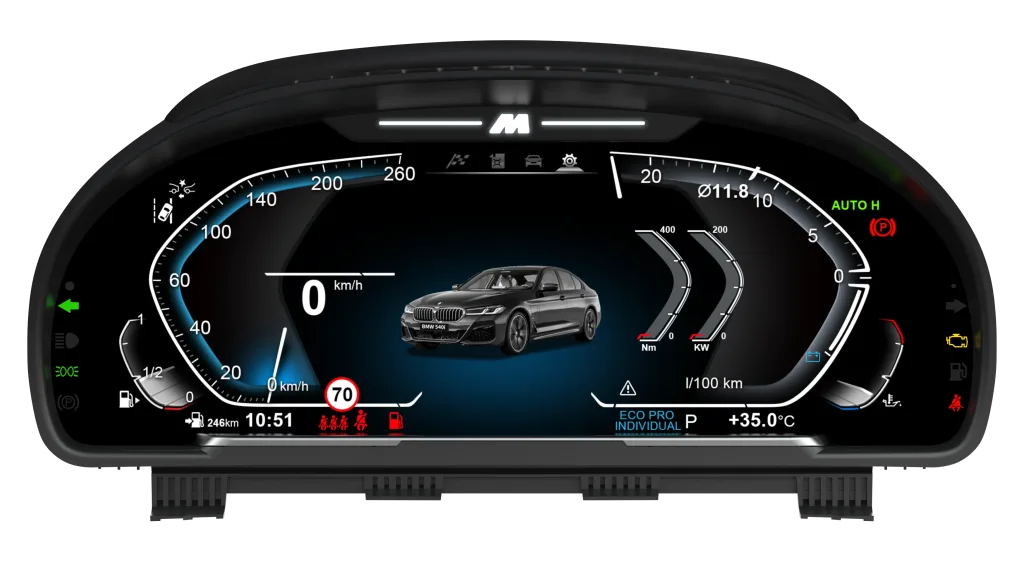
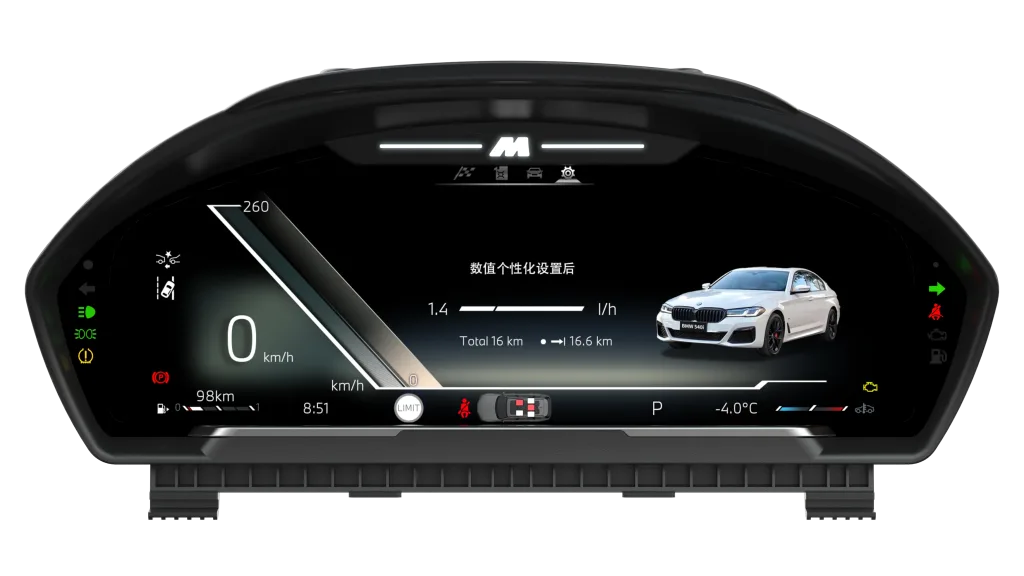
These media blocks show the visual direction, display layouts, vehicle-data interface and installation effect of the BMW F34 Digital Instrument Cluster upgrade.
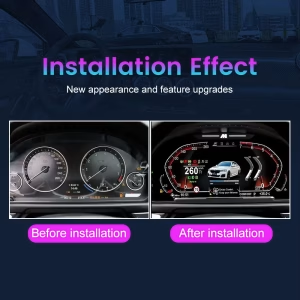
Before-and-After Cabin Improvement
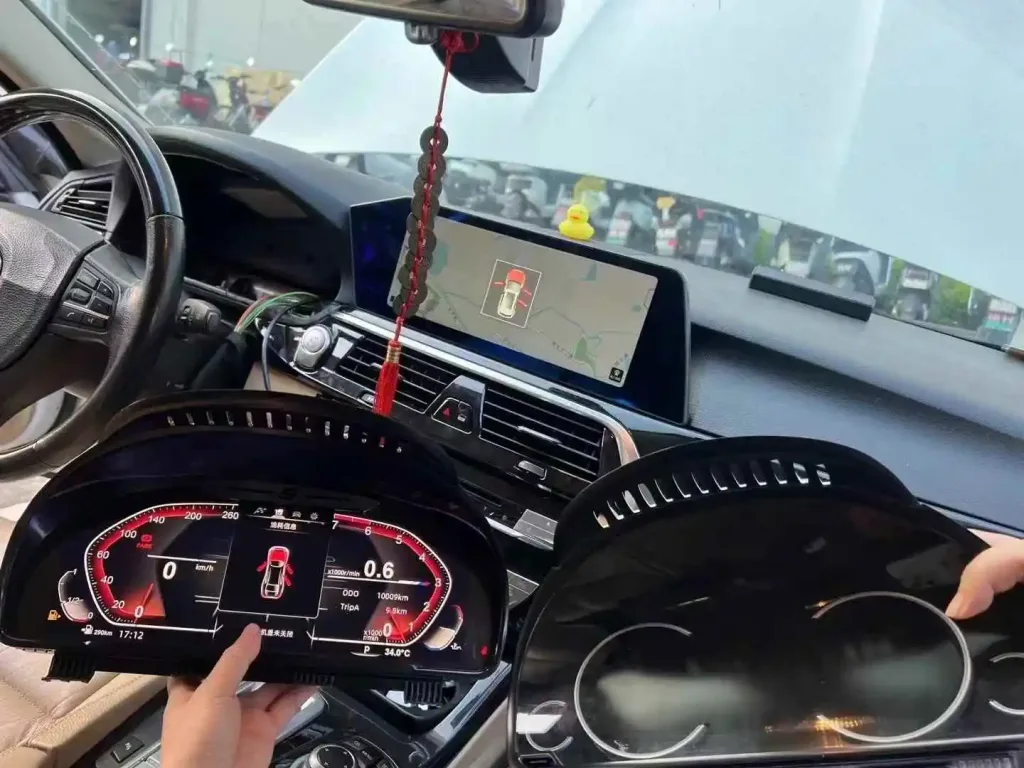
The upgrade changes the driver’s first impression every time the car starts. Instead of keeping the older analog-style gauge area as the most dated part of the cabin, the wide LCD layout gives your F34 a more current cockpit appearance.
Full-Width Digital Layout
The 12.3-inch screen gives the driver more space for speed, RPM, gear position, warning symbols and driving data. This makes the cockpit feel more premium without replacing the whole dashboard.
OEM-Style Theme Integration
The display design keeps a BMW-style dark cockpit language with clear gauges and vehicle information. The goal is to improve the cabin without making the driver display look disconnected from the original interior.
Driving Data and Personal Setting Display
Supported vehicle information becomes easier to read in a wide digital format. Clear data presentation matters more than screen size alone because the instrument cluster is used on every drive.
Navigation-Style Driver Information
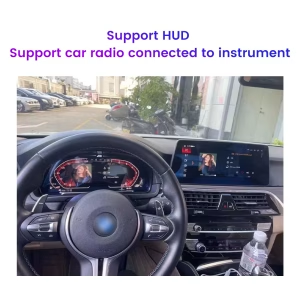
Where supported by the connected factory system and configuration, route-style driving information can appear in the digital cluster area. This helps keep important information closer to the driver’s line of sight.
Installed Shape Matches the BMW Dashboard Opening
The upgrade is designed to sit in the original driver cluster area instead of looking like a separate add-on. A clean physical fit is important because the F34 cabin already has a strong horizontal BMW dashboard layout.
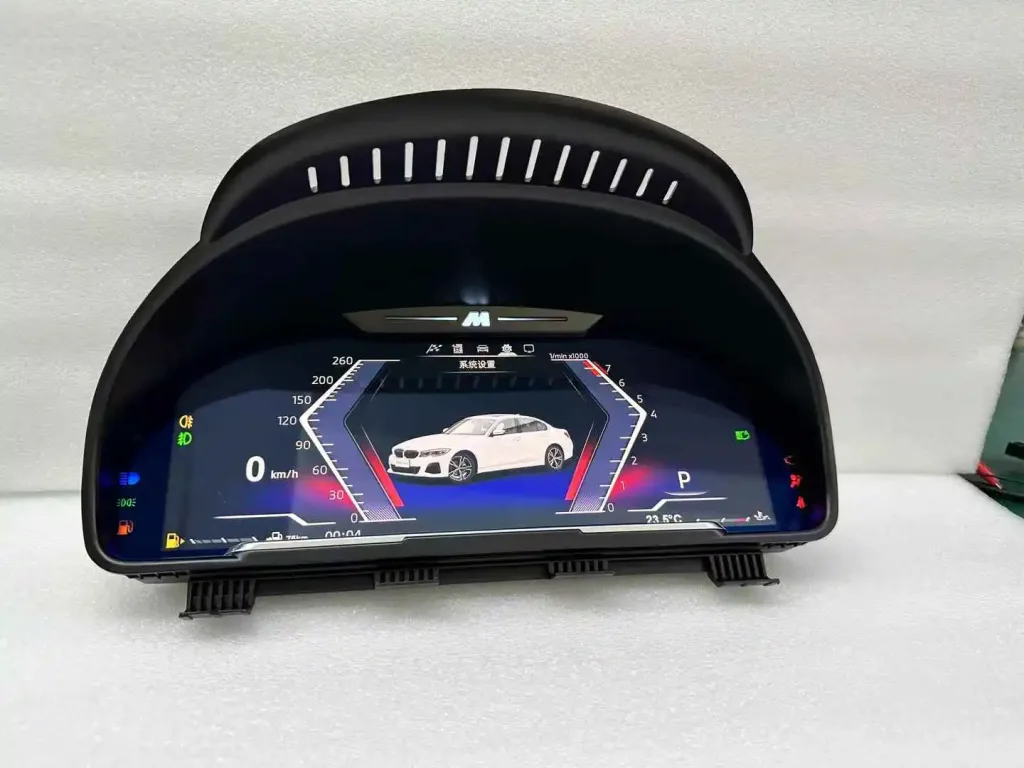
Actual Unit View Before Installation
The physical cluster housing, display face and mounting shape matter as much as the screen specification. Before installation, your installer should compare the unit, original cluster area and connectors before closing the dashboard.
Installation Route with Original Cluster Comparison
The original cluster and new digital cluster should be compared during installation. This helps the installer confirm the physical route, connection logic and display result before final reassembly.
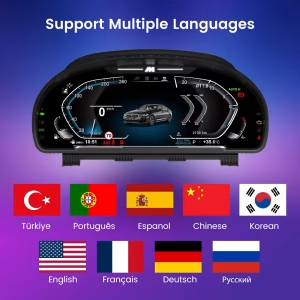
Multilingual Driver Interface
The multilingual interface helps international BMW owners use the display in their preferred language. This matters for daily use because warnings, settings and screen information must be understood quickly.
Vehicle Status Display Area
The digital cluster is built around daily driving information, not only a cosmetic screen change. Supported warnings, status icons and data pages help the driver keep the original vehicle-information logic readable.
Built Around the BMW F34 Vehicle Data Route
The correct result depends on the vehicle year, NBT/EVO system, wiring route and factory configuration. iKAGOO prepares the matched version to help retain the functions that matter for daily driving.
Speed, RPM and Gear Display
Core driving data remains the main purpose of this upgrade. The wide LCD layout makes these values easier to read while keeping the instrument area focused on the driver.
Fuel, Temperature and Trip Data
Supported vehicle data such as fuel level, trip information, temperature and consumption can continue to be displayed through the matched vehicle interface after correct installation.
Warning and Status Information
Supported warning icons and status data remain important because the instrument cluster is a safety-related display area. Your installer should complete a full warning-light and vehicle-data check before final reassembly.
Original Center Screen Route
This product upgrades the driver instrument area. It does not replace your main BMW center display or head unit, so factory camera and parking display functions normally remain on their original screen route.
LHD and RHD Preparation
BMW F34 vehicles exist in different steering positions across global markets. Send your dashboard and steering-position details so iKAGOO can prepare the right version for your vehicle.
NBT / EVO System Match
The product route is intended for BMW F34 vehicles with NBT or EVO. If your car has a previous retrofit, unusual screen route or special audio configuration, provide photos before shipment.
BMW F34 Digital Instrument Cluster Details
These specifications explain what the product changes and what needs to be checked before preparing the correct version.
Vehicle Information Needed to Prepare the Correct Version
Do not order only by model name. For a vehicle-specific cluster, the safest route is to match the vehicle system and dashboard details before dispatch.
Send These Details
- BMW 3 Series GT F34 model year
- Linksgestuurd of rechtsgestuurd
- Clear photo of the original instrument cluster
- Clear photo of the center screen and iDrive menu
- NBT or EVO system information if available
- Any previous retrofit or dashboard modification
Why iKAGOO Checks This
International shipping makes wrong-version problems expensive and slow. Checking your vehicle information before shipment helps iKAGOO prepare the correct cluster route, wiring, interface and support plan before your installer opens the dashboard.
Why This Upgrade Makes More Sense Than a Cheap Generic Cluster
The right decision is not only about screen size. It is about fitment, vehicle data, wiring, support and whether the product remains usable after installation.
Keep the Old Analog Cluster
This costs nothing today, but it leaves the driver area as the most dated part of the F34 cabin. It also does not improve visual clarity or cockpit value for long-term ownership.
Buy a Generic Marketplace Unit
A cheaper unit may look similar online, but the buyer often carries more risk around vehicle version, wiring, support, missing parts and technical answers after payment.
Choose the iKAGOO BMW F34 Digital Instrument Cluster
You get a 12.3-inch cluster route prepared for BMW 3 Series GT F34 2013–2020, with pre-shipment vehicle checking, order-based support and a clearer handling path if your installer finds a cable, setting or accessory issue.
You Are Not Only Buying the Screen
The visible hardware is only one part of a vehicle-specific upgrade. The work around matching, preparing, shipping and supporting the product is what reduces risk for international buyers.
Voertuigspecifieke voorbereiding
iKAGOO checks your F34 year, dashboard, steering position and system route before shipment. This helps prevent the common mistake of ordering only from a similar-looking product photo.
Support Based on Your Order
If an issue appears during installation, the order number keeps the vehicle, product and support case connected. That makes technical follow-up more practical than anonymous marketplace messaging.
Clear Technical Escalation
For wiring, setting, display or firmware-route questions, iKAGOO collects photos and videos before escalating useful evidence to the equipment engineers when needed.
Wat gebeurt er nadat u een bestelling plaatst?
This is the part most cheap listings do not explain. iKAGOO keeps the order as the support record and follows a practical process from vehicle checking to installation support.
Secure Checkout
Your order number becomes the support record for payment, vehicle matching, shipment and later technical communication.
Controle van voertuiggegevens
iKAGOO normally checks or reconfirms your F34 year, steering position, original cluster, NBT/EVO route and dashboard photos.
Voorbereiding van de juiste versie
The cluster route, wiring and vehicle interface are prepared according to the information supplied for your BMW 3 Series GT F34.
Actual Product Photos
If requested before packing, iKAGOO can provide visible product or accessory photos so you can check the prepared item before dispatch.
Packing and Dispatch
After the vehicle route is checked, the product is packed and shipped. Preparation time may vary by product version and vehicle-specific matching.
Tracking Follow-Up
Tracking is added when available. Some DDP routes use different international and local carriers, so local updates may appear after handover.
Ondersteuning bij de installatie
If installation questions appear, iKAGOO asks for photos, videos, connection details and display behavior before giving targeted guidance.
Engineer Escalation
When a problem is not a simple setting issue, useful evidence can be organized and escalated to the equipment engineers for technical judgment.
Software or Settings Route
If settings, instructions or firmware files are involved, iKAGOO coordinates the applicable route after the hardware version and issue are confirmed.
Cable or Accessory Issue
If a confirmed cable, harness or accessory issue appears, iKAGOO arranges a replacement or an approved practical solution.
Confirmed Hardware Mismatch
If accurate vehicle details were supplied and no reasonable cable, setting or software solution is available, iKAGOO provides a clear case resolution according to policy.
After It Works
After installation, you can still contact iKAGOO for supported troubleshooting, maintenance direction or eligible software service routes.
Three Checks Before You Buy
These iKAGOO standards help you understand upgrade value, factory-function retention and the right installation path before ordering.
Noodzaak van een upgrade
This result means the upgrade delivers clear daily-use value, not only a newer display appearance.
- The F34 interior benefits strongly from a more modern driver display.
- The 12.3-inch LCD makes speed, RPM and driving data easier to read.
- The upgrade improves cockpit value without replacing the whole center system.
- It is a better long-term ownership improvement than keeping an outdated analog-style display.
Compatibiliteit met het originele voertuig
A score of 90/100 does not mean that 10% of factory functions are lost. It describes the upgrade route, factory-data retention and vehicle-specific matching.
- Factory Function Continuity: vehicle data display remains the central upgrade target.
- Original Control Continuity: supported cluster/menu controls remain usable after correct setup.
- Vehicle Data & Warning Integration: speed, RPM, fuel and supported warnings are retained through the matched route.
- Physical Architecture Match: the cluster is shaped for the BMW F34 driver display area.
- Installation & Hardware Integration: matched wiring helps avoid intentional factory wire cutting.
Installation Ease Level
This level is suitable for experienced DIY installers or an automotive electronics installer who can remove trim carefully, connect matched wiring and test vehicle functions before closing the dashboard.
- Requires careful instrument-cluster removal and reinstallation.
- Requires matched wiring connection and vehicle-interface configuration.
- Requires full checks for speed, RPM, fuel, warnings, settings and display behavior.
- No intentional cutting of supported factory wiring is expected for the matched route.
Do Not Close the Dashboard Before Function Testing
A clean installation is not only about fitting the cluster into place. Your installer should test the key functions before final reassembly.
Voor installatie
- Confirm the product and original cluster shape.
- Disconnect the battery when required by the installer’s procedure.
- Inspect previous modifications or damaged connectors.
- Compare the wiring route before applying force.
During Installation
- Connect the matched harness and vehicle interface carefully.
- Keep original wiring reversible where supported.
- Do not cut, drill or modify factory wiring unless iKAGOO has confirmed a specific case.
- Record photos or videos if anything does not match.
Before Final Reassembly
- Test speed, RPM, fuel and warning information.
- Check display brightness, theme switching and language settings.
- Confirm there are no new abnormal warning lights.
- Contact iKAGOO with clear evidence before forcing any connector or trim.
Practical Ownership Support After Delivery
This BMW F34 Digital Instrument Cluster is covered by iKAGOO’s order-based support route and eligible hardware warranty terms.
Tracked International Shipping
The order receives tracking after dispatch. If the route uses DDP or a carrier handover, local tracking may update after customs or destination-country transfer.
12-Month Hardwaregarantie
Eligible manufacturing defects and hardware failures are handled according to the iKAGOO warranty policy. Damage from incorrect wiring, unauthorized modification or improper voltage is not normally covered.
Installation Evidence Helps Faster Support
For faster technical help, provide your order number, vehicle year, factory system photos, wiring photos and a short video showing the issue clearly.
BMW F34 Digital Instrument Cluster Questions
These answers focus on fitment, factory functions, installation and after-order support for BMW 3 Series GT F34 owners.
Will this fit my exact BMW 3 Series GT F34 model year?
Yes, if your vehicle is a supported BMW 3 Series GT F34 from 2013 to 2020 with the correct NBT or EVO route. Send your model year, dashboard photo and system photo before shipment so iKAGOO can prepare the correct version.
Does this BMW F34 Digital Instrument Cluster replace my center screen?
No. This product upgrades the driver instrument cluster area. Your main BMW center screen and head unit route remain separate unless your vehicle already has another retrofit.
Will original steering-wheel or cluster controls still work?
Yes, supported original control functions continue to work after correct connection and configuration. The exact operation may depend on your vehicle system, buttons and display settings.
Will the factory camera or parking sensors continue to work?
Yes, in normal cases those functions remain on the original center screen route because this product does not replace the main camera display system. If your vehicle has a non-standard camera, 360 system or previous retrofit, send photos before shipment.
Ondersteunt het Apple CarPlay en Android Auto?
It depends. This is a digital instrument cluster, not an Android head unit. It can show compatible navigation or media-style information where the connected NBT/EVO route and configuration provide supported data; full smartphone app operation still depends on your main head unit or CarPlay/Android Auto system.
Do I need to cut factory wiring?
No, the matched route is designed without intentional cutting of supported factory wiring. If your installer finds a connector mismatch, stop and contact iKAGOO before modifying wires.
Is it suitable for DIY installation?
It depends. The Installation Ease Level is Level 3 — Advanced DIY. It is suitable for experienced DIY installers or an automotive electronics installer who can remove trim carefully, connect wiring correctly and complete function testing.
What should I send before shipment?
Send your BMW F34 model year, LHD or RHD steering position, original cluster photo, center screen photo, iDrive system photo and any previous retrofit information. These details help iKAGOO prepare the correct version.
What if my vehicle has a special factory audio system?
It depends. This cluster does not replace your main amplifier, but fiber-optic and factory-system differences can affect the route. Send photos and equipment details before shipment so iKAGOO can check the preparation path.
Can I ask for actual product photos before packing?
Yes. If you request this before packing, iKAGOO can provide visible product or accessory photos for your order. This is useful for international buyers who want one more check before shipment.
What if tracking does not update clearly?
It depends on the route. Some international and DDP shipments use one carrier for the international section and another for local delivery. Contact iKAGOO with your order number and we will request the latest available logistics information.
What if my installer finds a cable or setting issue?
Contact iKAGOO before forcing the installation. Send photos of the connector, wiring route, screen behavior and a short video of the issue. iKAGOO will use that evidence to guide the next step or escalate the case when needed.
What if software or firmware is required?
It depends. If the issue is related to settings, software or firmware, iKAGOO first confirms the product version and problem evidence. Applicable instructions or files may be provided after confirmation.
Why buy from iKAGOO instead of a cheaper generic listing?
Because the cheaper option often leaves you to judge fitment from photos alone. iKAGOO focuses on BMW F34 version checking, correct preparation, technical communication and order-based support after delivery.
Order This Upgrade Only After the F34 Route Is Clear
The BMW F34 Digital Instrument Cluster is a strong upgrade when your vehicle matches the 2013–2020 BMW 3 Series GT F34 NBT/EVO route. Before shipment, send the requested photos so iKAGOO can reduce wrong-version risk and prepare the correct version for your car.
Ready to confirm your vehicle?
Send your vehicle year, original cluster photo, center screen photo and steering position. iKAGOO will use those details to check the order before preparing the shipment.


Noah Grant -
Geïnstalleerd in mijn 2017 3GT. De Plug-and-Play-verbinding was vlekkeloos, er was geen codering nodig. Het 12.3-inch scherm ziet er OEM uit en start op in minder dan 2 seconden. Perfecte kleurnauwkeurigheid en realtime gegevensrespons.