VW Jetta Digital Instrument Cluster for a Cleaner, Newer Driver Display
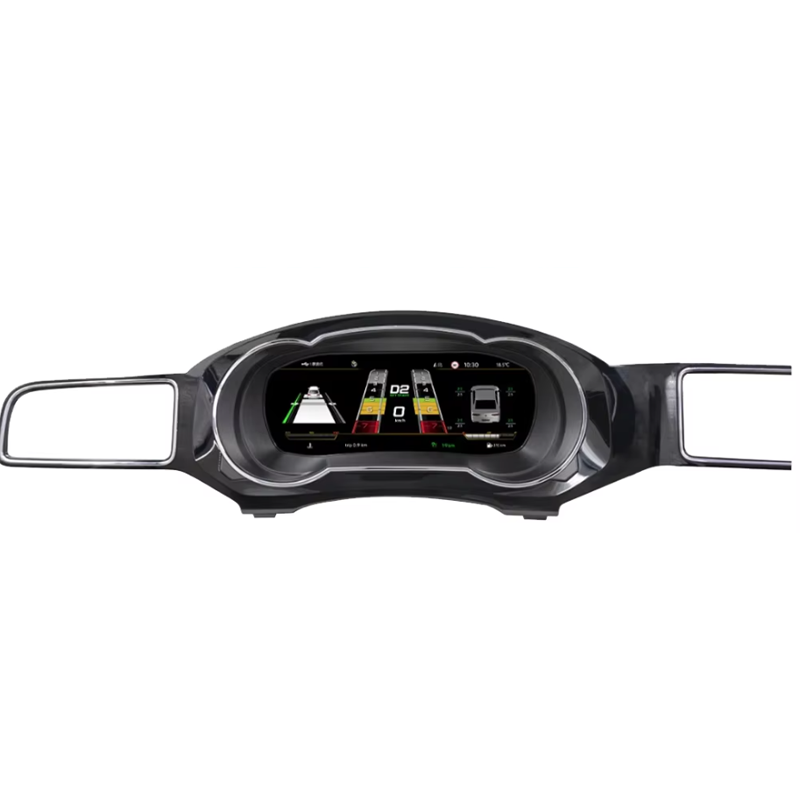
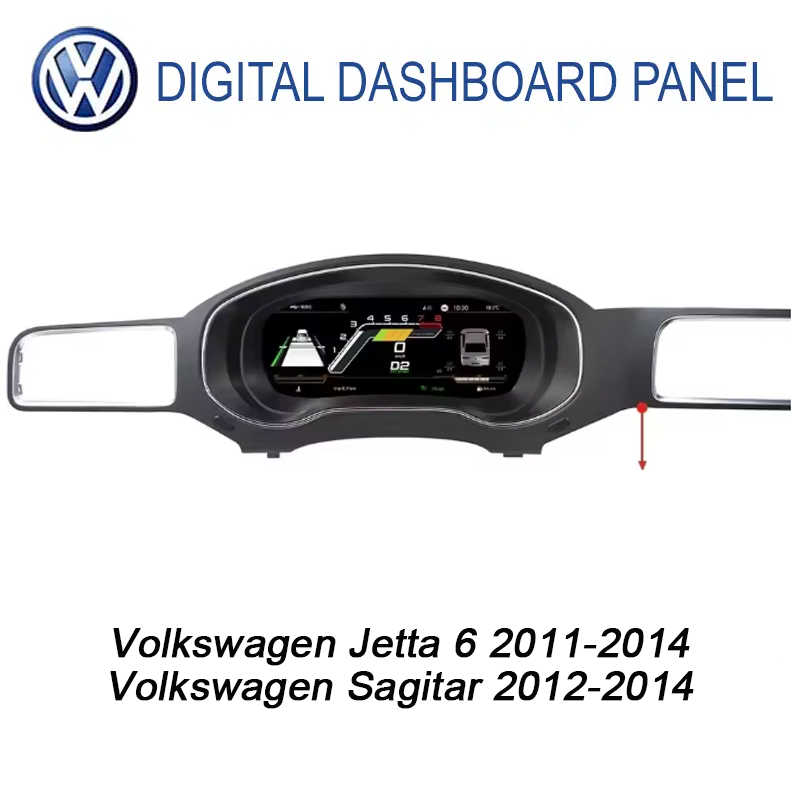
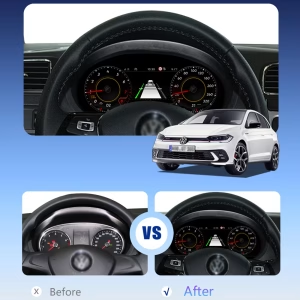
The VW Jetta Digital Instrument Cluster replaces the old analog-style gauge view with a 10.25-inch LCD cockpit for supported Volkswagen Jetta 2011-2014 and Volkswagen Sagitar 2012-2014 vehicles. It is built for drivers who want clearer vehicle data, a more modern dashboard, navigation display support and a factory-style upgrade path without choosing only from a generic marketplace listing.
Is This the Right Digital Cluster for Your Jetta?
The VW Jetta Digital Instrument Cluster is a vehicle-specific LCD instrument upgrade for supported Volkswagen Jetta 2011-2014 and Volkswagen Sagitar 2012-2014 dashboards. It upgrades the driver display from a traditional gauge look to a sharper 10.25-inch interface with real-time driving data, selectable visual themes and navigation display support when the required kit route is used. Steering-wheel control operation, vehicle data and warning information are designed to continue through the matched wiring and vehicle interface after correct installation. Before shipment, iKAGOO checks your vehicle year, dashboard layout, LHD/RHD position, original cluster photos and connector details to reduce wrong-version risk. This is why the product is sold as a matched upgrade route, not just a loose universal screen.
First 5 Buyer Concerns Answered
Wat er door deze upgrade in uw auto verandert
These visual sections explain the practical upgrade value before the technical details. Each part connects the display change to daily driving, safer information reading and a cleaner dashboard experience.
A New Driver Display Without Changing the Character of the Cabin
The upgrade gives your Jetta a more modern cockpit while still keeping the driver information in the original instrument area. You get a cleaner visual experience for speed, RPM, driving status and warning information. For daily use, the biggest improvement is not only appearance; it is the ability to read key driving information on a sharper screen. iKAGOO checks your vehicle photos before shipment so the prepared version follows the correct dashboard direction.
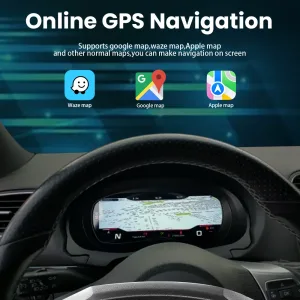
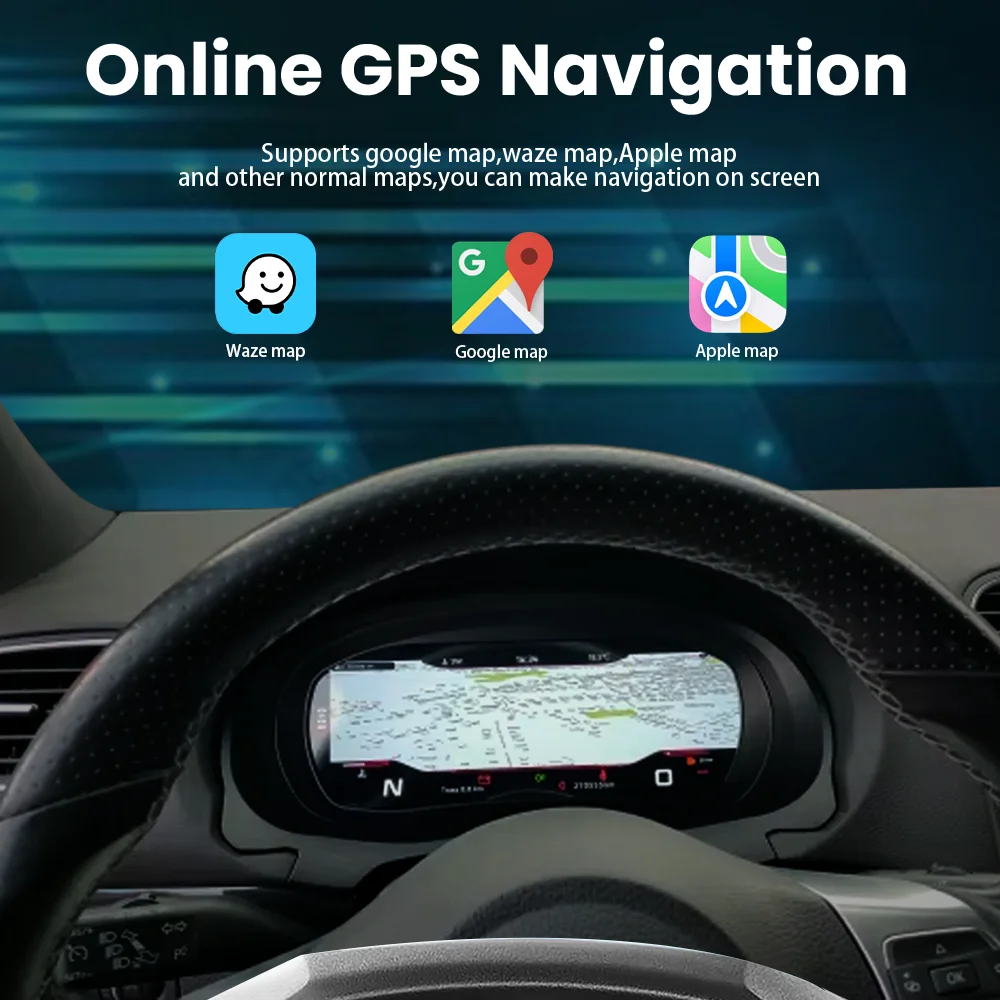
Navigation Display Support for a More Useful Daily Drive
When the selected kit and connected source support navigation display, the cluster can help bring map guidance closer to your normal line of sight. This is useful when you drive in an unfamiliar city, commute at night or want fewer distractions from a separate phone mount. Your family also benefits from a cleaner cabin because the main driving information remains concentrated in the driver display area. The route depends on the selected configuration, so iKAGOO confirms the version before packing.
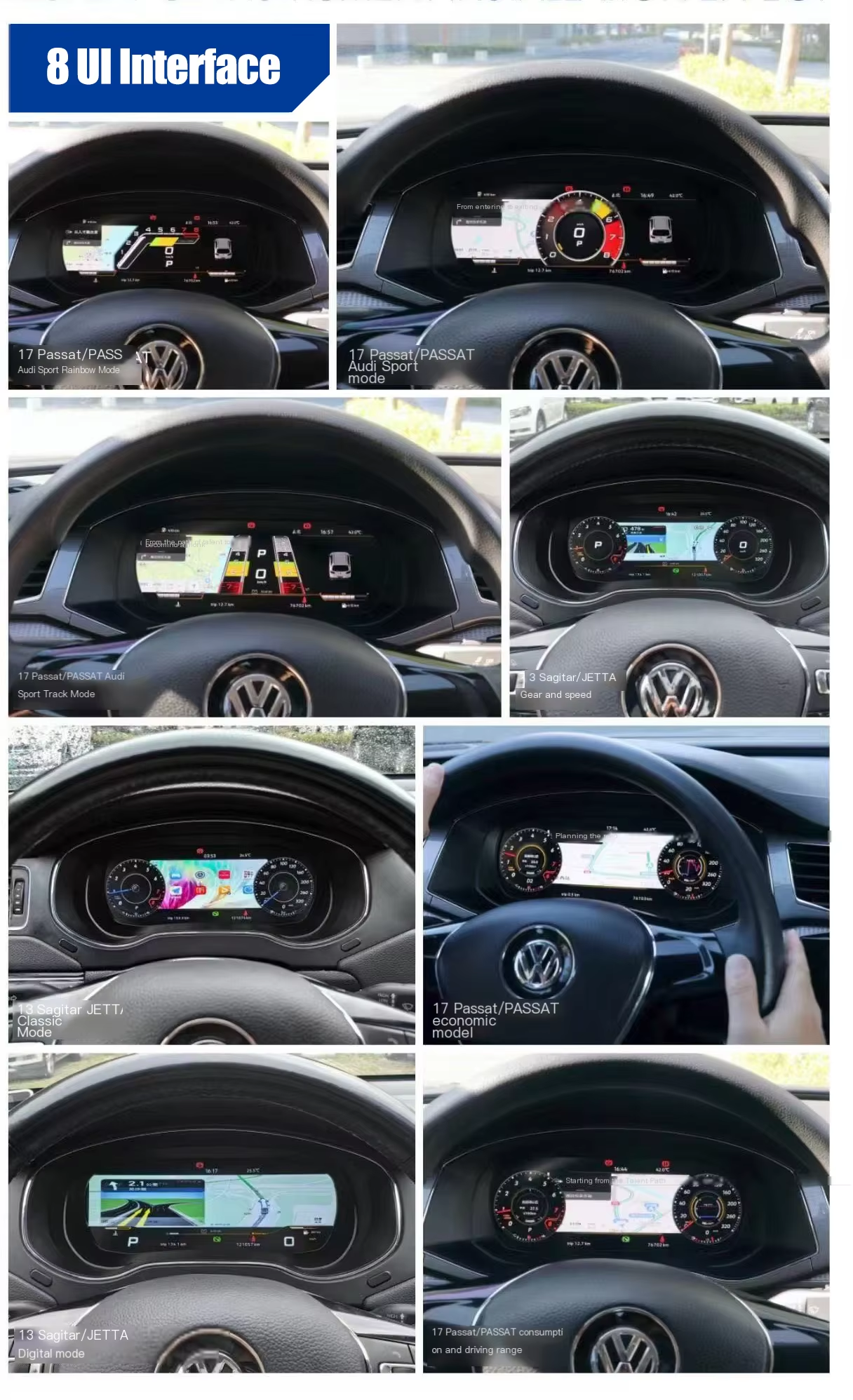
Multiple Display Modes for Different Driving Preferences
The LCD cluster gives you a more flexible driver interface than the original analog layout. You can use a classic gauge-style view for familiar driving, or a more digital layout when you prefer more screen-based information. The benefit is practical: the dashboard can feel newer without forcing you to learn a completely unrelated cockpit design. iKAGOO keeps the page focused on the supported Jetta and Sagitar route, so special functions are confirmed by the actual kit and vehicle information.
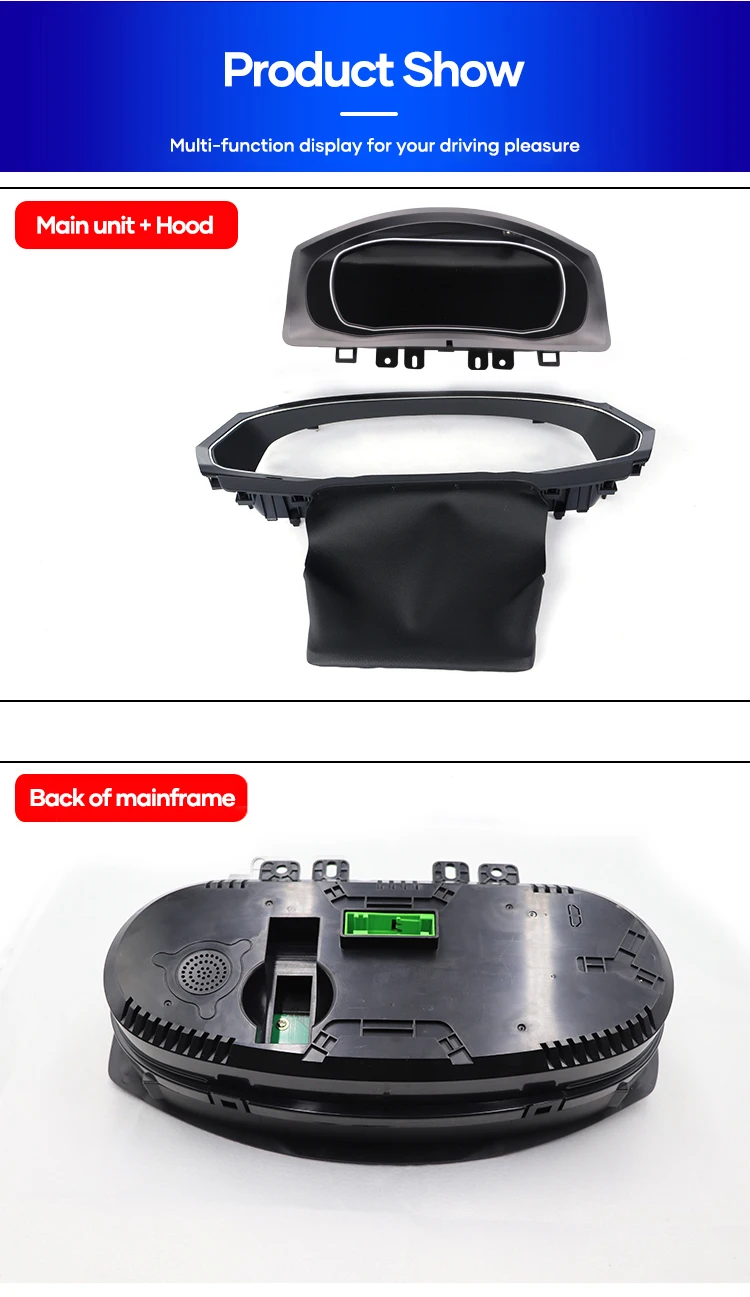
Main Unit, Hood and Rear Housing Matter for Fitment
A digital instrument cluster is not only a screen. The housing, hood, rear structure and connector area must match the dashboard route so the product can sit cleanly in the instrument position. This is why a low-price universal listing can create more risk than it first appears. iKAGOO checks the vehicle generation and visible dashboard photos so the prepared hardware follows the correct installation route.
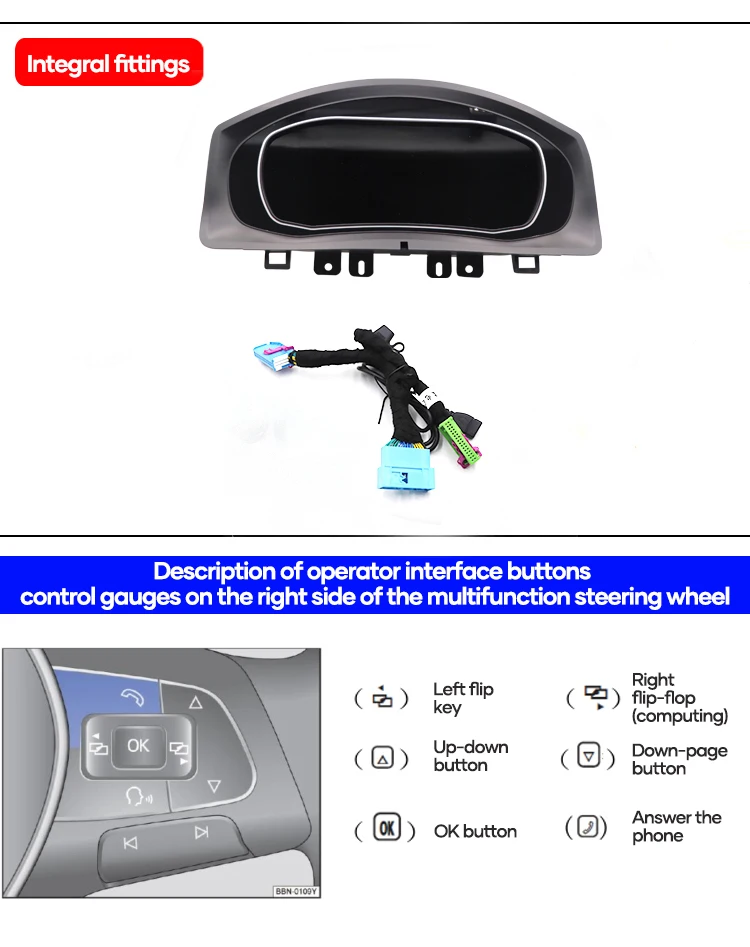
Steering-Wheel Operation Keeps Daily Use Familiar
Original steering-wheel controls are important because drivers should not lose normal operation after upgrading the display. With the correct vehicle interface and setup, supported controls continue to operate in a familiar way. This makes the upgrade feel less like a random aftermarket screen and more like a planned dashboard improvement. If your vehicle has a different wheel button layout, iKAGOO asks for photos before shipment.
Factory-Style Data Retention Is the Real Value
A good digital cluster should continue showing the information you rely on while driving, not only display a bright new interface. Supported vehicle data, warning information and driving status are retained through the correct connection and configuration route. This is where proper vehicle matching matters more than a catalogue photo. iKAGOO uses your vehicle details to reduce the risk of receiving a version that cannot communicate correctly with your car.
Clearer Screen Viewing Reduces Driver Fatigue
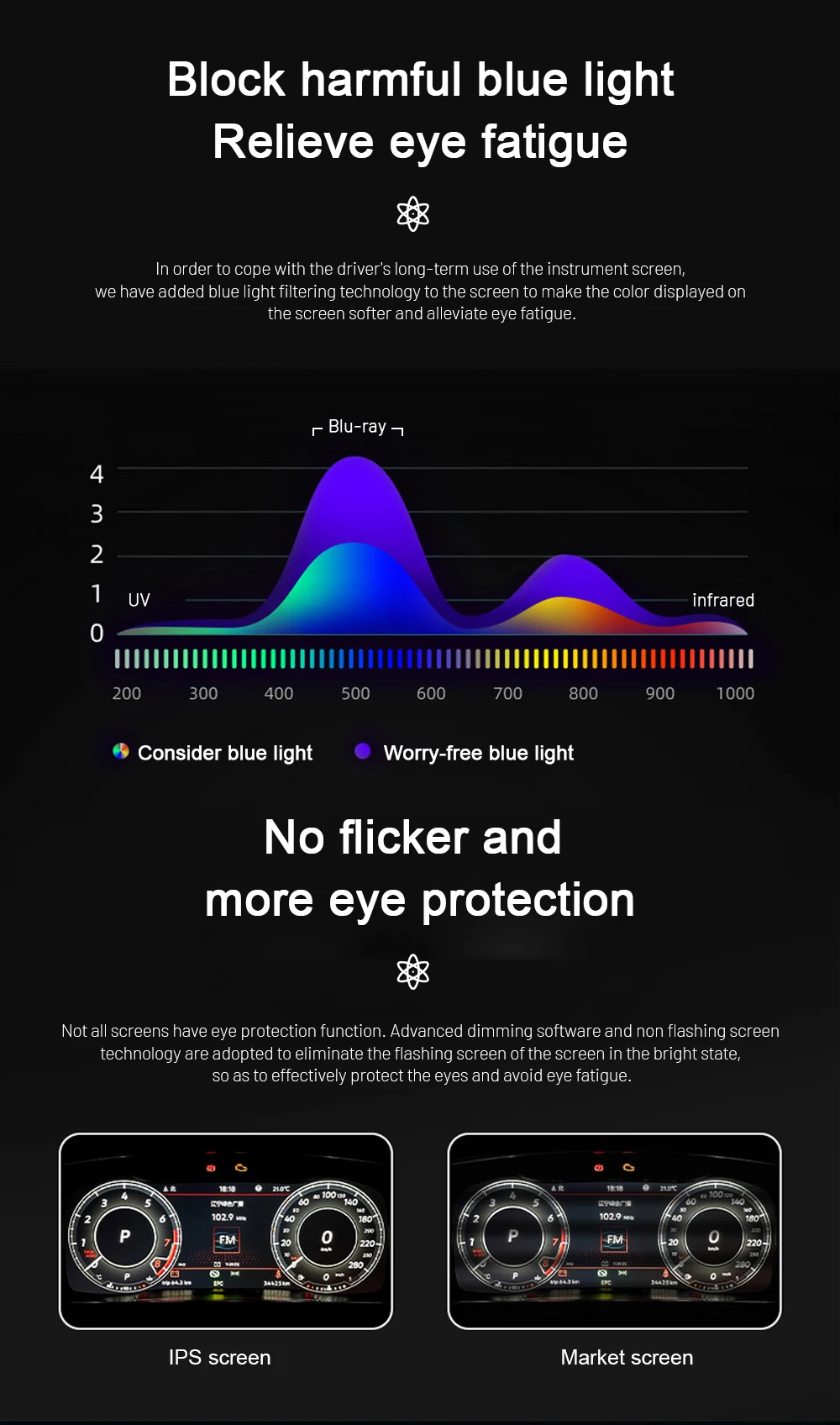
The 10.25-inch IPS LCD and high-resolution interface help make driving information easier to read in normal day and night use. A cleaner digital display can reduce the need to stare at small analog markings, especially during long trips or repeated commuting. This matters for comfort as much as appearance. The final result should be a dashboard that feels updated without becoming visually messy.
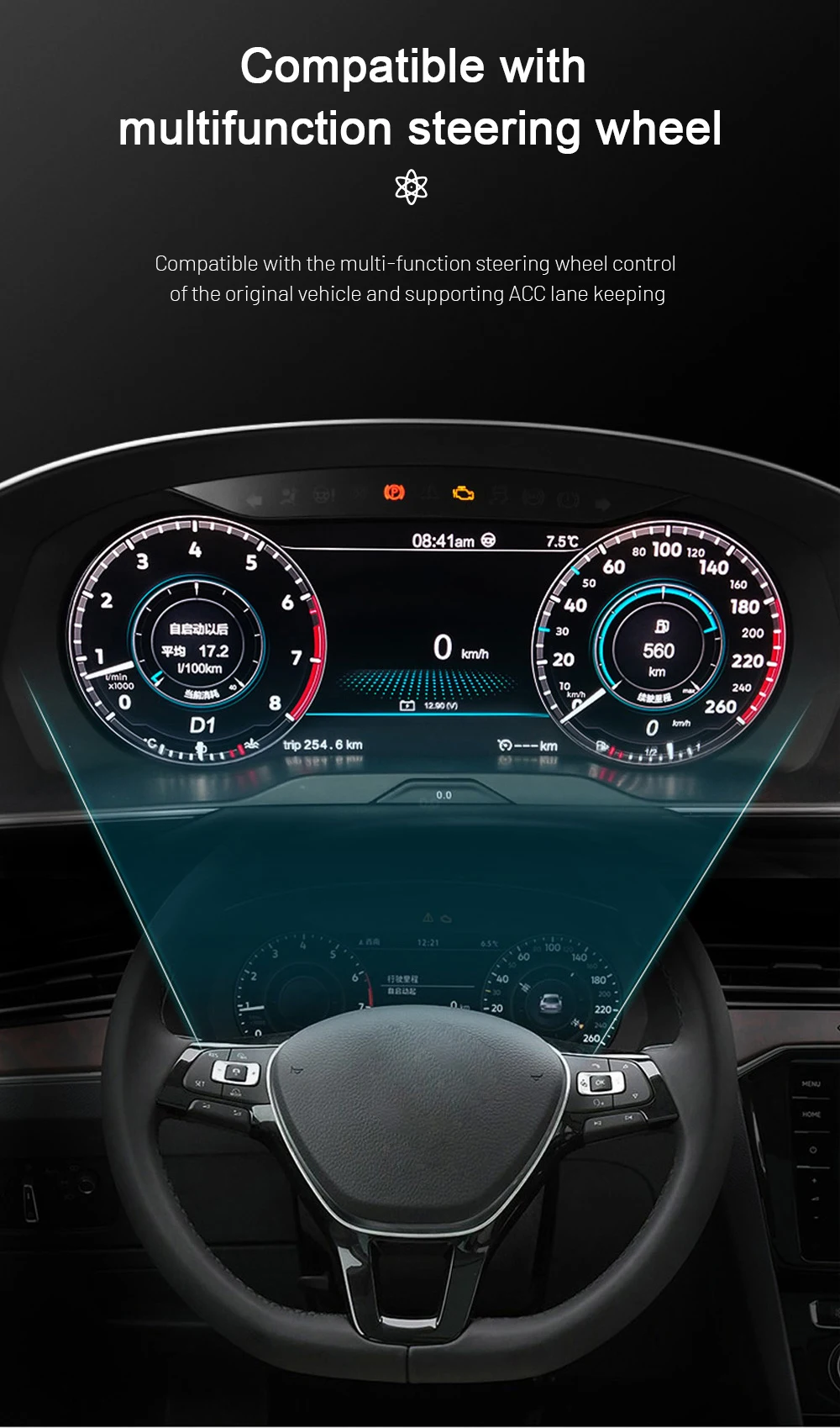
Multifunction Steering-Wheel Compatibility Supports Normal Driving Habits
Many Jetta owners do not want an upgrade that makes the car harder to use. The matched vehicle interface is intended to keep supported steering-wheel control logic available after installation. That helps you adjust supported display functions without treating the new cluster as a separate gadget. Before shipment, photos of your original wheel and cluster help iKAGOO prepare the correct support direction.
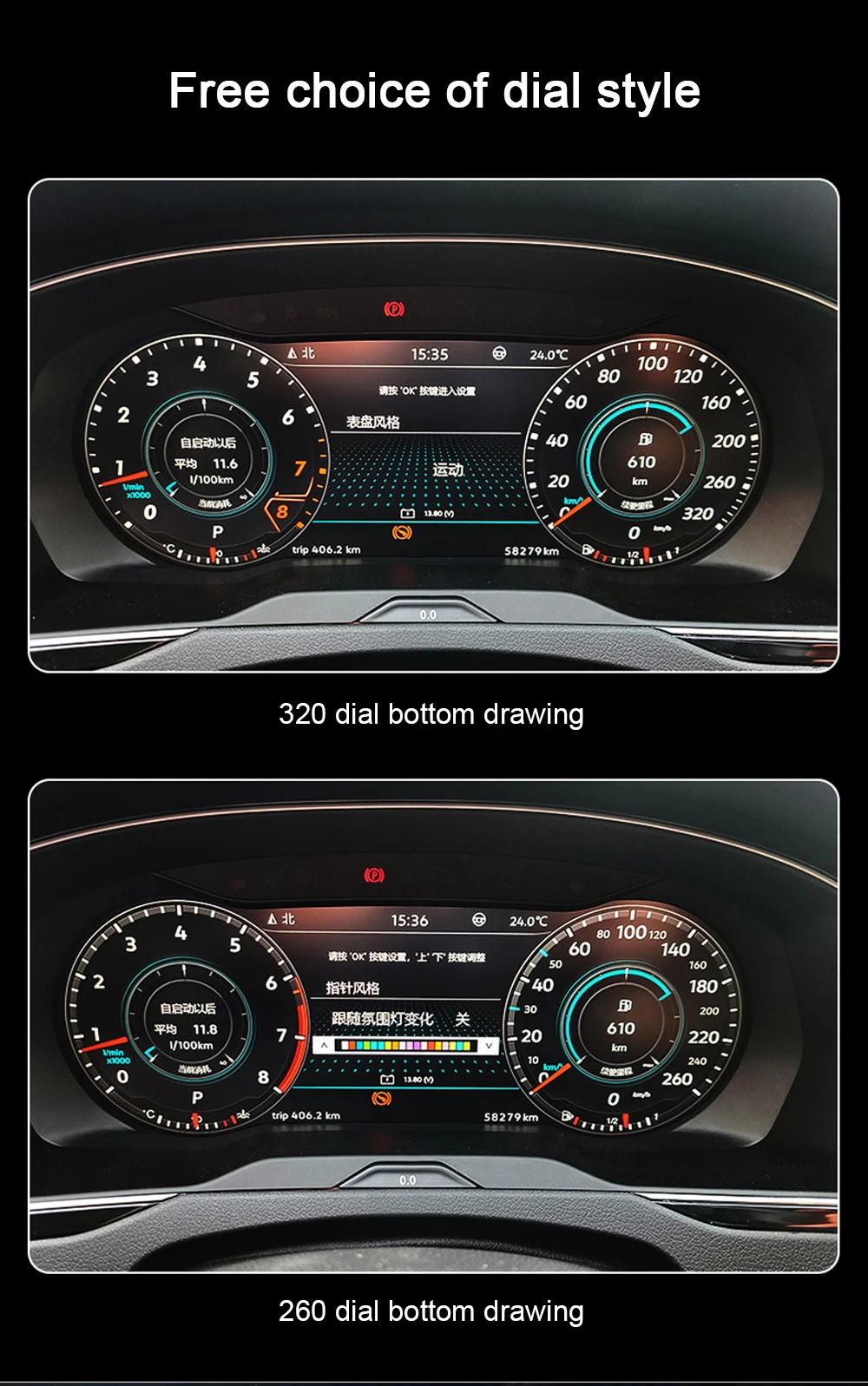
Theme and Dial Style Choices Make the Cabin Feel Newer
The cluster supports different visual styles, so the upgrade is not limited to one fixed display look. This helps drivers who want a sportier view, a cleaner classic view or a navigation-focused layout. The benefit is personal comfort: you can choose the style that feels easiest to read for your daily route. The available options depend on the supplied version and configuration.
Original Data Logic and Correct Installation Path Reduce Risk
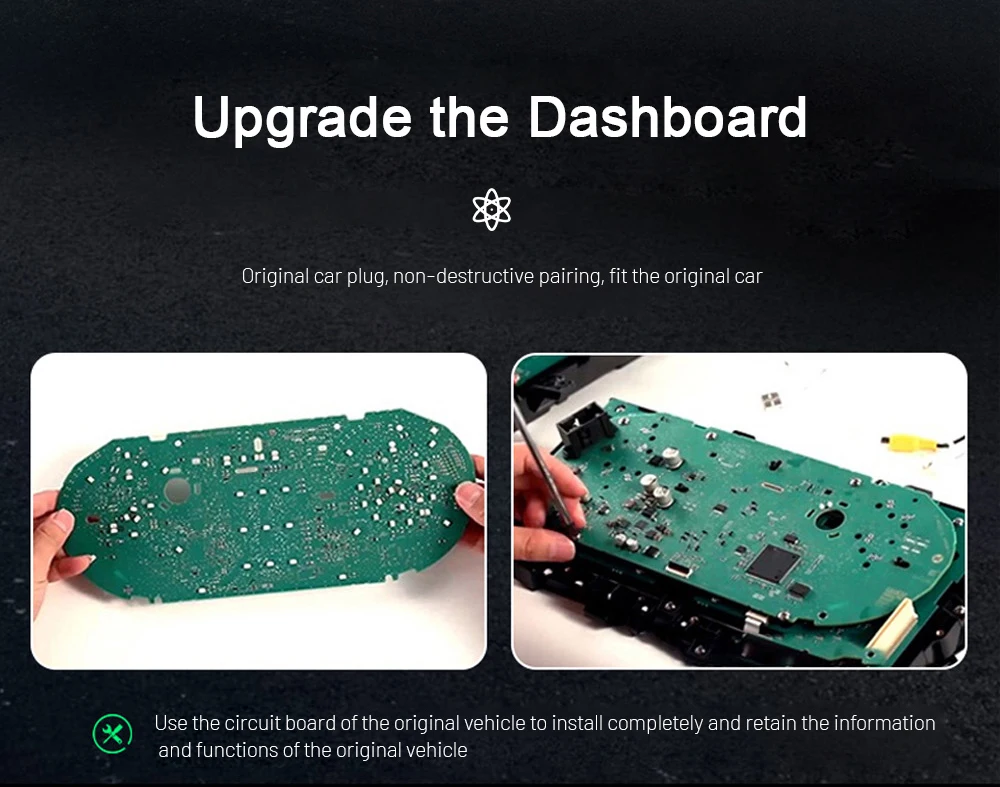
Some VW digital cluster routes involve transferring or preserving original vehicle data logic so mileage and factory information can remain consistent with the vehicle. This step should not be guessed from a product photo. The practical value is lower wrong-version risk and better long-term ownership confidence. Follow the supplied instructions and contact iKAGOO before changing wiring or attempting any unsupported method.
Waarom deze upgrade de moeite waard is
The main value is a more useful driver display, better daily visibility and a vehicle-specific preparation process before the product leaves iKAGOO.
Modern LCD Cockpit
The original gauge area becomes a clearer 10.25-inch LCD interface. You get a more current dashboard feel without adding a separate tablet-style display in the cabin.
Real Driving Information
Supported speed, RPM, mileage, fuel, temperature and warning information continue to serve the driver through the matched vehicle route after correct installation.
Navigation and Phone Use
When the selected kit supports it, navigation and phone-based display functions can work with the cluster route, giving you a cleaner way to use guidance during daily driving.
Factory Controls Retained
Supported steering-wheel controls continue to work through the correct wiring and interface setup, so the vehicle does not feel like it has been converted into a generic aftermarket cockpit.
Geen opzettelijk doorsnijden van kabels
The intended installation route uses matched wiring and connectors. If your installer believes cutting, drilling or soldering is necessary, stop and contact iKAGOO first.
iKAGOO Version Matching
Before shipment, iKAGOO reviews your vehicle details, dashboard photos and connector information to prepare the correct route for your order.
Ondersteuning voor originele voertuigfuncties
Supported functions depend on the correct model year, dashboard version, connector type, supplied harness and installation method.
Bedieningsknoppen op het stuurwiel
Supported original steering-wheel controls continue to operate after correct connection and configuration.
Vehicle Data and Warnings
Speed, RPM, mileage, fuel level, temperature and supported warning information remain part of the driver display route.
Navigation Display Route
Navigation display support is available when the selected kit and connected source are compatible with the cluster display method.
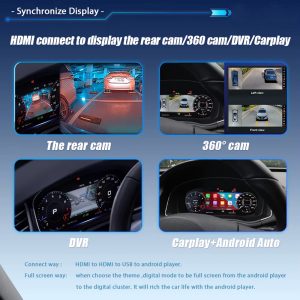
Camera and Parking Display Route
Supported reverse camera, parking display or external display routes depend on the kit configuration and the vehicle's existing equipment.
Aanpak bij de fabrieksbekabeling
The intended connection method avoids intentional cutting of supported factory wiring and keeps the upgrade more reversible.
Special Configuration Review
Previous aftermarket wiring, unusual regional equipment or non-standard cluster changes should be checked before shipment.
Key Product Details for the VW Jetta Digital Instrument Cluster
Specifications are listed as buyer-useful information, not as isolated parameters. Final availability can depend on the selected kit version and vehicle configuration.
Producttype
Digital Instrument Cluster / LCD Cluster / Virtual Cockpit Retrofit for supported Volkswagen Jetta and Sagitar dashboards.
Supported Vehicles
Volkswagen Jetta 2011-2014 and Volkswagen Sagitar 2012-2014, including GLI route where the dashboard and connector match.
Weergave
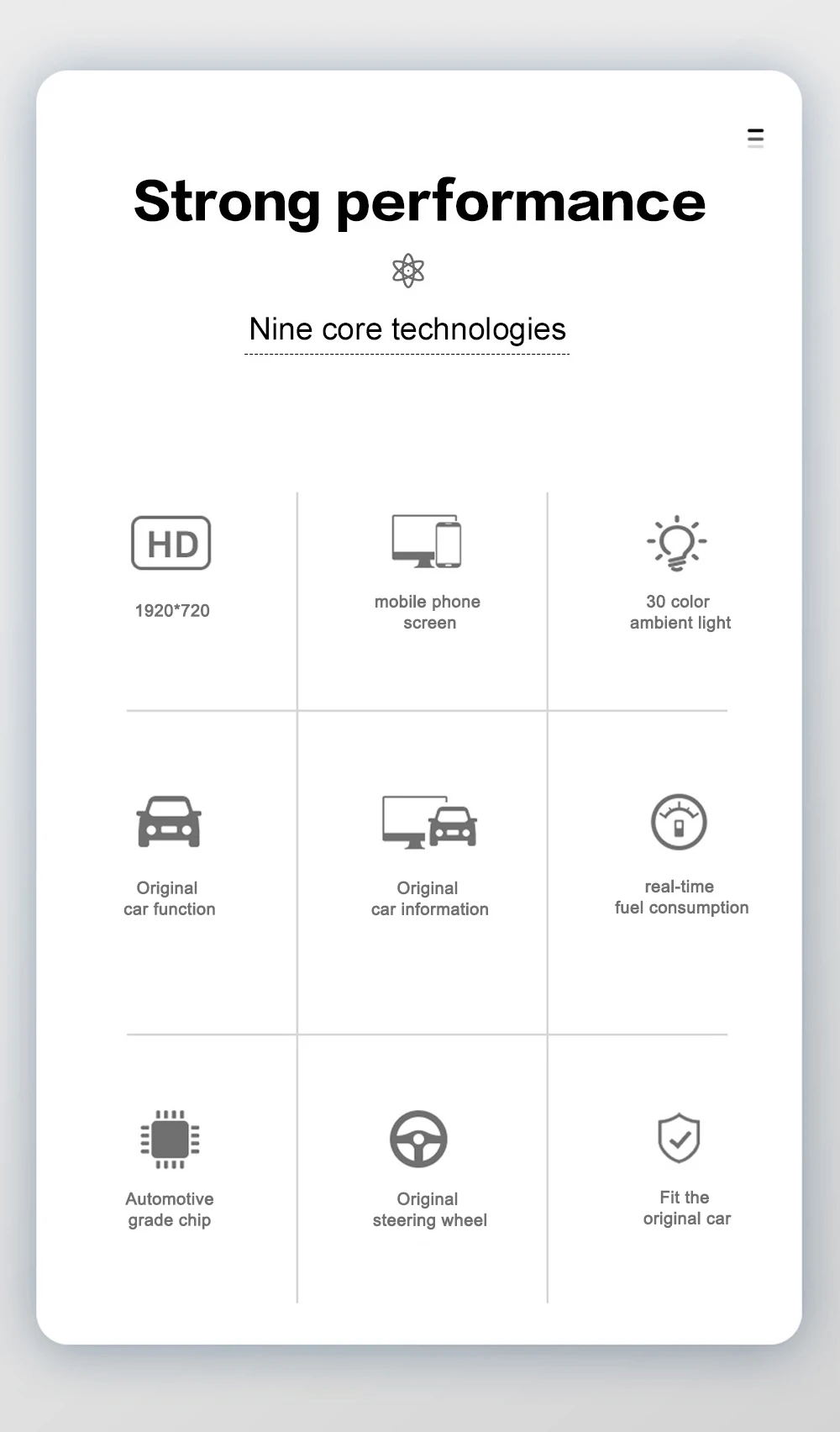
10.25-inch IPS LCD with 1920 x 720 resolution for a clearer driver information display.
Interface
Multiple visual themes and display modes for a modern cockpit look and easier information reading.
Connectiviteit
Wireless CarPlay and Android Auto support are kit-dependent. Check the selected configuration before ordering.
Stroom
12V DC vehicle power route with matched wiring supplied for the supported vehicle version.
Voertuiggegevens
Supported display data can include speed, RPM, mileage, trip, fuel level, coolant temperature and warnings.
Installatieroute
Vehicle-specific cluster replacement route with careful trim removal, matched connection and full function testing before reassembly.
Hoe iKAGOO de juiste versie opstelt
This is the difference between buying a matched upgrade route and buying only a product photo.
1. Vehicle Year Check
Confirm the model year, Jetta/Sagitar name, market region and whether the vehicle belongs to the supported dashboard generation.
2. Dashboard Photo Review
Send clear photos of the original instrument cluster and driver dashboard area so the fitment route can be checked before shipment.
3. LHD / RHD Confirmation
Steering position matters because the dashboard layout and trim orientation can affect the installation route.
4. Connector Check
Connector photos help confirm whether the prepared harness and vehicle interface match your exact vehicle.
5. Original Equipment Check
Tell us about existing camera, audio, steering-wheel controls, previous modifications or warning problems before packing.
6. Final Kit Preparation
iKAGOO prepares the cluster, wiring, interface and accessory route according to the confirmed vehicle information.
Drie dingen die je moet controleren voordat je iets koopt
These iKAGOO standards help you understand upgrade value, original vehicle compatibility and the right installation path before ordering.
Noodzaak van een upgrade
This score explains why the upgrade makes sense for daily use, not only whether the display looks modern.
- The old gauge area is upgraded to a clearer 10.25-inch LCD driver display.
- Navigation display support and multiple visual modes improve daily usability.
- It is a more complete cockpit upgrade than adding only a phone mount or a basic CarPlay accessory.
- The iKAGOO pre-shipment fitment check reduces wrong-version risk for international buyers.
Compatibiliteit met het originele voertuig
A score of 91/100 does not mean that 9% of factory functions are lost. It describes the upgrade route, control retention, data display and vehicle-specific matching.
- Factory Function Continuity: 25% focus on useful original driving information.
- Original Control Continuity: 15% focus on steering-wheel control support.
- Vehicle Data & Warning Integration: 20% focus on speed, RPM, fuel, temperature and warnings.
- Physical Architecture Match, UI match and hardware integration complete the compatibility view.
Gemak van installatie
Suitable for experienced DIY installers or an automotive electronics installer who can remove trim carefully, identify connectors and complete function testing.
- The original instrument cluster area is removed and the new cluster route is connected.
- Matched wiring, connector handling and temporary power-on testing are required.
- Het opzettelijk doorsnijden van de ondersteunde fabrieksbekabeling maakt geen deel uit van het beoogde traject.
- First-time installers should use an experienced installer if trim removal or connector identification is unfamiliar.
Why Choose This Matched Digital Cluster Route?
A lower price is not useful if the cluster does not match your dashboard, loses controls or leaves you without technical support after shipment.
Repair Old Analog Cluster
Repair may restore a failed original display, but it does not give you a modern LCD interface, navigation display support or a new cockpit feel.
Cheap Generic Listing
Marketplace listings can be suitable for expert buyers, but the risk is choosing by photos while the connector, dashboard route or after-sales support is unclear.
iKAGOO VW Jetta Digital Instrument Cluster
This route combines the LCD cluster, vehicle-specific preparation, function testing guidance, after-order support and a clearer handling path if accessories or settings need help.
Wat gebeurt er nadat u een bestelling plaatst?
This process is designed to keep the upgrade from becoming a blind international shipment.
Step 1 - Secure Checkout
Your order number becomes the basis for vehicle review, packing, shipment and future support.
Step 2 - Vehicle Review
iKAGOO checks the model year, dashboard photo, steering position, original cluster and connector information when needed.
Step 3 - Version Preparation
The cluster, wiring route and vehicle interface are prepared according to the confirmed vehicle information.
Step 4 - Product Photos When Requested
If you ask before packing, iKAGOO can provide actual product or visible accessory photos for confirmation.
Step 5 - Packing and Dispatch
After confirmation, the order is packed and dispatched. Preparation time can vary by vehicle-specific route.
Step 6 - Tracking Follow-Up
Tracking is added when available. DDP routes may update in stages after customs or local carrier handoff.
Step 7 - Installation Support
If installation questions appear, send photos, videos, connector views and the exact function that is not working.
Step 8 - Engineer Escalation
If the issue is not a normal setting question, useful evidence can be organised for the equipment engineer to judge.
Step 9 - Software or Settings Help
When instructions, settings or files are required and electronic delivery is suitable, iKAGOO coordinates the support route after confirmation.
Step 10 - Missing or Incorrect Accessory
If a confirmed accessory issue exists, iKAGOO arranges the required replacement or approved solution.
Step 11 - Confirmed Hardware Mismatch
If no reasonable wiring, accessory or software route can solve a confirmed hardware incompatibility, iKAGOO provides a clear product-price resolution path under the applicable policy.
Step 12 - After It Works
You can still contact iKAGOO for supported maintenance, troubleshooting or applicable software service routes using the original order number.
What Your Installer Should Check Before Reassembly
Do not treat power-on as the complete test. A digital cluster should be checked as part of the vehicle system.
Power and Boot
Confirm the cluster powers on normally, wakes with the vehicle and does not show abnormal restart behavior.
Snelheid en toerental
Check speed, RPM and gear-related information in a safe test condition before final trim reassembly.
Waarschuwingsinformatie
Confirm supported warning icons and vehicle information appear normally and do not create new unrelated alerts.
Bedieningsknoppen op het stuurwiel
Test the supported wheel buttons and display menu operation before closing the dashboard.
Navigation or Phone Route
If your selected kit includes CarPlay, Android Auto or navigation display support, test the relevant source and display route.
Sleep and Reassembly
After testing, organise wiring so the cluster and trim can be installed without pressing connectors or pinching cables.
Buyer Protection for This Vehicle-Specific Upgrade
iKAGOO focuses on clear preparation, tracked delivery, practical installation help and a policy-based support path.
Verwerking
Normal processing is usually 1-3 business days before dispatch after vehicle-specific information is reviewed.
Internationale verzending
Estimated delivery varies by region and route. Tracking is provided when the logistics provider supplies it.
DDP Route
For eligible destinations, DDP tax-included shipping may be available when selected or confirmed before shipment.
12-Month Hardwaregarantie
Eligible hardware defects are covered under iKAGOO's limited warranty policy and case review process.
Ondersteuning bij de installatie
Support can include wiring review, connector confirmation, settings help and function testing guidance.
Refund Boundary
Refund eligibility depends on the applicable policy, product condition, installation status, evidence and iKAGOO approval.
VW Jetta Digital Instrument Cluster FAQ
These questions are written for real pre-purchase decisions: fitment, retained functions, installation route, CarPlay support and what happens after payment.
Yes, if your vehicle matches the supported Volkswagen Jetta 2011-2014 or Volkswagen Sagitar 2012-2014 route and the dashboard/connector condition is correct. Send your model year, dashboard photo and original cluster photo before shipment so iKAGOO can check the version. Name differences by market are handled by generation, dashboard and connector, not only by badge name.
Yes, supported steering-wheel controls are designed to continue working after correct connection and configuration. If your wheel button layout is different from the standard route, send photos before shipment. This helps iKAGOO prepare the correct support direction.
Yes, supported speed, RPM, mileage, fuel, temperature and warning information are part of the intended cluster route. The exact display items depend on the vehicle sensors, configuration and correct installation. Your installer should test these before final reassembly.
It depends on the selected kit version and connected source route. The product page route supports CarPlay and Android Auto where the equipped kit allows it. Confirm your selected configuration before ordering if this is a must-have feature.
No, the intended installation method does not require intentional cutting of supported factory wiring. It uses the matched wiring and connector route. If an installer believes cutting, soldering or drilling is necessary, stop and contact iKAGOO before continuing.
It depends on your experience. iKAGOO rates this route as Level 3 - Advanced DIY, which suits experienced DIY installers or automotive electronics installers. A first-time dashboard installer should not use this as a first practice job.
Send your vehicle model, year, market name, LHD/RHD position, original cluster photo, dashboard photo and connector photo if requested. If the car has previous aftermarket wiring or unusual warning issues, mention that before packing. This helps reduce wrong-version risk.
It depends on what was changed. Previous aftermarket wiring, repaired connectors, missing modules or non-standard cluster changes can affect the normal route. Send photos before shipment and do not continue installation if the connector path is different from the supplied instructions.
Yes. If you ask before packing, iKAGOO can provide photos of the actual prepared product or visible accessories when practical. This is useful for international buyers who want confirmation before dispatch.
It depends on the carrier route. Some DDP or international shipments update first in the export route and later in the destination-country carrier system. Contact iKAGOO with your order number and we will request the latest available logistics information.
Contact iKAGOO before forcing any connection. Send clear photos of the cable, connector, vehicle socket and the exact function issue. Support can include wiring confirmation, setting guidance, accessory checking or engineer escalation when needed.
Because the cluster is not a simple plug-in phone accessory. iKAGOO checks vehicle fitment, prepares the matched route, supports installation questions and keeps the original order as the basis for future help. A cheaper generic unit may look similar but leave you to solve connector, data or support problems alone.
Check Related Standards, Policies and Volkswagen Categories
These links help buyers understand compatibility, installation path, warranty and the broader Volkswagen digital cluster category.
Virtuele Cockpit Retrofit
Understand the broader digital cluster upgrade route.
Digitale instrumentenclusters
Browse vehicle-specific LCD cluster upgrades.
Volkswagen Upgrades
Find Volkswagen digital cluster and Android display routes.
Compatibility & Installation
Learn what vehicle information helps confirm the correct version.
Is iKAGOO betrouwbaar?
See how iKAGOO handles order review, support and after-sales cases.
Garantiebeleid
Review eligible hardware warranty coverage and support limits.
Refund & Returns
Understand product return, refund and evidence requirements.
Neem contact op met iKAGOO
Send vehicle photos and fitment questions before or after ordering.
Order After Your Jetta Version Is Clear
The best result comes from matching the vehicle before shipment, not guessing after the dashboard has been opened. Send your Jetta/Sagitar year, cluster photo, dashboard photo and connector information if you are unsure.


John.Doe -
Ik heb onlangs het Ikagoo 10,25″ digitale instrumentenpaneel in mijn VW Jetta uit 2014 geïnstalleerd, en de verbetering is opmerkelijk. De installatie was eenvoudig en het paneel past naadloos in het dashboard. Het scherm met hoge resolutie is helder en reageert snel, en de draadloze CarPlay- en Android Auto-functies werken feilloos. Ik waardeer ook de ingebouwde DSP voor een betere geluidskwaliteit. Al met al een aanzienlijke upgrade die zowel de functionaliteit als de esthetiek van mijn auto verbetert.