


Duidelijkere rijgegevens
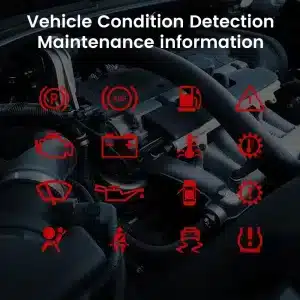
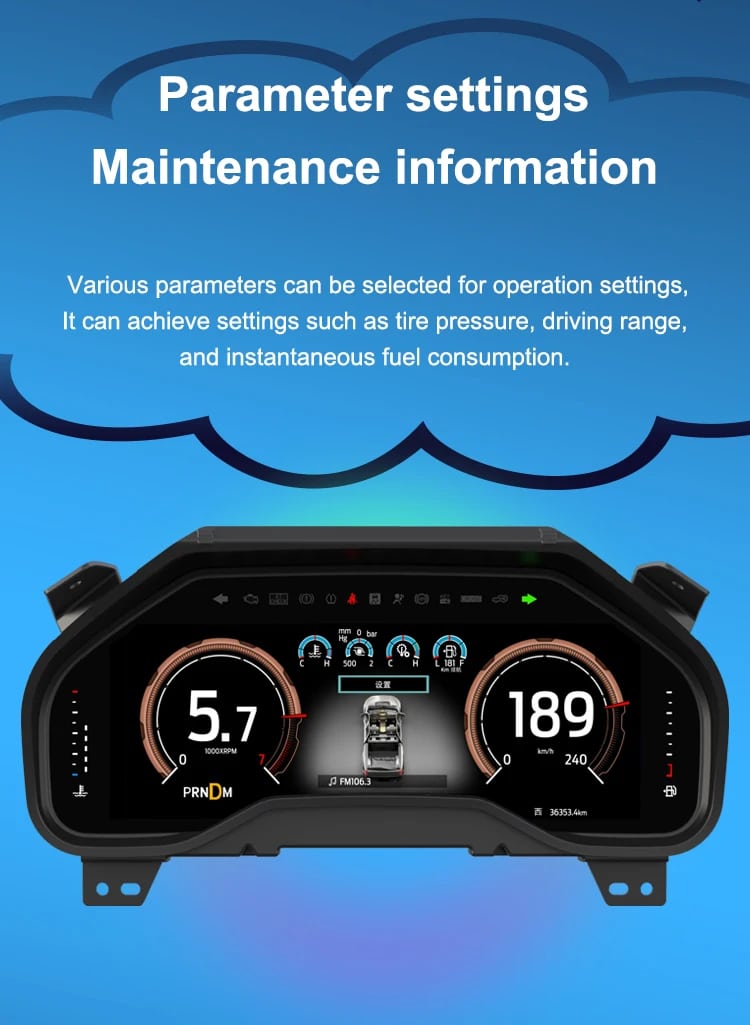
Speed, RPM, gear position, fuel range, oil information, water temperature, TPMS and supported warnings are easier to read than on the original analog layout.

| Gewicht | 4.5 kg |
|---|---|
| Afmetingen | 45 × 35 × 25 cm |
| Ondersteunende auto | 2009-2012, 2013-2014 |
| Product compatibiliteit | Plug en play |
| Oorsprong product | Geen echt origineel product |



Van: $1,380.00

Wij regelen de verschuldigde btw en invoerrechten voor in aanmerking komende bestellingen uit de EU en de VS. Geschatte besparing: $120-$280 .
Verzendkosten worden apart in rekening gebracht. De exacte verzendkosten worden per bestemming berekend en worden in uw winkelmandje weergegeven voordat u afrekent.
De definitieve verzending wordt bevestigd op basis van uw bezorgadres bij het afrekenen.
Compatibiliteitscontrole, volledige compatibiliteitsbescherming, 12 maanden hardwaregarantie en voortdurende ondersteuning na de installatie.
 Volledige terugbetalingsgarantie
Compatibiliteitsgarantie
Is bevestigd dat het product niet compatibel is met uw auto? Dan krijgt u het volledige aankoopbedrag terug.
→
Volledige terugbetalingsgarantie
Compatibiliteitsgarantie
Is bevestigd dat het product niet compatibel is met uw auto? Dan krijgt u het volledige aankoopbedrag terug.
→
 12-Month Hardwaregarantie
De hardwaregarantie geldt gedurende de eerste 12 maanden.
→
Langdurige ondersteuning na verkoop
Softwarebegeleiding, ondersteuning bij onderdelen en de coördinatie van reparaties blijven gekoppeld aan uw oorspronkelijke bestelling.
→
12-Month Hardwaregarantie
De hardwaregarantie geldt gedurende de eerste 12 maanden.
→
Langdurige ondersteuning na verkoop
Softwarebegeleiding, ondersteuning bij onderdelen en de coördinatie van reparaties blijven gekoppeld aan uw oorspronkelijke bestelling.
→
Ons doel is om uw bestelling goed te krijgen voordat deze ons verlaat. We verifiëren de compatibiliteit, bereiden de juiste configuratie voor en nemen alleen contact met u op als iets bevestiging nodig heeft.
F-150 2009–2014 · SVT Raptor 2010–2014
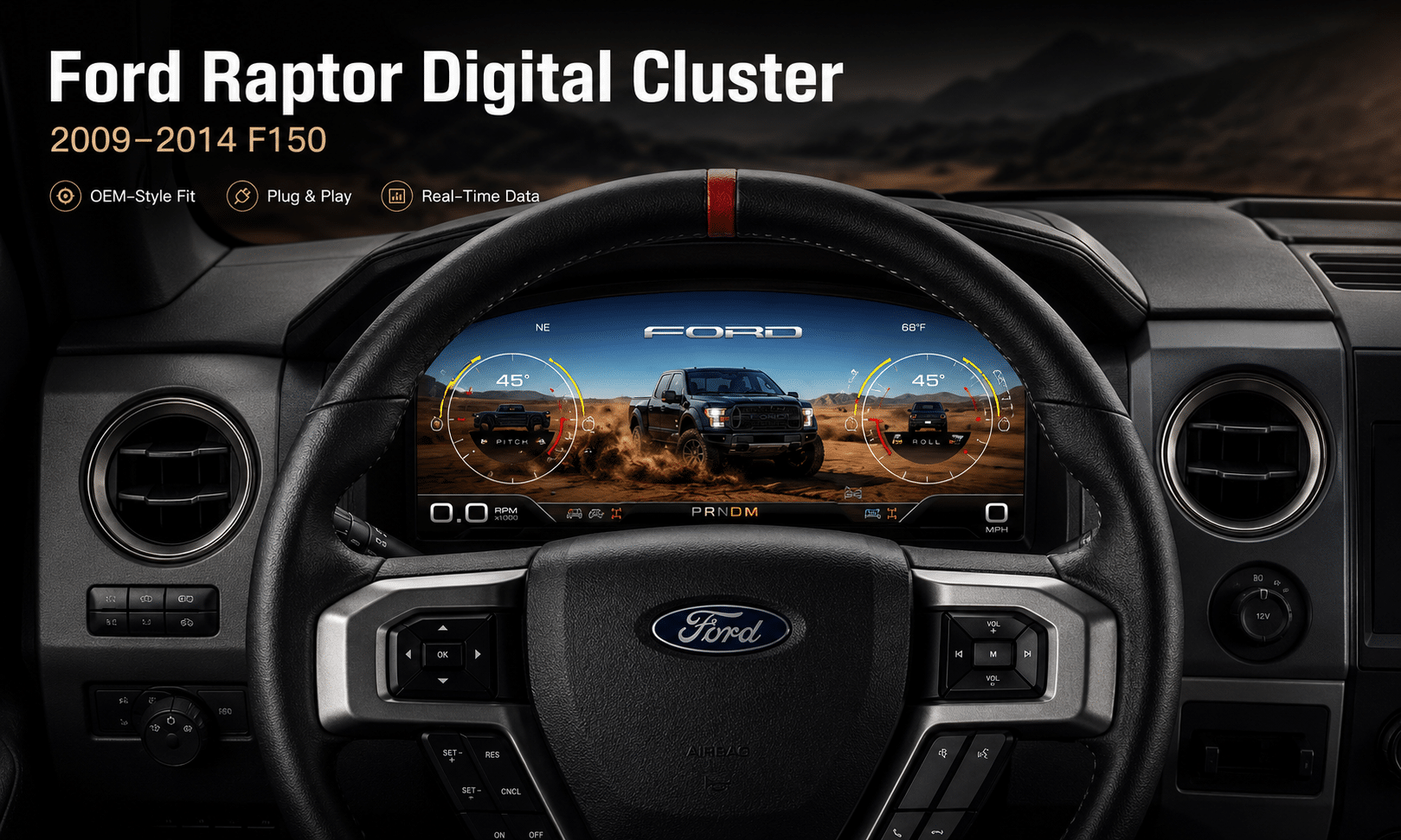
Deze Digitaal instrumentenpaneel voor de Ford F150, modeljaren 2009-2014 upgrades the original analog gauge area into a 13.1-inch Linux virtual cockpit. It keeps important original vehicle information visible, adds multiple Raptor-style UI themes, supports factory steering-wheel controls and gives the driver a much more modern instrument layout.
iKAGOO prepares the correct Ford F150 Raptor Digital Cluster 2009–2012 or 2013–2014 version, matched connection solution and installation guidance from your vehicle information.
Verbeteringen voor dagelijks gebruik
The strongest value is not only the screen size. The upgrade changes how you read speed, RPM, tire pressure, oil information, fuel data, warnings and off-road status during normal driving.
Speed, RPM, gear position, fuel range, oil information, water temperature, TPMS and supported warnings are easier to read than on the original analog layout.
The wider digital layout brings supported fuel, temperature, tire-pressure, warning and drivetrain information into a clearer driver-focused display.
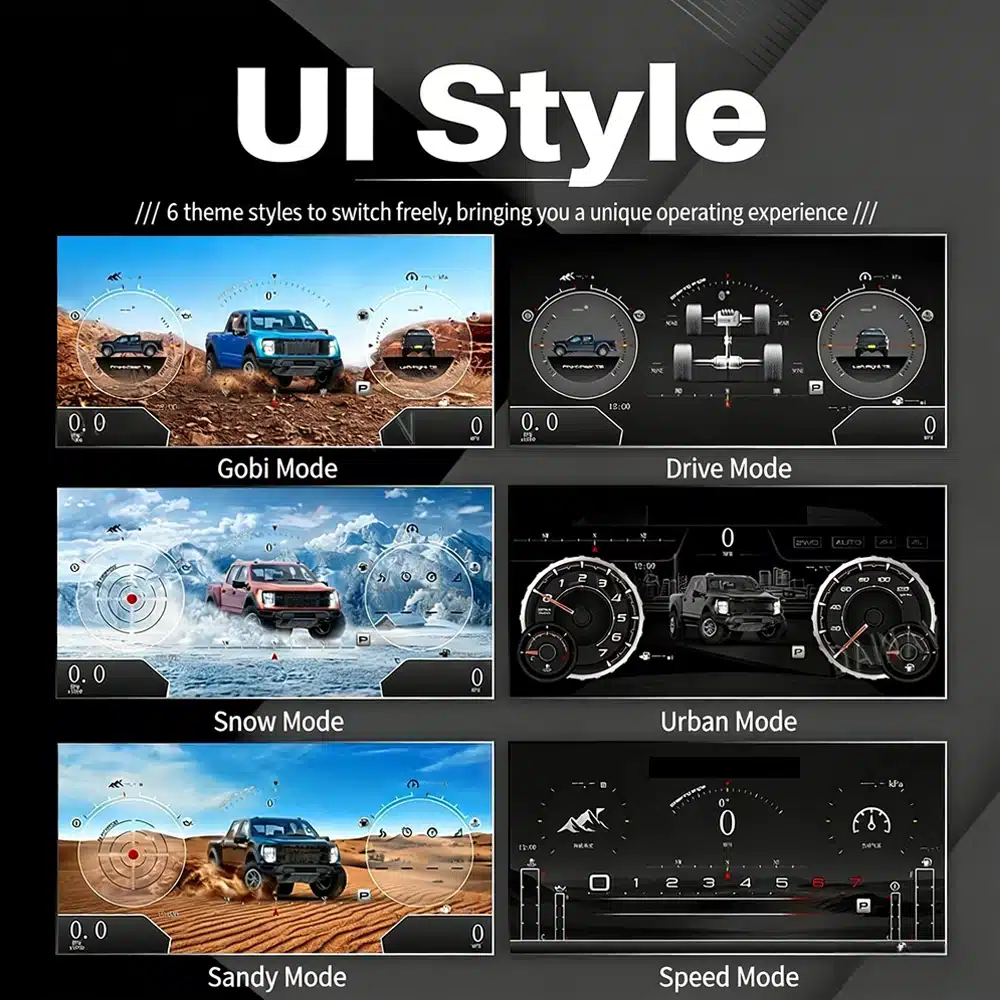
The interface includes multiple visual themes for city driving, speed-focused driving, snow, sand, desert and drivetrain-focused views, making the upgrade feel closer to a modern Raptor cockpit.
Fabrieksinstellingen blijven behouden
With the correct year version, retained original instrument electronics and proper installation, the cluster continues to present the important driving information your F-150 supplies.
Speciaal voor uw vrachtwagen
We separate the Ford F150 Raptor Digital Cluster 2009–2012 and 2013–2014 dashboard versions instead of treating every 12th-generation F-150 as identical.
We confirm your model year, original cluster layout, steering-wheel controls and required instrument configuration before preparing the correct version.
The installation path retains the required original instrument electronics so vehicle-specific data is not treated like a generic replacement cluster.
We help you check speed, RPM, gear, warnings, TPMS, steering controls, units and sleep behavior before final reassembly.
The matched installation is designed to connect without intentionally cutting the supported factory main wiring.
You receive installation and configuration assistance plus a 12-month limited hardware warranty for eligible manufacturing defects.
Voertuigspecifieke hardware
The molded housing follows the original instrument opening so the finished result looks like a deliberate cockpit upgrade rather than a tablet added on top of the dashboard.

Juiste jaar selecteren
The 2009–2012 and 2013–2014 factory layouts are not identical. Choose the matching year option and send your original cluster photo. The cluster can retain supported original vehicle data when the correct year version and retained instrument electronics are installed properly.

UI-stijlen in hoge resolutie
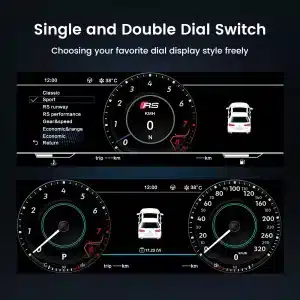
This clear UI image replaces the low-resolution dial-switch image. The available styles include Gobi Mode, Drive Mode, Snow Mode, Urban Mode, Sandy Mode and Speed Mode, giving your F-150 or Raptor a more modern factory-style digital cockpit.
Selecteerbare cockpit-thema’s
The display can prioritize different information depending on how you use the truck: city driving, highway speed, desert driving, snow, sand, drivetrain status or daily vehicle information.

Meertalige interface
The Linux interface supports multiple languages, including English, Spanish, French, German, Russian, Portuguese, Turkish, Korean, Chinese and Arabic. Ask iKAGOO about your preferred language when placing the order.

Waarschuwingen en onderhoud
Supported warning indicators, maintenance information and vehicle-status messages remain part of the driving experience, helping you notice issues without returning to the limited original display.

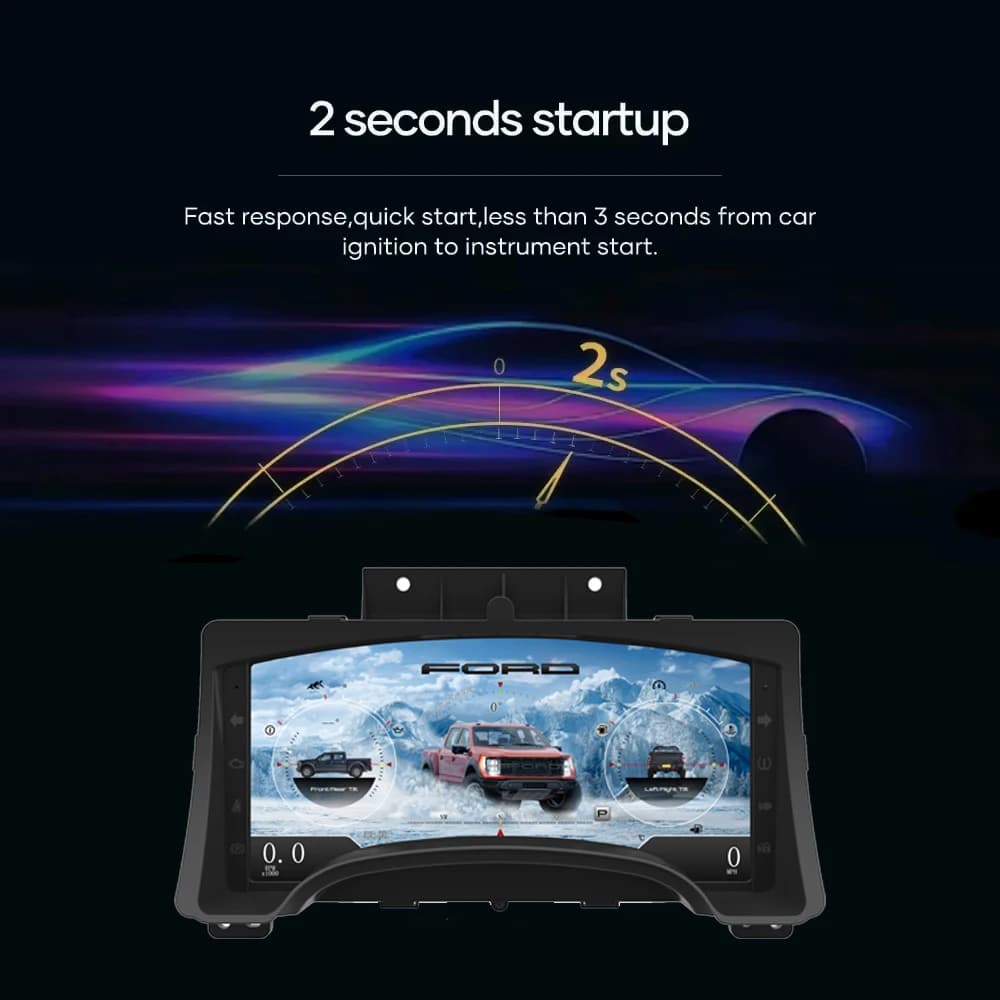
Snel opstarten van Linux
A dedicated Linux platform keeps startup focused on driving information. The specified startup time is under two seconds after ignition.
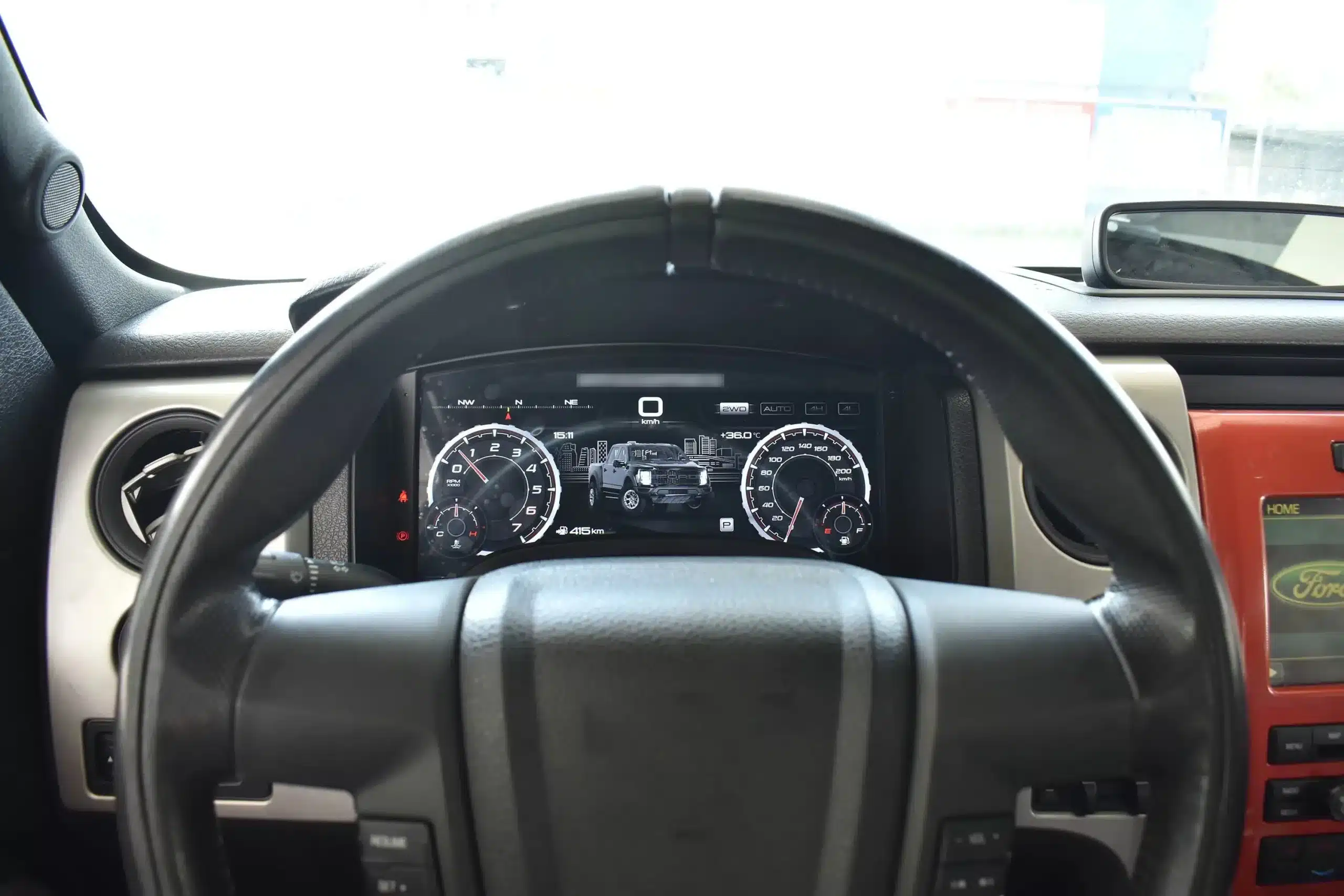
Driving View geïnstalleerd
The wide screen sits behind the original steering wheel and within the existing dashboard architecture, creating a larger visual upgrade while leaving the center stack and surrounding interior intact.
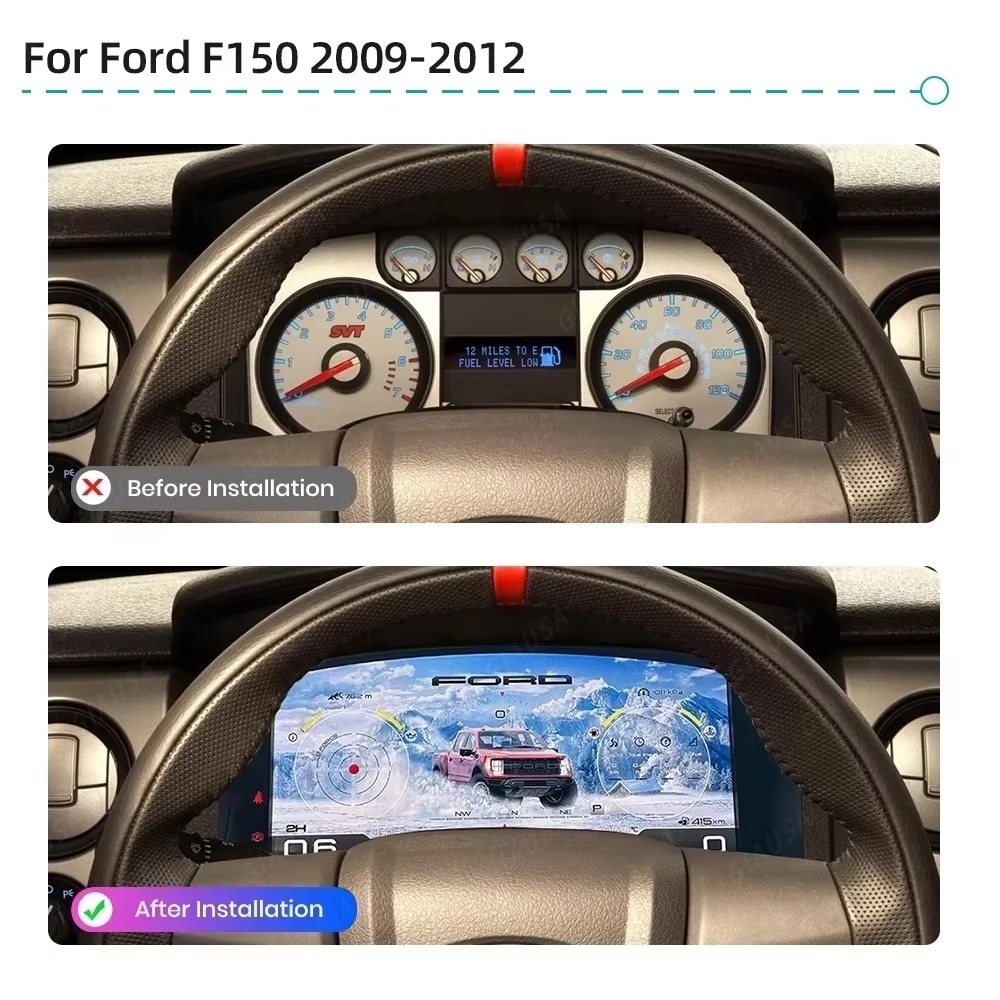
Voor en Na
The original analog cluster provides basic information, while the digital replacement creates a wider, brighter and more configurable view directly in the driver’s normal line of sight.
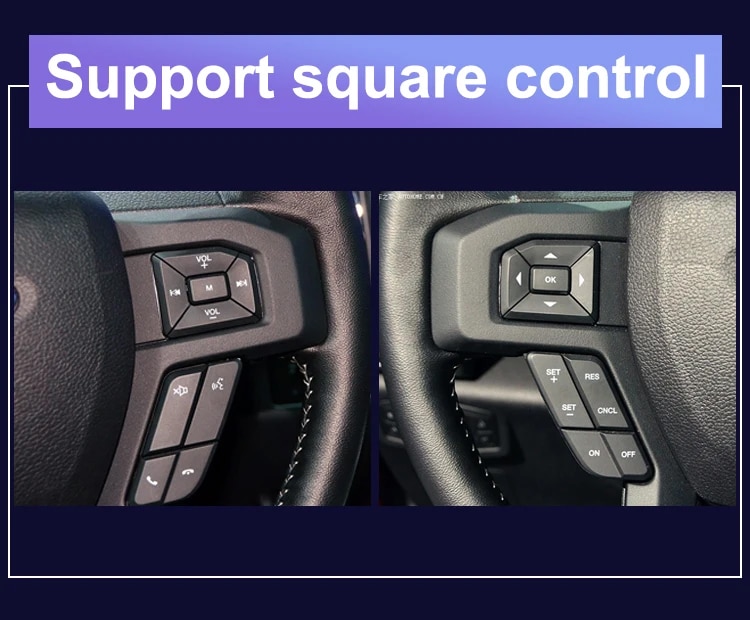
Fabrieksinstellingen
The supported factory arrow and OK controls let you move through cluster pages, settings and UI modes without adding an unrelated controller to the dashboard.
Voertuiggegevens
The screen layout can vary by year version and selected theme, but the purpose is consistent: make supported vehicle, maintenance and off-road information easier to find during daily use.
Overzicht van functies
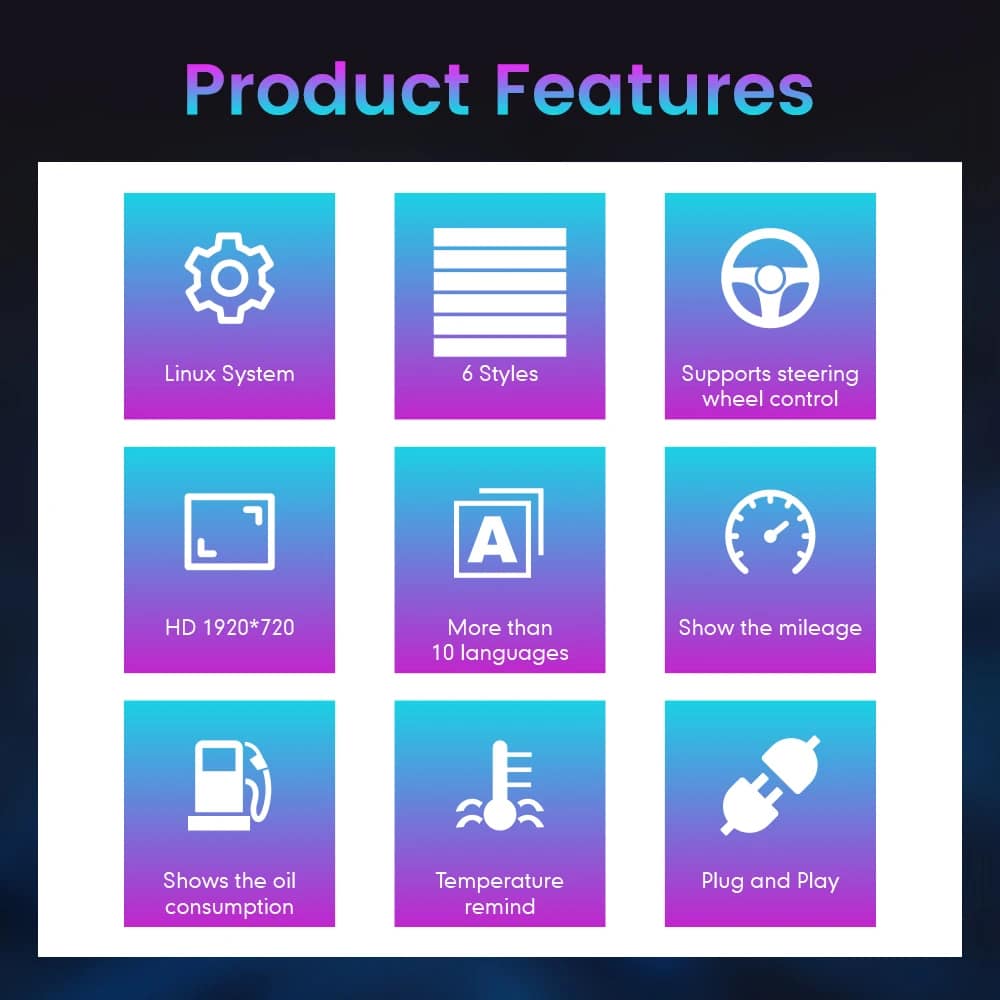
The cluster is built around Linux, selectable layouts, steering-wheel control, mileage display and supported vehicle-status information. For your order, iKAGOO prepares the 13.1-inch, 1920 × 932 configuration stated in the purchase specifications.
Gids voor voertuig- en regionale benamingen
This cluster is built around the 12th-generation F-150 dashboard architecture. The purchase area currently provides two hardware groups because the original cluster structure changes across the production run.
Select the Ford F150 Raptor Digital Cluster 2009–2012 option and provide a clear photo of the original cluster. This includes matching trucks with the earlier gauge layout.
Select the 2013–2014 option and provide the later original cluster photo so the correct physical version can be prepared.
The first-generation Raptor belongs to this F-150 generation. Match by model year and original cluster appearance; there is no 2009 model-year SVT Raptor.
Mexican-market badge names can refer to the same generation, but the dashboard, original cluster and connector configuration must match before ordering.
This product is prepared around the North American left-hand-drive dashboard shown. For an aftermarket RHD conversion, send full dashboard and steering-control photos before purchase.
Kies deze versie uit de periode 2009–2014 niet. Gebruik de aparte Pagina over het digitale instrumentenpaneel van de F-150 (2015–2020) .
Productspecificaties
Orderverwerking
Geef het modeljaar, de uitvoering, het type motor/brandstof en de markt op.
Stuur het originele cluster en een foto van het volledige dashboard aan de bestuurderszijde.
Wij bieden hardware die overeenkomt met de configuratie uit de periode 2009–2012 of 2013–2014.
Confirm the original steering-wheel controls and instrument layout before shipment.
After delivery, use the provided guidance and contact iKAGOO if the display, controls or vehicle-data behavior differs.
iKAGOO-aankoopbeoordelingen
A score of 92/100 does not mean that 8% of factory functions are lost. The score also reflects that the new Linux interface and menu structure differ from the original Ford analog cluster.
Suitable for an experienced DIY installer or an automotive electronics installer. The level describes the work required; it does not indicate lower product quality or lower upgrade value.
Vergelijk de daadwerkelijke resultaten
Installatie
This is not a simple USB accessory. Correct work requires careful trim removal, cluster removal, original-component handling, matched connection, vehicle-setting configuration and complete function testing.
Verzending en ondersteuning
Normally 1–3 business days before dispatch, with additional time when vehicle information or configuration needs clarification.
Typical delivery after dispatch: USA/Canada 5–9 business days, EU 7–15, UK/Australia 7–10, other supported regions 7–20.
Eligible manufacturing defects and hardware failures under normal use are covered by the current limited hardware warranty.
When iKAGOO confirmed compatibility from accurate pre-purchase information but no reasonable solution works, the current published refund policy applies.
Vragen van kopers
Klaar voor een upgrade
Choose the correct year version, send the requested vehicle photos and let iKAGOO prepare the matched digital cluster configuration, UI setup and installation guidance for your truck.
Je moet ingelogd zijn om een recensie te kunnen plaatsen.


Duidelijke informatie over voertuigcompatibiliteit, ordervoorbereiding, internationale levering, garantie, retourneren en after-sales ondersteuning.
Voertuigspecifieke elektronica vereist de juiste versie, bedrading en configuratie. Ons proces is ontworpen om vermijdbare compatibiliteits- en installatieproblemen te verminderen.
Voertuigmodel, bouwjaar, origineel systeem en relevante configuratie-informatie kunnen vóór aankoop worden gecontroleerd om het risico te verkleinen dat de verkeerde versie wordt gekozen.
Vóór verzending wordt de bestelling gecontroleerd aan de hand van de bevestigde voertuiginformatie, zodat de juiste versie, configuratie en vereiste voertuigspecifieke onderdelen kunnen worden voorbereid.
Ons doel is om uw bestelling goed te krijgen voordat deze ons verlaat. Wij controleren de compatibiliteit, bereiden de juiste configuratie voor en nemen alleen contact met u op als er nog iets bevestigd moet worden.
Een praktische samenvatting van de belangrijkste voorwaarden die van toepassing zijn op voertuigspecifieke iKAGOO-bestellingen.
De meeste iKAGOO-bestellingen worden verzonden vanuit onze fulfilment locatie in China nadat de productconfiguratie en voertuig informatie zijn gecontroleerd.
De normale orderverwerking is ongeveer 1-3 werkdagen. De geschatte levering na verzending is over het algemeen:
Douaneafhandeling, feestdagen, weer, vertragingen van vervoerders en bezorging in afgelegen gebieden kunnen deze schattingen beïnvloeden.
Standaard internationale verzending omvat normaal gesproken geen btw van het bestemmingsland, invoerrechten, makelaarskosten of douaneafhandelingskosten.
Voor in aanmerking komende bestemmingen in de Europese Unie, DDP-verzending kan beschikbaar zijn. Importgerelateerde kosten zijn alleen inbegrepen wanneer DDP is geselecteerd bij het afrekenen of schriftelijk bevestigd door iKAGOO vóór verzending.
Wanneer DDP niet is geselecteerd, zijn de kosten die door de lokale douane of de vervoerder worden geïnd, normaliter de verantwoordelijkheid van de ontvanger.
Express- of versnelde verzending kan beschikbaar zijn voor geselecteerde producten en bestemmingen. Beschikbaarheid, vervoerder en eventuele extra kosten worden vóór verzending bevestigd.
Afhankelijk van de route en het producttype kan iKAGOO gebruikmaken van DHL, FedEx, UPS, EMS, 4PX of een andere trackbare logistieke dienstverlener.
Na verzending worden het trackingnummer of de trackinglink normaal gesproken naar het e-mailadres gestuurd dat voor de bestelling is gebruikt. Het kan enkele werkdagen duren voordat trackingupdates verschijnen tijdens internationale overdrachten tussen vervoerders.
De teruggaafgeschiktheid hangt af van de reden voor retour, product conditie, installatiestatus, ondersteunend bewijs en of de retour is goedgekeurd door iKAGOO.
Voor een goedgekeurde retour zonder defecten moet het product normaal gesproken ongebruikt, niet geïnstalleerd, compleet en geschikt voor doorverkoop blijven. De klant is over het algemeen verantwoordelijk voor de goedgekeurde retourverzendkosten.
Originele verzendkosten, DDP, btw, douanerechten en andere logistieke kosten zijn over het algemeen niet restitueerbaar, tenzij wettelijk vereist of anderszins bevestigd door iKAGOO.
Stuur een product niet terug voordat u een goedgekeurd retouradres en retourinstructies van iKAGOO heeft ontvangen.
Extra bescherming kan van toepassing zijn wanneer iKAGOO de voertuigcompatibiliteit heeft beoordeeld, de klant nauwkeurige voertuiginformatie heeft verstrekt en redelijke installatie- en diagnosestappen zijn uitgevoerd.
Als iKAGOO bevestigt dat er geen redelijke technische oplossing beschikbaar is en het probleem wordt gemeld binnen 7 kalenderdagen na levering, kan de klant mogelijk in aanmerking komen voor een terugbetaling van de productprijs zonder dat het product geretourneerd hoeft te worden.
Originele verzendkosten, DDP, btw, douanerechten en andere kosten van derden zijn niet inbegrepen in deze terugbetaling van de productprijs.
In aanmerking komende producten omvatten een 12 maanden beperkte hardwaregarantie die geverifieerde productiefouten en in aanmerking komende hardwarestoringen onder normaal gebruik dekt.
Afhankelijk van het geverifieerde probleem kan ondersteuning bestaan uit diagnose op afstand, configuratiehulp, vervangende onderdelen, reparatie, vervanging, gedeeltelijke terugbetaling of volledige terugbetaling.
Inspectie of onderzoek door een derde partij leidt niet automatisch tot verval van de volledige garantie. Schade veroorzaakt door ongeautoriseerde reparatie, onjuiste modificatie, kapotte circuits, onjuiste hermontage, onjuiste bedrading, stootschade, binnengedrongen water of verkeerd gebruik wordt echter normaal gesproken niet gedekt.
Neem vóór het demonteren, modificeren of repareren contact op met iKAGOO, zodat de juiste diagnostische procedure kan worden verstrekt.
Neem contact op met iKAGOO binnen 7 kalenderdagen na levering en bewaar de originele verpakking, verzendlabel, accessoires en het product.
Gelieve duidelijke foto’s of video’s aan te leveren waarop het volgende te zien is:
Na verificatie kan iKAGOO een verzending van ontbrekende onderdelen, vervanging, reparatie, restitutie of een andere redelijke oplossing regelen.
Neem zo snel mogelijk en vóór installatie contact op met iKAGOO. Voor adres-, voertuigconfiguratie- of productwijzigingen kunt u ons het beste binnen 12 uur na het plaatsen van de bestelling.
Een ruil of retour kan worden goedgekeurd wanneer een onjuist geselecteerd product ongebruikt, niet geïnstalleerd, compleet en geschikt voor wederverkoop blijft. Klanten zijn doorgaans verantwoordelijk voor relevante verzendkosten en prijsverschillen.
Voertuigspecifieke producten kunnen kort na betaling in inkoop, programmering, testen of configuratie gaan. Zodra de voorbereiding of verzending is gestart, kan annulering niet langer mogelijk zijn, of kunnen redelijke reeds gemaakte kosten worden afgetrokken.
De inhoud van het pakket varieert per product, voertuigmodel, fabriekssysteem en geselecteerde configuratie.
Afhankelijk van het product kan het pakket het hoofdapparaat, voertuigspecifieke bedradingskabels, CANBUS-interface, adapters, USB-kabels, antennes, microfoons, montagemateriaal of andere vereiste installatieaccessoires bevatten.
Raadpleeg de relevante productfoto's, specificaties en orderbevestiging voor de exacte inhoud van uw bestelling.
U kunt iKAGOO bereiken via het contactformulier op de website, WhatsApp of andere beschikbare ondersteuningskanalen. De typische responstijd is binnen 24 werkuren.
Neem voor een snellere technische diagnose uw bestelnummer, voertuigmodel en -jaar, relevante foto's van het fabriekssysteem, productfoto's en een duidelijke video met het probleem op.
Betalingen worden verwerkt via de veilige betaalmethoden die tijdens het afrekenen worden weergegeven.
Beschikbare kaart-, portemonnee- en termijnopties kunnen variëren per land, valuta, betalingsprovider en klantgeschiktheid.
Termijndiensten, inclusief opties aangeboden door PayPal of een andere betalingsprovider, blijven onderworpen aan de regionale beschikbaarheid en goedkeuringsvereisten van die provider.
Deze sectie is een vereenvoudigde klantgids. De volledige gepubliceerde beleidspagina's, orderbevestiging en toepasselijke consumentenwetgeving hebben voorrang als de formulering verschilt.
Geef het digitale instrumentenpaneel van je Volkswagen VW Passat B6, B7 of CC een upgrade met een nie...
Van: $1,380.00
De definitieve verzending wordt bevestigd op basis van uw bezorgadres bij het afrekenen.

Selecteer wat je van plan bent te kopen. We tonen alleen de details die nodig zijn voor dat product.
We bekijken de details en sturen de aanbevolen productversie naar je e-mail sturen.
We gebruiken essentiële cookies om de site veilig en goed te laten werken. Met uw toestemming kunnen we ook analytische cookies gebruiken om de browse-ervaring te verbeteren. Zie onze Privacybeleid.






Michael Brown -
Ik heb dit op mijn Raptor uit 2009 geïnstalleerd. De ‘Off-road Mode’ is werkelijk fantastisch – als je de realtime hellings- en rolhoeken en de bandenspanning op het 13,1-inch HD-scherm ziet, lijken de standaard analoge meters wel uit het stenen tijdperk te komen. De installatie was echt plug-and-play.
De installatie verliep volgens het plug-and-play-principe, het menu reageert soepel, de visuele effecten zijn adembenemend en de resolutie is buitengewoon hoog