Thema XStore

No products in the cart.
Tot 22%
  • Audi Q7 10,25-inch Android-schermupgrade 2006–2015, draadloos CarPlay
  • 03 6
  • 10 1
  • 09 1
  • 02 5
  • 06 3

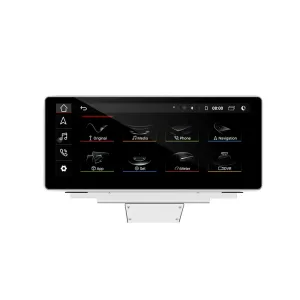
Audi Q7 10,25-inch Android-schermupgrade 2006–2015, draadloos CarPlay

Merk:

Van: $325.00

Belastingvrij Alleen EU & VS
Details
Beveiligd door PayPal
DDP belastingvoordeel service

Wij handelen alle btw en invoerrechten af. Geschatte besparingen: $120-$280.
VS (48 staten)OostenrijkBelgiëBulgarijeKroatiëCyprusTsjechiëDenemarkenEstlandFinlandFrankrijkDuitslandGriekenlandHongarijeIerlandItaliëLetlandLitouwenLuxemburgMaltaNederlandPolenPortugalRoemeniëSlowakijeSloveniëSpanjeZweden
of

Heb je vragen?

Voel je vrij om Neem contact op

Betaal veilig met Paypal Betaal veilig met Visa Betaal veilig met Master Card Veilig betalen met JCB Betaal veilig met American Express Veilig betalen met Alipay Veilig betalen met Google pay Veilig betalen met Klarna Betaal veilig met DISCOVER Veilig betalen met Apple Pay
Gegarandeerd veilig en betrouwbaar afrekenen
iKAGOO-kopersbescherming

Aankoopbescherming voor dit product

Compatibiliteitscontrole, veilig afrekenen, levering met tracking en praktische klantenservice.

Of iemand in aanmerking komt, de meldingstermijnen en de te nemen maatregelen zijn afhankelijk van het geldende beleid van iKAGOO en de beoordeling van het specifieke geval.

Bekijk het privacybeleid
Audi Q7 10.25 Android screen upgrade installed dashboard with CarPlay interface
Audi Q7 4L · 2006–2015 · 10.25 Android screen
Audi Q7 10.25 Android Screen Upgrade for a Cleaner Factory-Style Dashboard

Upgrade your Audi Q7 4L with a vehicle-specific 10.25-inch Android screen route that adds wireless CarPlay, Android Auto, GPS navigation, DSP audio, WiFi/4G and supported Audi system switching without turning the cabin into a generic tablet installation.

10.25-inch screen Draadloze CarPlay Android Auto DSP audio WiFi / 4G LHD / RHD check MMI / Bose / MOST check

Before shipment, iKAGOO checks your model year, dashboard frame, CD/MMI panel, steering position, factory amplifier, MOST fiber-optic route, camera system and connector photos to prepare the correct screen, harness and vehicle interface for your order.

Snel antwoord

Audi Q7 10.25 Android Screen Upgrade 2006–2015

This iKAGOO upgrade is a vehicle-specific 10.25 Android screen upgrade for selected Audi Q7 4L vehicles from 2006 to 2015. It upgrades the old factory display experience with a wider Android touchscreen, wireless CarPlay, Android Auto, GPS navigation, Bluetooth, WiFi/4G and DSP audio on supported hardware versions. Supported Audi functions such as original system switching, steering-wheel controls, original camera route, original speaker output and vehicle information can continue to work after the correct frame, CANBUS, audio adapter and decoder route are prepared. Before shipment, iKAGOO checks your vehicle year, LHD/RHD position, MMI/CD panel, Bose or MOST fiber-optic requirement and connector photos. It is suitable for Q7 owners who want a modern screen upgrade instead of only repairing or keeping the old MMI screen.

Aankoopwaarde

Why This 10.25 Android Screen Upgrade Fits the Audi Q7 4L

Modern screen without a cheap tablet look

The Q7 dashboard has a wide factory screen area. This 10.25-inch route uses the vehicle-specific frame shape so the upgrade looks integrated with the original trim.

Daily-use CarPlay and Android Auto

Use phone maps, calls, music, messages and compatible voice functions on a larger in-dash display instead of relying only on the old MMI interface.

MMI, Bose and MOST checked before shipment

Audi Q7 screen upgrades fail when the audio route is guessed. iKAGOO checks the MMI panel, amplifier and fiber-optic route before preparing the order.

Main SEO direction for this different appearance version: Audi Q7 10.25 Android Screen Upgrade. “Audi Q7 Android Head Unit” is kept only as a secondary phrase to avoid competing with your other Q7 product page.
Fabrieksfuncties

Original Audi Functions Supported After Correct Matching

These functions depend on the confirmed vehicle system, correct harness, CAN decoder, camera route, audio adapter and installation configuration.

  • Original Audi menu access
    Supported original-system switching can be retained through the matched integration route.
  • Bediening op het stuur
    Supported steering-wheel buttons can continue to work through the matched CAN decoder.
  • Original camera route
    Rear camera AHD/CVBS and 360 camera routes must be confirmed before shipment.
  • Bose / amplifier audio route
    Factory speaker output can work when the correct amplifier or MOST fiber-optic decoder route is prepared.
  • Originele voertuiginformatie
    Supported vehicle data can continue to display through the correct system-switching and CANBUS route.
  • Beveiliging van de fabrieksbedrading
    The matched harness is designed for clean connection without intentionally cutting the supported factory main wiring.
Compatibiliteit eerst

Confirm Your Audi Q7 4L Before We Prepare the Screen

Vehicle Information Needed Before Shipment

  • Exact Audi Q7 year and market region.
  • Left-hand drive or right-hand drive.
  • Original dashboard and screen photo.
  • Original CD / MMI control-panel photo.
  • Factory audio system: Bose, external amplifier or standard audio.
  • Original connector photos if requested.
  • Whether your Q7 has MOST fiber optic, original rear camera or 360 camera.
  • Preferred hardware version: 4GB+64GB or 8GB+256GB.

Why these details matter

The Audi Q7 4L can use different dashboard frames, CD panels, MMI systems, Bose amplifiers, MOST fiber-optic audio routes, camera systems and LHD/RHD interiors. These details help iKAGOO prepare the correct 10.25 Android screen, wiring harness, CAN decoder, audio adapter, fiber-optic decoder and camera route.

This reduces wrong-order risk such as no sound, wrong frame, no original menu switching, camera mismatch or unsupported steering control behavior after installation.

Specificaties

Key Product Specifications

ProducttypeAudi Q7 10.25 Android screen upgrade / Android stereo / vehicle-specific Android head unit route.
Main FitmentSelected Audi Q7 4L vehicles in the 2006–2015 range. Some 2005 market-year vehicles may match the same route after dashboard and CD/MMI panel photo confirmation.
Schermgrootte10.25-inch vehicle-specific display.
SysteemAndroid 13 system shown in current product attributes.
CPU8-core CPU route according to selected motherboard.
MotherboardTSK / TSK8259 / TSK8667 according to selected hardware route.
Checkout Memory Options4GB+64GB 8-core and 8GB+256GB 8-core options shown on the current purchase area.
AudioDSP 32-band EQ support where selected hardware and audio route support it.
BluetoothBT 4.0 / BT 5.0 depending on selected hardware version.
NavigatieGPS / Glonass support for compatible online or offline navigation apps.
NetwerkWiFi / 4G support where selected hardware and local service allow it.
DVRUSB front / rear 1080P DVR route where compatible accessories are used.
RadioFM / AM / RDS or FM / RDS depending on selected hardware route.
Camera RouteRear view camera AHD, rear view camera CVBS and 360 panorama routes require vehicle and version confirmation.
StuurpositieLeft-hand drive and right-hand drive routes must be confirmed before shipment.
Package DataListed weight: 3.5 kg. Listed dimensions: 85 × 35 × 25 cm.
Configuration Choice

Choose the Right Hardware Version

Balanced

4GB + 64GB 8-core

A practical choice for buyers who mainly want CarPlay, Android Auto, Bluetooth, navigation and daily media use without choosing the highest storage option.

  • Good daily usability
  • Better than basic memory routes
  • Suitable for normal app and navigation use
Aanbevolen

8GB + 256GB 8-core

The stronger option for owners keeping the Q7 long term and wanting smoother Android operation, more storage and better multitasking space.

  • Highest listed storage route
  • Better for heavier app use
  • Recommended for long-term ownership
Do not choose only by price. For Audi Q7 4L, the correct dashboard frame, MMI panel, Bose/MOST audio route and LHD/RHD fitment matter as much as RAM and storage.
iKAGOO-normen

iKAGOO Purchase Assessment for This Q7 Screen Upgrade

Upgrade waarde

Noodzaak van een iKAGOO-upgrade

89/100

Strong Upgrade Case. The first-generation Audi Q7 interior benefits clearly from a modern 10.25-inch Android screen, wireless smartphone integration, navigation and improved media usability.

View Upgrade Necessity Standard
Factory Retention

iKAGOO Original: compatibiliteit met voertuigen

84/100

Good compatibility route when the correct dashboard frame, MMI route, CAN decoder, amplifier adapter and fiber-optic requirement are checked before shipment.

A score of 84/100 does not mean that 16% of factory functions are lost. It means this product requires stricter checking because Audi Q7 4L audio and MMI configurations vary.

View Compatibility Standard
Install Level

Moeilijkheidsgraad van de installatie van iKAGOO

Niveau 3

Advanced DIY. Suitable for experienced DIY installers or an automotive electronics technician. Q7 MMI, MOST fiber optic, amplifier, camera and CANBUS routes must be checked carefully before final reassembly.

View Installation Difficulty Guide
Why iKAGOO

Why Owners Choose iKAGOO for This Audi Q7 Screen Upgrade

Voertuigspecifieke voorbereiding

iKAGOO checks your Q7 year, dashboard photos, MMI panel, steering side and audio system before shipment so the correct version can be prepared.

Screen, harness and interface matching

The correct CAN decoder, amplifier route and fiber-optic requirement matter more than buying a screen by size alone.

Original function integration

The upgrade is prepared to retain supported original menus, steering-wheel controls, camera display and vehicle information where the matched route allows it.

Beveiliging van de fabrieksbedrading

The matched wiring harness is designed to avoid unnecessary cutting of the original main wiring when the vehicle and harness match.

Installation and setup support

If your installer needs help identifying the MMI type, fiber-optic route or function test result, iKAGOO can provide order-based support.

12 maanden garantie op hardware

Eligible hardware issues are handled under the iKAGOO 12-month limited warranty, with after-sales support for diagnosis and suitable solutions.

Decision Guide

Keep the Old MMI, Add a Box, or Upgrade with iKAGOO?

Keep Original

Factory MMI Only

Best only if you are satisfied with the old screen size, old interface and limited smartphone integration.

  • No upgrade cost
  • Old interface remains
  • Limited app experience
Basic Add-On

CarPlay-Only Module

Useful if you only need phone projection, but it does not give the Q7 a new Android display or modern screen layout.

  • Limited visual change
  • No full Android system
  • Depends on original screen condition
Generic Route

Universal Android Screen

May be cheaper, but Audi Q7 dashboard frame, MMI, Bose, MOST fiber and camera integration can become the real risk.

  • Fitment uncertainty
  • May look aftermarket
  • Higher audio risk

Purchase Conclusion

If you want your Audi Q7 4L to feel modern without making the dashboard look cheap or creating MMI/audio problems, this iKAGOO 10.25 Android screen upgrade is the stronger route than a generic screen or a small add-on box.

Product Media

Product Photos and What They Help You Decide

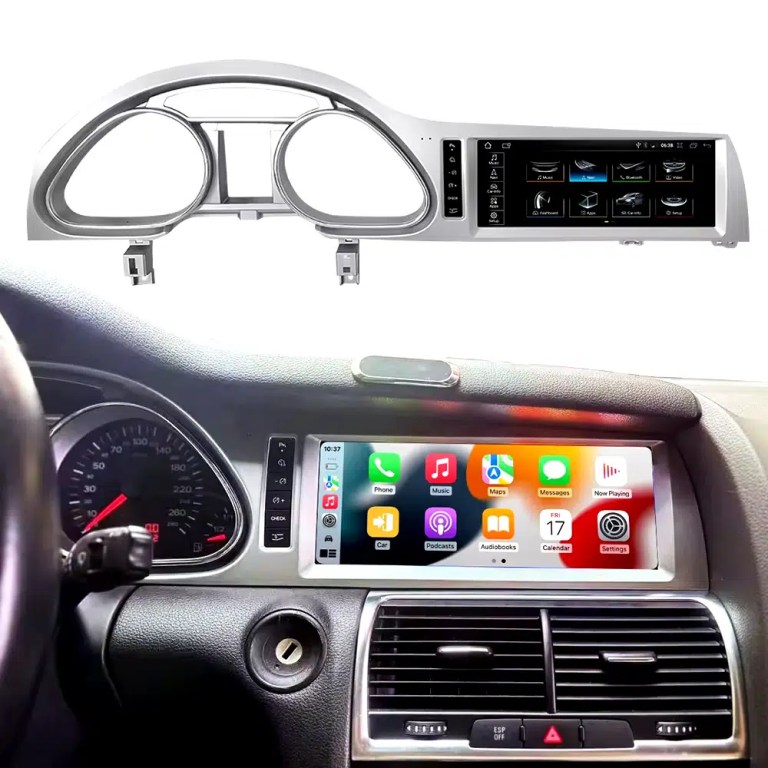
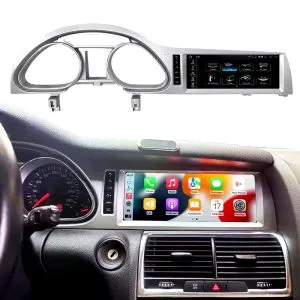
See the installed result inside the Audi Q7 dashboard

This cockpit view helps you judge the final screen position, dashboard balance and CarPlay-style daily-use interface before ordering.

Audi Q7 10.25 Android screen upgrade installed dashboard with CarPlay view

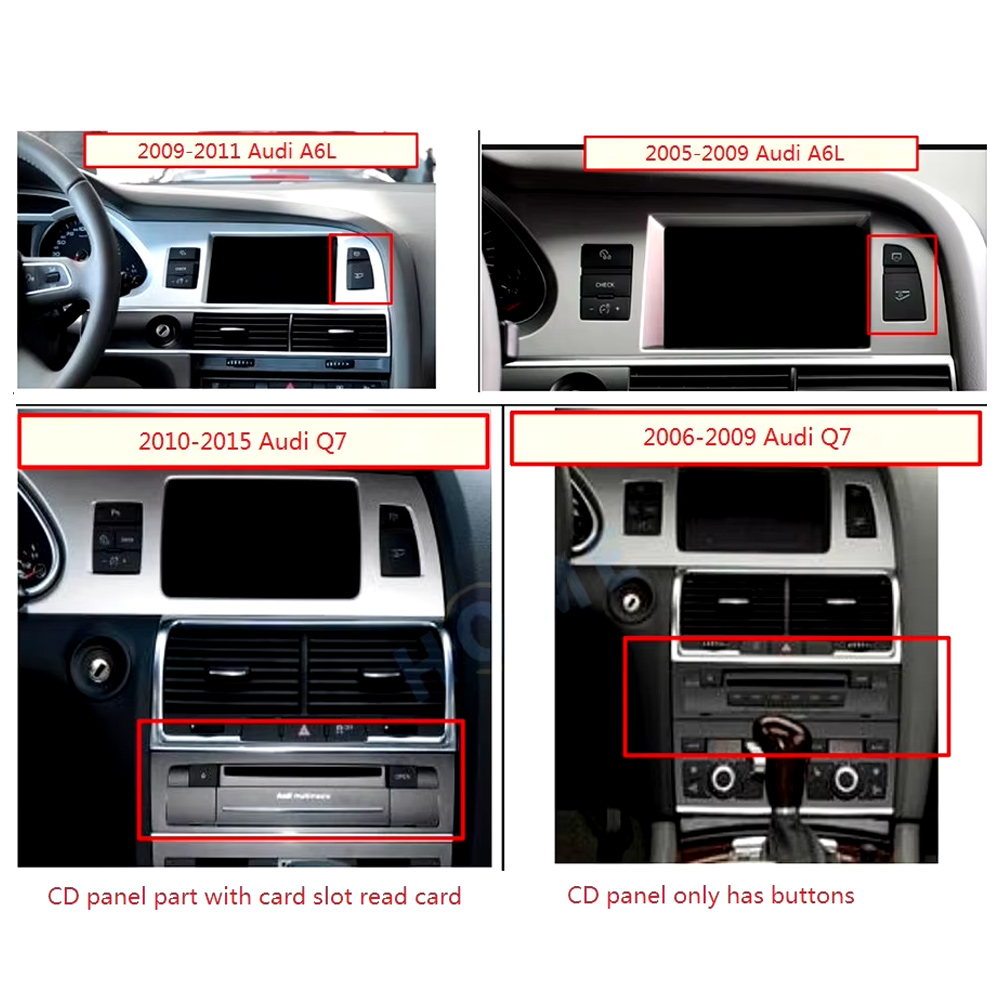
Check the original dashboard and CD/MMI panel before ordering

The correct Audi Q7 Android screen route depends on the original screen area, button layout, CD panel and model-year dashboard structure.

Audi Q7 2005 2009 2010 2015 dashboard CD MMI panel comparison for Android screen upgrade

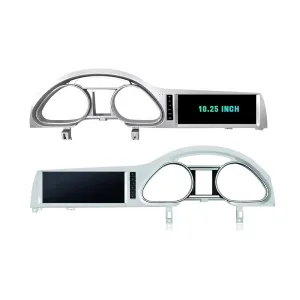
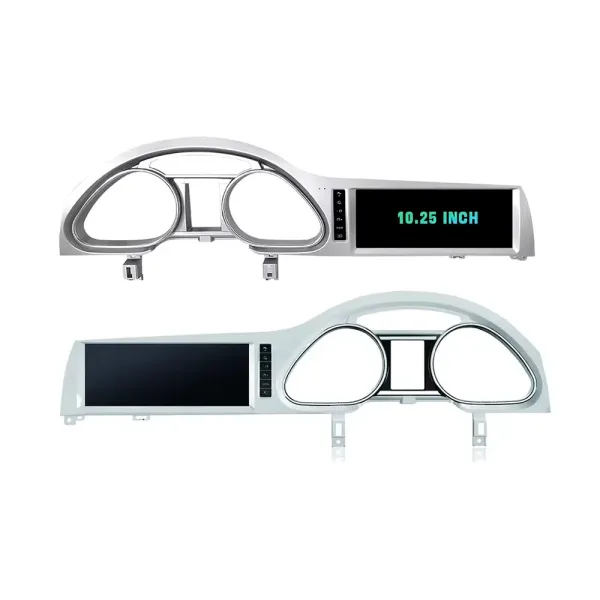
Confirm the 10.25-inch screen frame shape

The product frame view helps you compare steering-side layout and screen position so iKAGOO can prepare the correct Q7-specific frame.

Audi Q7 10.25 Android screen LHD and RHD frame product view

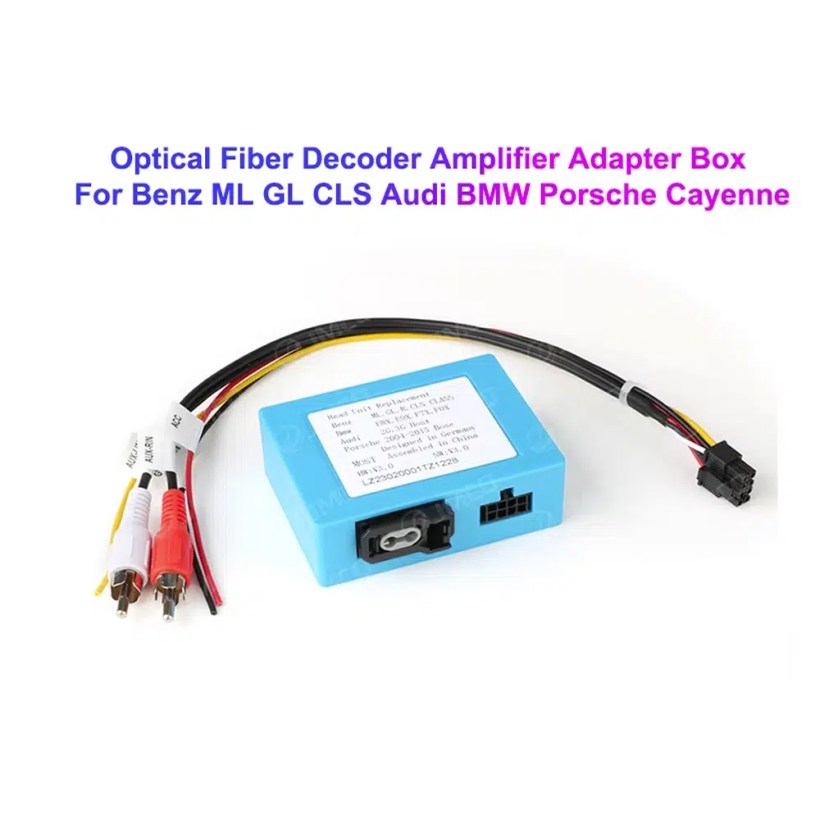
Understand the Bose and MOST fiber-optic decoder route

Many Q7 audio issues come from the amplifier and fiber-optic route. The required decoder must match the original Audi audio system and connector layout.

Audi Q7 MOST optical fiber decoder amplifier adapter for Android screen upgrade

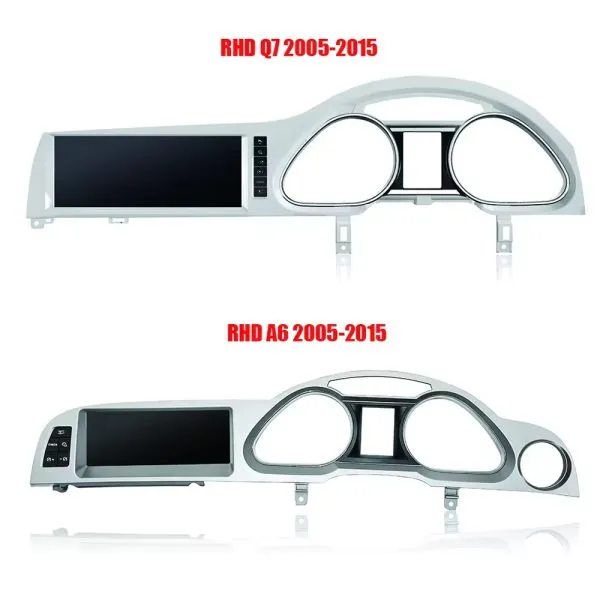
Compare Q7 and A6 frame routes carefully

This product reference makes one point clear: similar Audi frames are not automatically interchangeable. Your dashboard photo must be checked before shipment.

Audi Q7 4L Android screen frame comparison with Audi A6 frame route

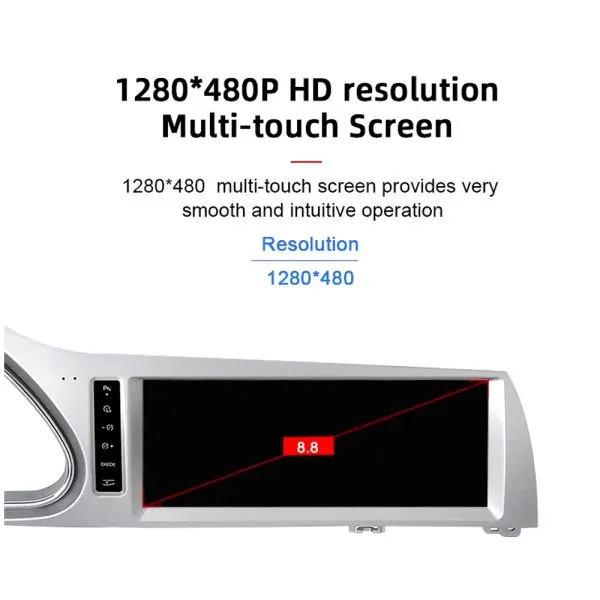
Review the 1280×480 screen reference

The wide display format is designed for the Q7 screen area and gives a cleaner navigation and media layout than the older factory display experience.

Audi Q7 10.25 Android screen 1280x480 multi touch display reference

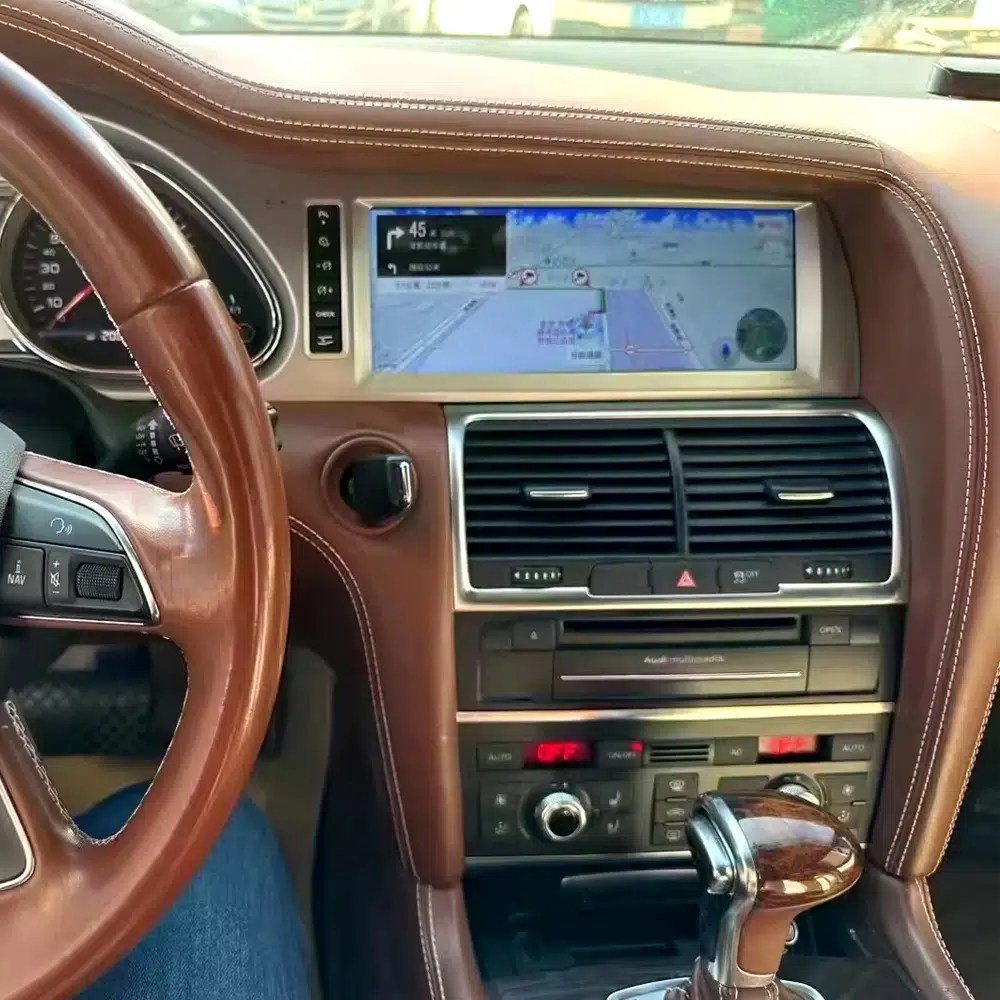
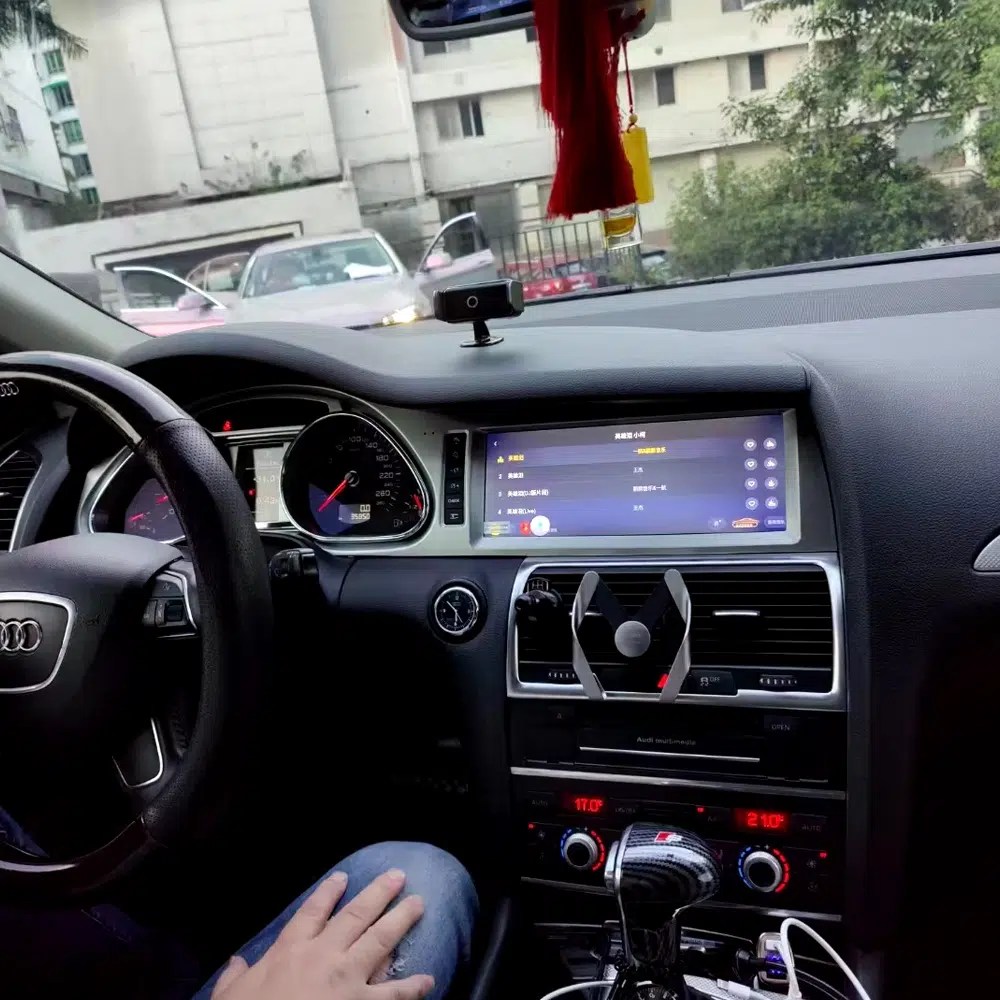
See navigation running inside a real Audi Q7 interior

The installed navigation view helps you judge driver visibility, screen angle and how the 10.25 Android display sits inside the used Q7 cabin.

Audi Q7 Android navigation screen installed in dashboard

Check another real installation interface

This cabin view gives another practical reference for screen readability, dashboard integration and menu position after installation.

Audi Q7 Android screen installed dashboard interface view

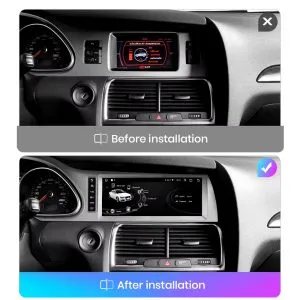
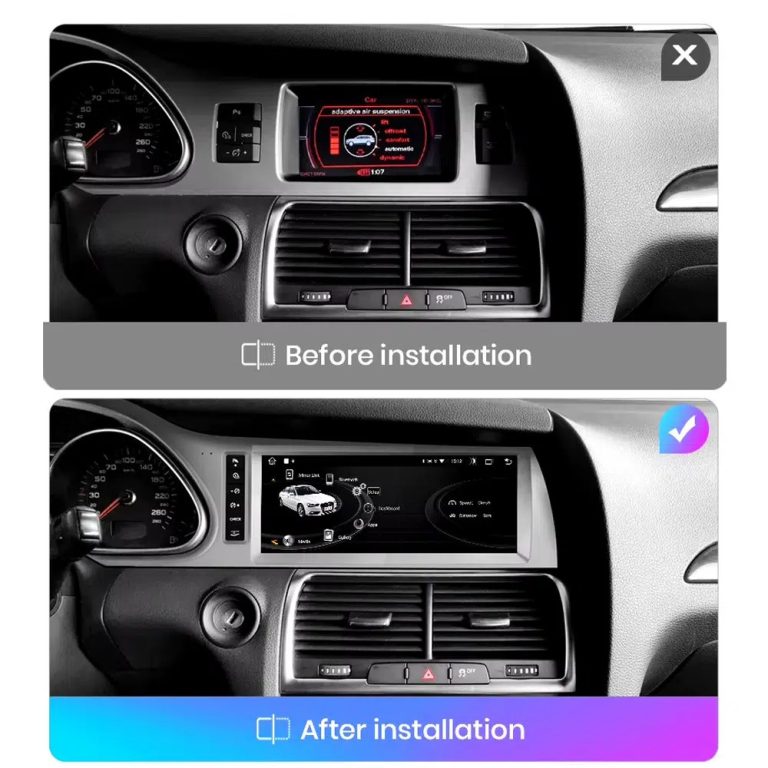
Compare the old display with the upgraded Android display

The before-and-after view shows the main visual change: the old screen area becomes a wider Android interface with a more modern layout.

Audi Q7 original screen before and Android screen after installation comparison

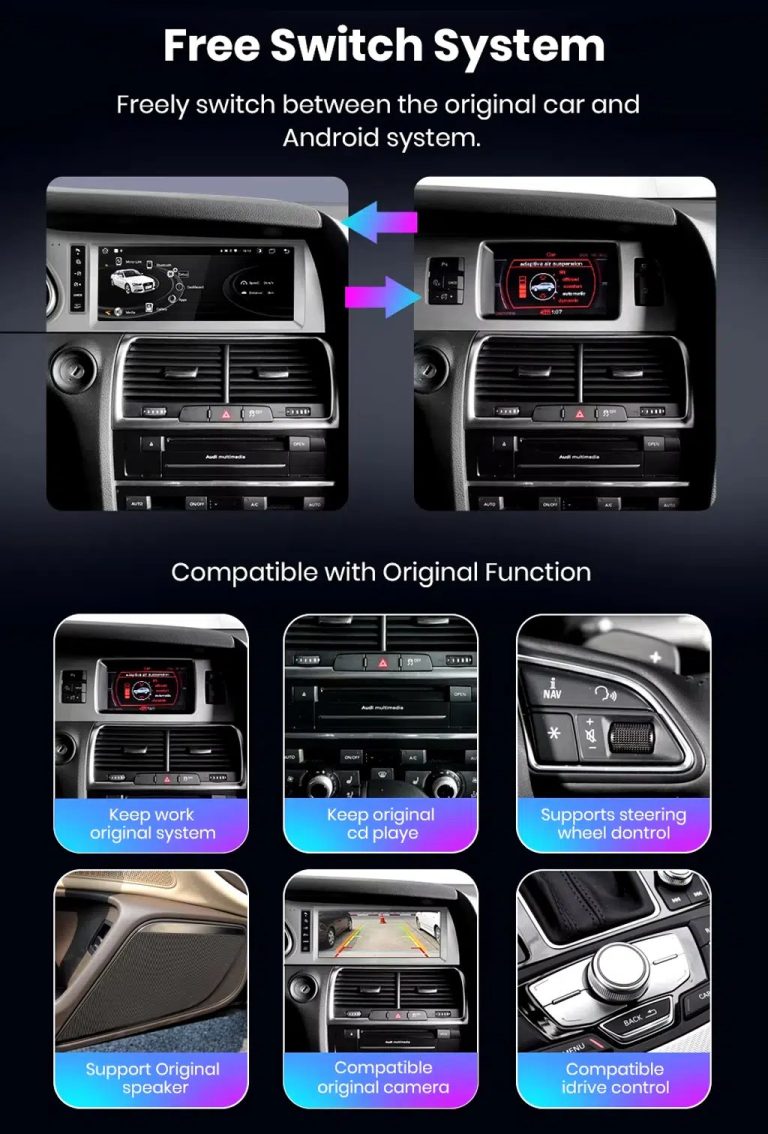
Switch between Android and supported original Audi systems

System switching matters for Q7 owners because it helps keep supported Audi menus available while adding Android, CarPlay and Android Auto functions.

Audi Q7 Android screen free switch between Android and original Audi system

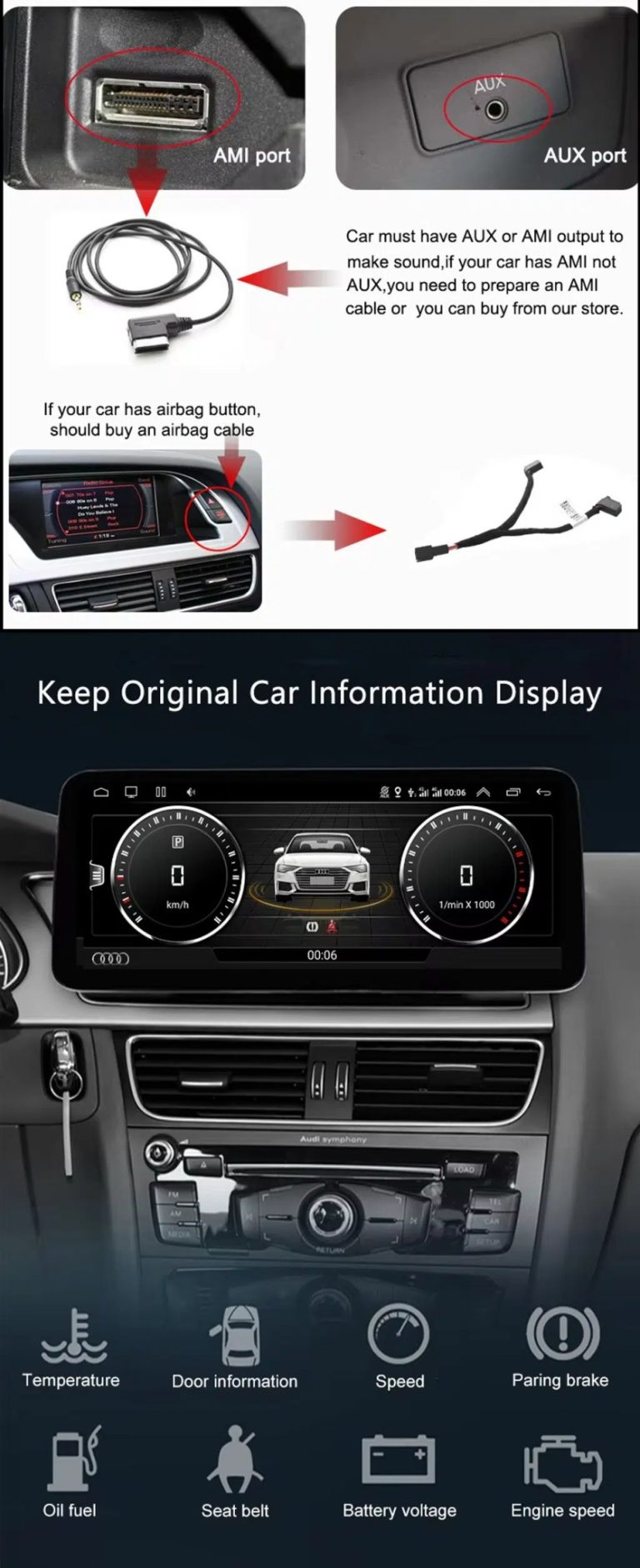
Check AUX, AMI and original vehicle information routes

Some Q7 configurations need the correct AUX, AMI or adapter route for sound and original data display. This should be checked before installation.

Audi Q7 AUX AMI cable original vehicle information display Android screen upgrade

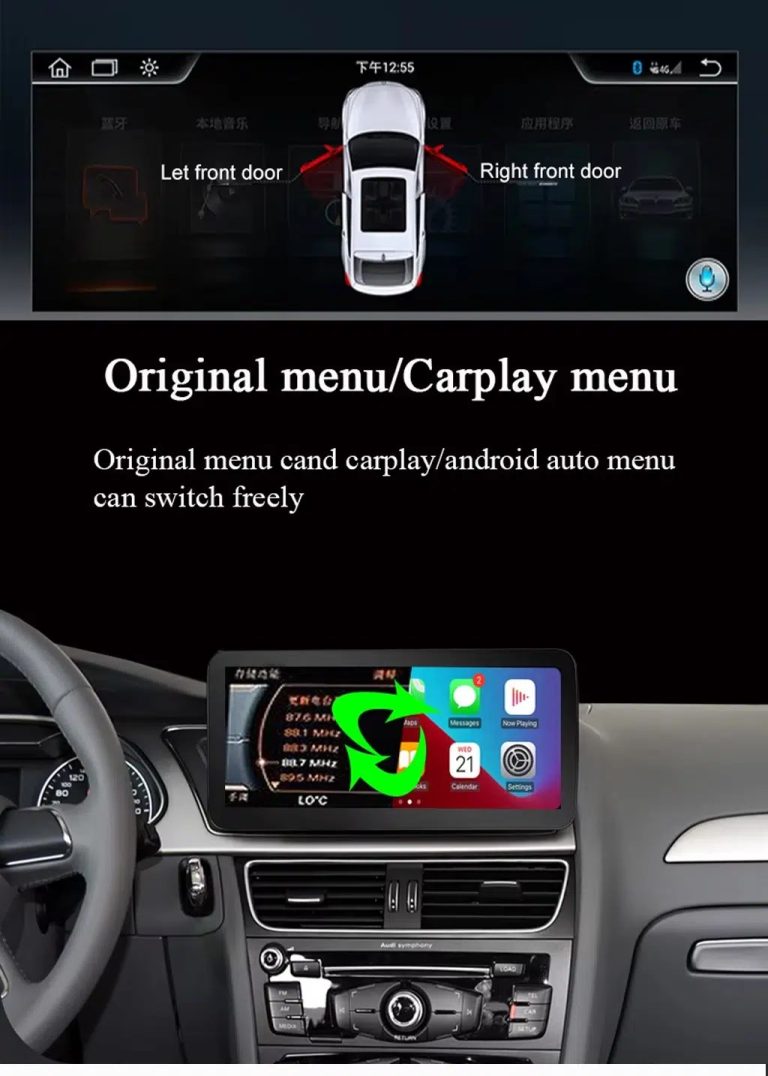
Use original menu and CarPlay menu switching

This interface direction shows how the owner can move between the supported original Audi interface and modern CarPlay or Android Auto style display.

Audi Q7 original menu and CarPlay menu switching Android screen upgrade

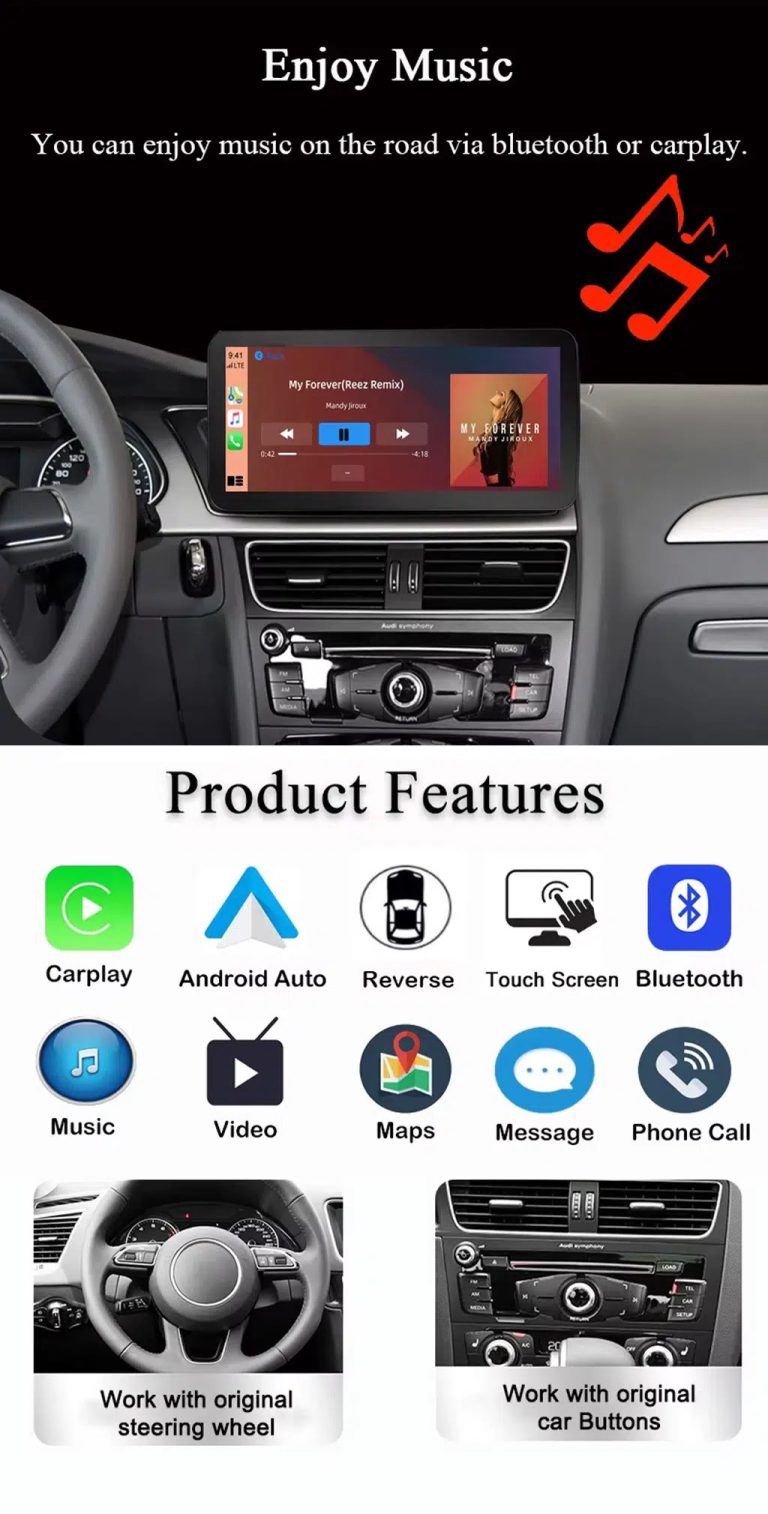
Use music, maps, calls and steering-wheel controls every day

The function overview explains the daily value of the upgrade: music, video, maps, messages, calls, touch operation and supported steering-wheel control.

Audi Q7 Android screen music Bluetooth maps CarPlay steering wheel features

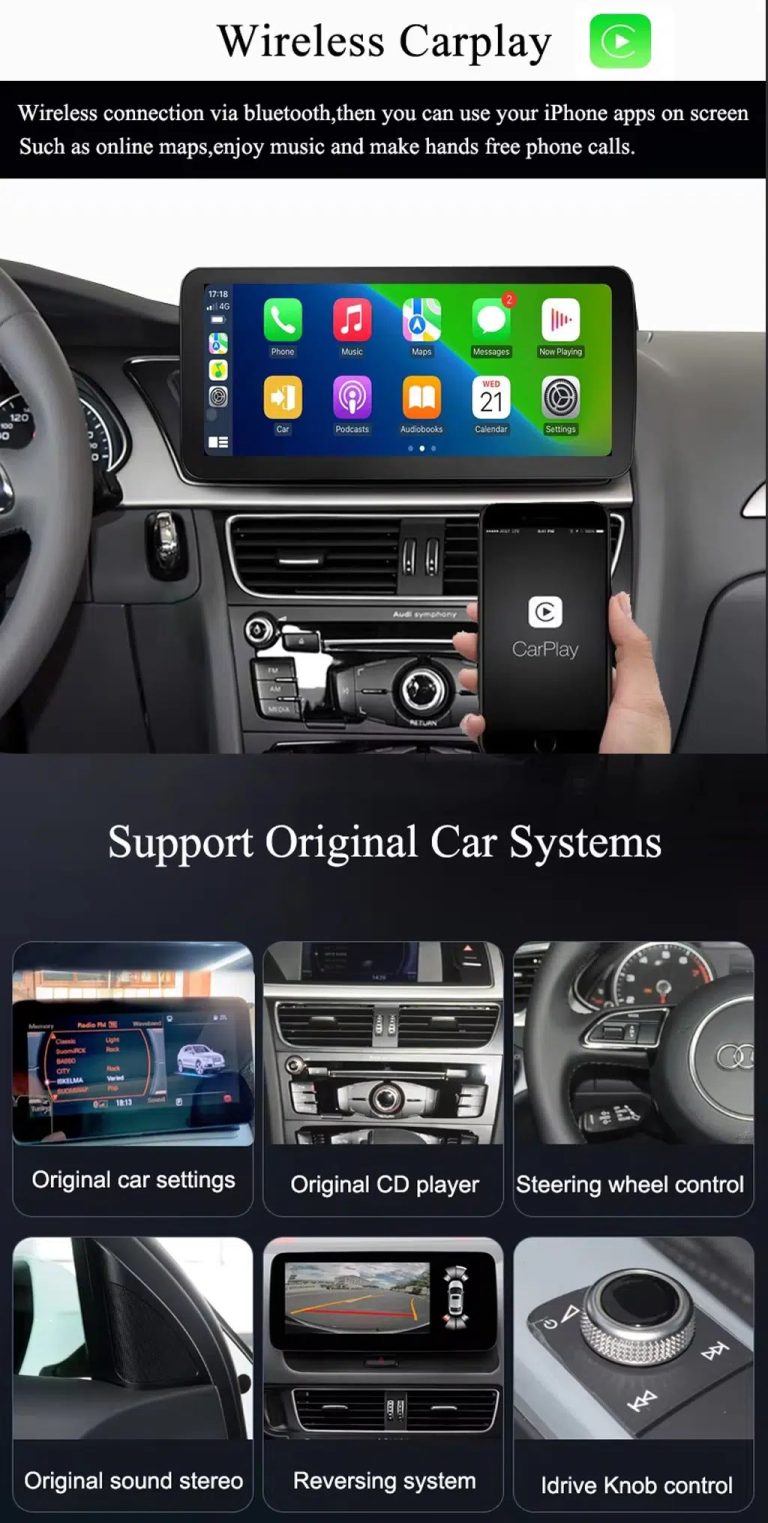
Use wireless CarPlay while keeping supported original car systems

This visual combines wireless CarPlay with original-system value, helping buyers understand that this is more than a simple screen swap.

Audi Q7 wireless CarPlay screen upgrade with original car system support

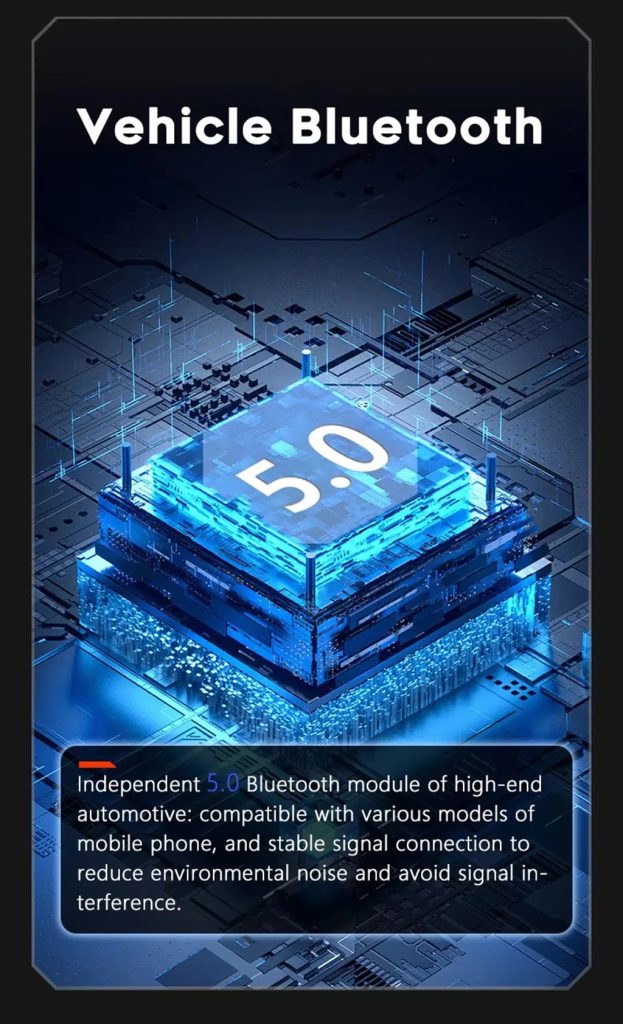
Improve Bluetooth connection on supported hardware

Bluetooth version depends on the selected hardware route, but the upgrade direction supports more practical phone and media connection than relying only on old factory behavior.

Audi Q7 Android screen Bluetooth 5 feature reference

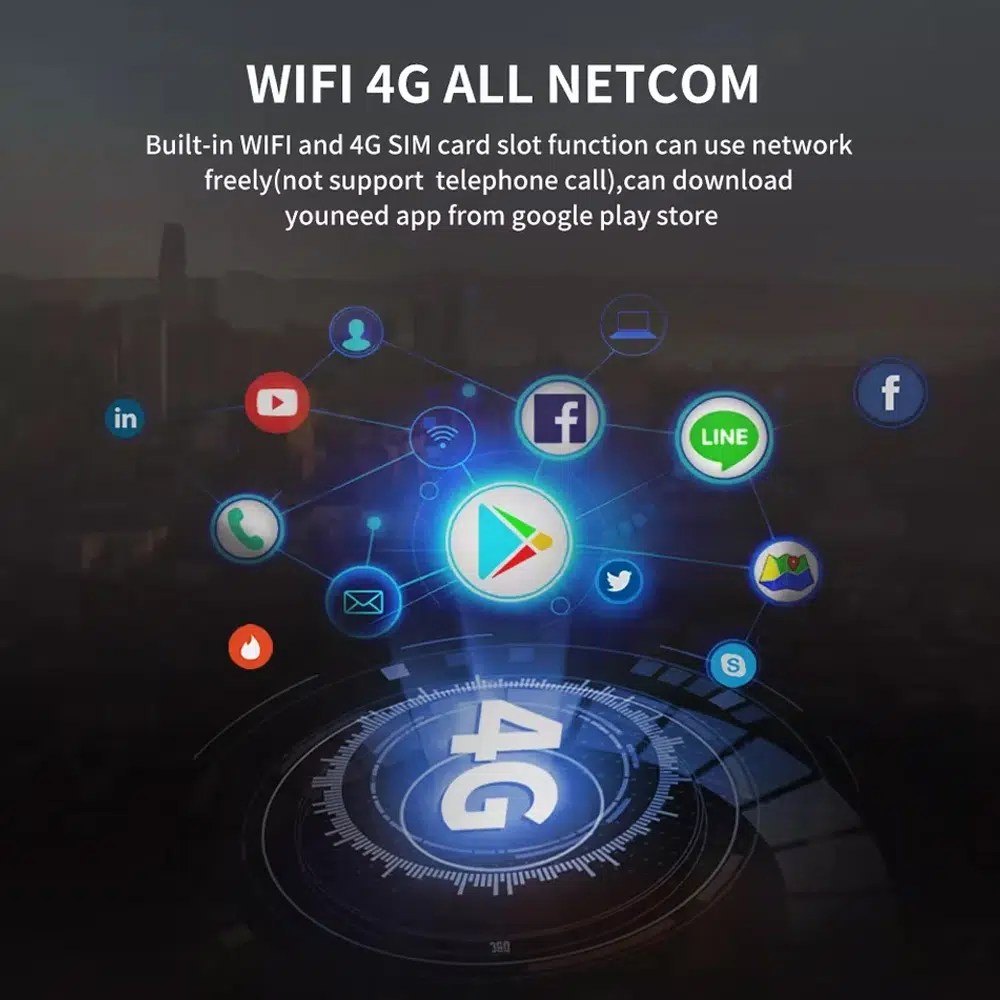
Use WiFi and 4G for apps and online navigation

WiFi and compatible 4G support online maps, app downloads and connected Android functions where local network and selected hardware allow it.

Audi Q7 Android screen WiFi 4G Google Play app connection

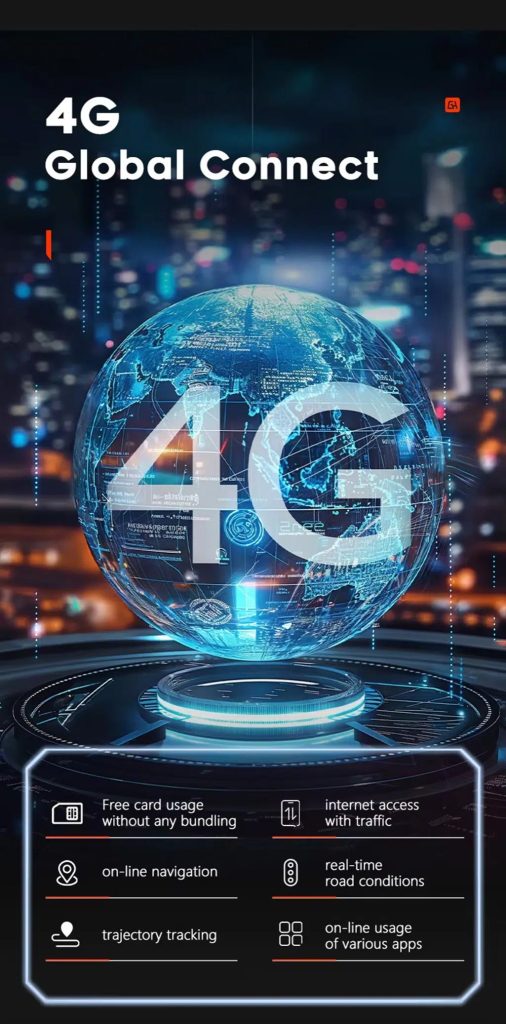
Use 4G network features where local service allows

Online navigation, traffic information and app access depend on compatible network service, SIM support and selected hardware configuration.

Audi Q7 Android screen 4G global connect online navigation apps

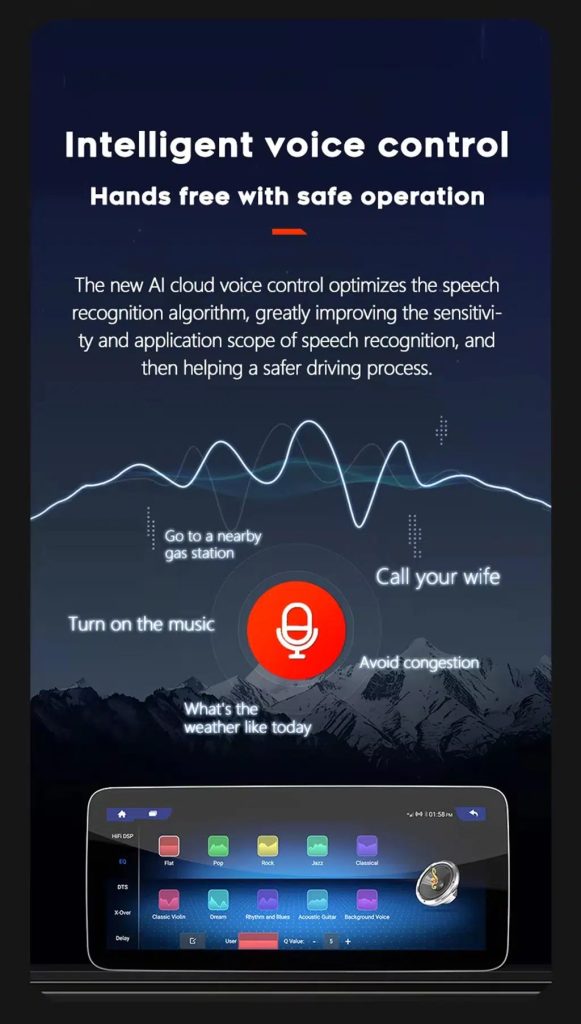
Use voice control with compatible apps

Voice control can make navigation, music and calls easier, but recognition depends on the app, microphone, language, internet connection and phone compatibility.

Audi Q7 Android screen intelligent voice control function

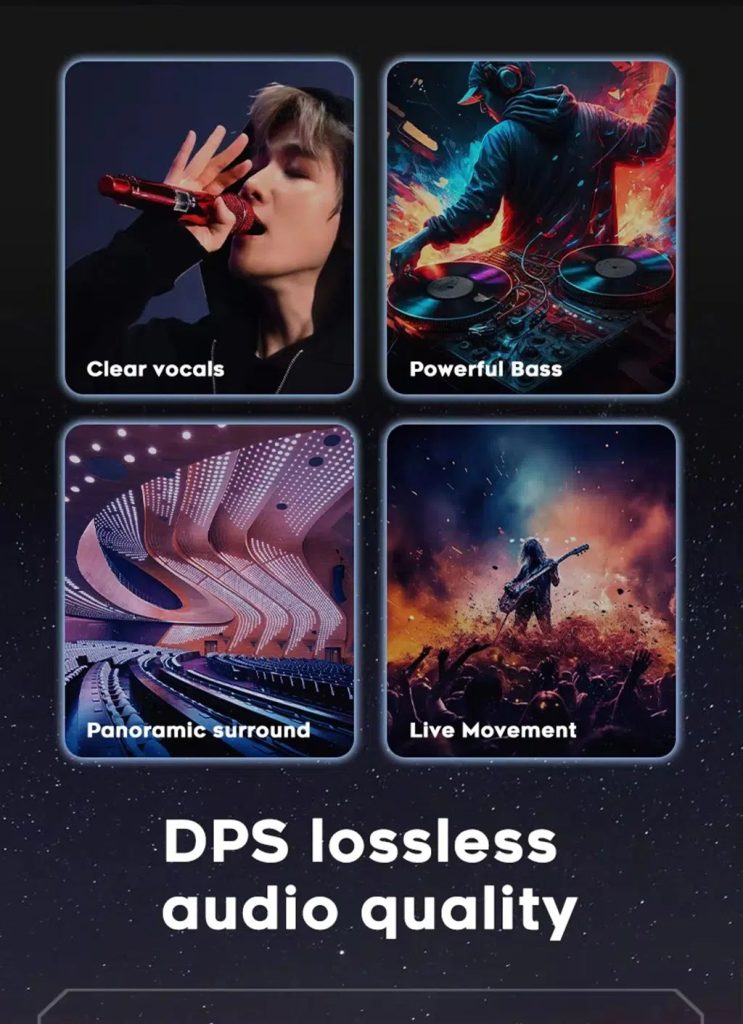
Tune the audio with DSP where supported

DSP helps tune vocals, bass, surround feeling and sound staging when the selected hardware version includes the supported DSP route.

Audi Q7 Android screen DSP audio quality feature reference

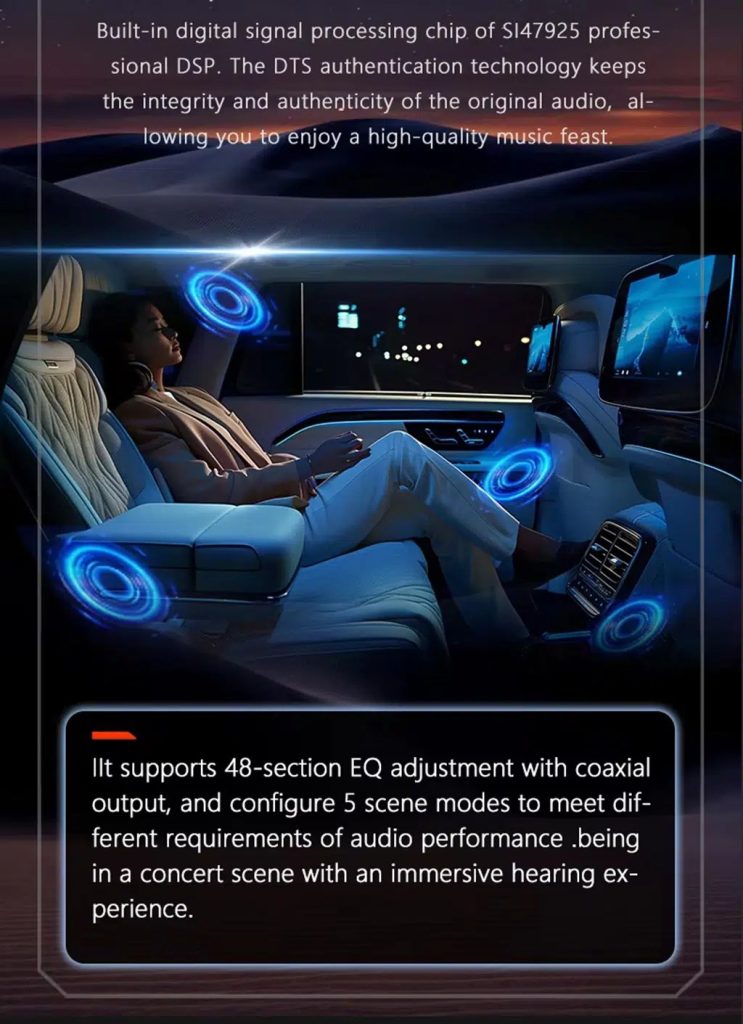
Review multimedia and DSP function direction

This additional media reference helps buyers understand the entertainment and equalizer direction before choosing the hardware version.

Audi Q7 Android screen DSP and multimedia adjustment feature reference

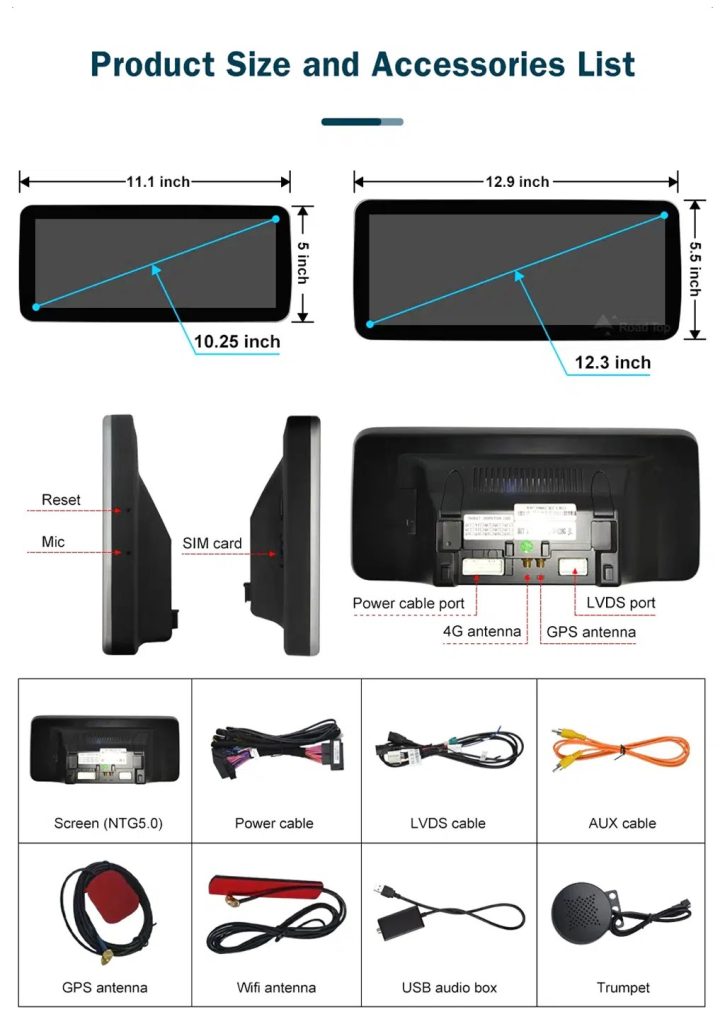
Check product size, rear ports and accessories

The accessory view helps installers understand the screen size, rear connection area, LVDS, power cable, AUX cable, GPS antenna, WiFi antenna, USB audio box and other included parts.

Audi Q7 Android screen product size rear ports and accessories list

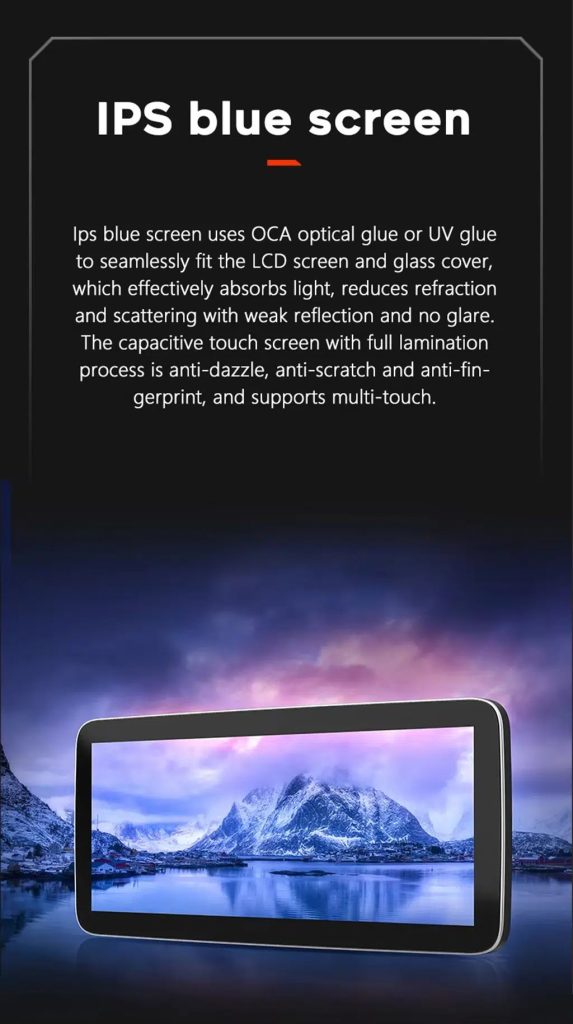
Understand the IPS blue screen display direction

The display construction direction supports a clearer and more comfortable in-car touch experience for daily map, media and menu use.

Audi Q7 Android screen IPS blue screen capacitive touch display

Review the product gallery before-and-after reference

This gallery view gives another quick reference for the original Q7 display before installation and the wider Android interface after installation.

Audi Q7 original screen before and 10.25 Android screen after installation gallery reference

Confirm another installed dashboard angle

This gallery view shows the unit installed in the Q7 dashboard with a modern interface, helping buyers compare the final visual balance.

Audi Q7 10.25 Android screen installed dashboard gallery reference

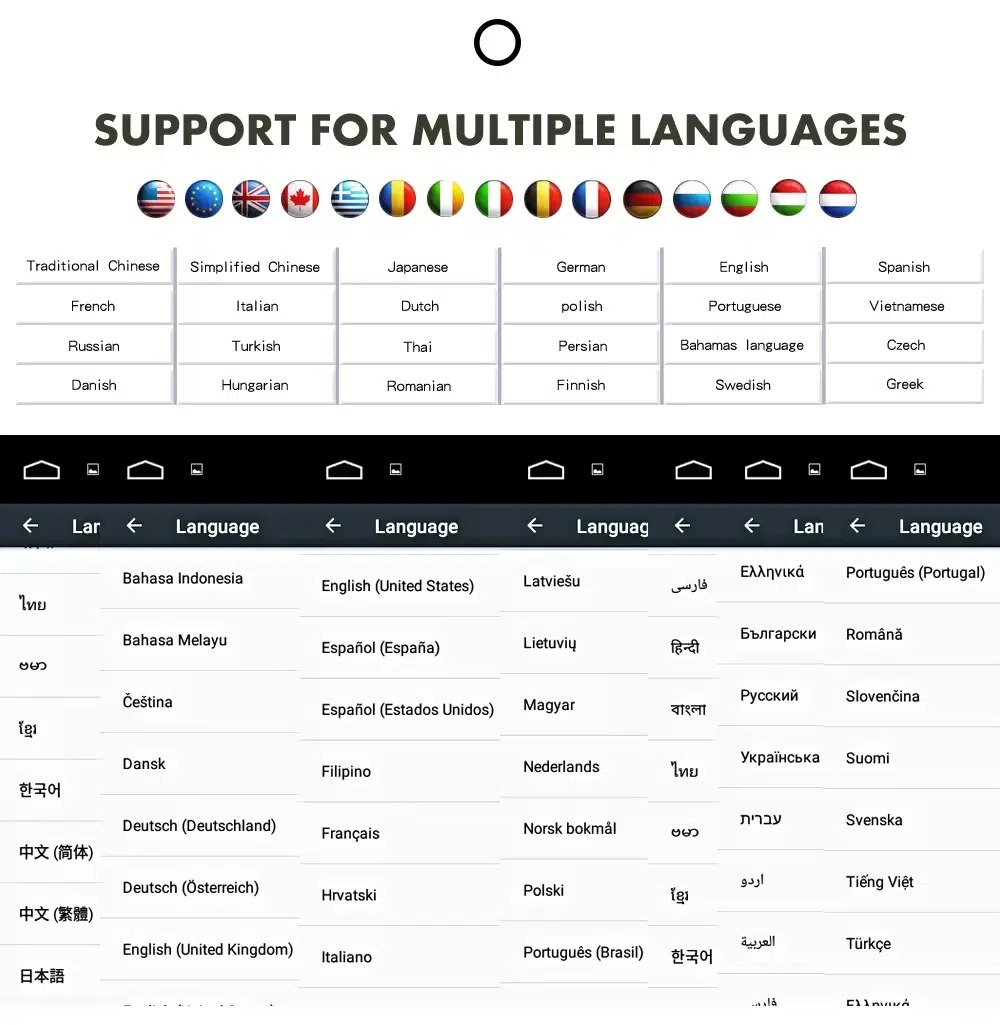
Use the Android interface in multiple languages

Multiple language support helps international owners and installers use the Android interface in a familiar language. Final availability depends on firmware and app settings.

Audi Q7 Android screen multiple language interface support

Common interface languages include English, German, French, Spanish, Italian, Portuguese, Dutch, Russian, Arabic, Japanese and Chinese, depending on firmware and app settings.

Installatie

Installation Route for the Audi Q7 10.25 Android Screen Upgrade

Autoreview

Submit the year, dashboard photos, steering position and original audio-system details.

Configuratieafstemming

iKAGOO checks the frame, harness, CAN decoder, amplifier and fiber-optic requirements.

Pre-Shipment Setup

The Android unit and matching accessories are prepared for the confirmed vehicle configuration.

Installation Support

Guidance is available for wiring, configuration and supported-function testing.

Main work required

  • Confirm dashboard year route, CD panel, MMI system and steering side before shipment.
  • Check whether the car has Bose, external amplifier or MOST fiber optic.
  • Remove the original screen area and required dashboard trim carefully.
  • Connect the matched power harness, CAN decoder, LVDS/video route and audio adapter.
  • Install fiber-optic decoder when confirmed necessary.
  • Connect GPS, USB, camera, microphone and WiFi/4G accessories according to selected configuration.
  • Power on before final reassembly.
  • Test original menu switching, CarPlay, Android Auto, audio, steering-wheel controls, cameras, Bluetooth, GPS and sleep/wake behavior.

Stop installation and contact iKAGOO if this happens

  • The screen frame does not match the dashboard opening.
  • The connector shape or pin layout clearly does not match the supplied harness.
  • The car has Bose / MOST fiber optic but no confirmed decoder route.
  • No sound comes from the speakers after power-on testing.
  • The original MMI menu cannot be accessed after connection.
  • A fiber-optic cable is bent sharply, crushed or left disconnected.
  • A connector pin is bent, loose or damaged.
  • A fuse blows repeatedly, or abnormal heat, smell or smoke appears.
  • The installation would require cutting the main factory wiring harness.
Pakket

What Is Normally Included

Android Display

Vehicle-specific display assembly with the selected Android hardware configuration.

Wiring Harness

Power, signal and integration wiring selected according to the confirmed vehicle.

CAN Decoder

Compatible decoder for supported steering controls and vehicle-information integration.

GPS Antenna

External GPS antenna for supported Android navigation functions.

USB Connections

USB extension inputs for compatible media, accessories and software updates.

Optional Adapters

Fiber-optic decoder, camera interface, AMI cable or other adapters when confirmed as necessary.

Package contents vary by selected version and confirmed vehicle configuration. The final order details should be checked before dispatch.

Shipping & Support

Shipping, Warranty and After-Sales Support

Orderverwerking

Normal order preparation is usually 1–3 business days after your vehicle configuration has been checked.

Wereldwijde verzending met tracking

International delivery is tracked. Estimated delivery time depends on destination, customs clearance and the shipping method selected at checkout.

12 maanden garantie op hardware

Eligible hardware issues are handled under the iKAGOO limited warranty. Damage from incorrect wiring, misuse, water ingress or unauthorized modification is not normally covered.

Vehicle-specific products require accurate vehicle information before shipment. If iKAGOO confirmed compatibility before purchase, your information was accurate, and no reasonable installation solution is available after supported troubleshooting, the current published return and refund policy applies.

Beleid voor retourneren en terugbetalen · Garantiebeleid · Verzendbeleid

Veelgestelde vragen

Audi Q7 10.25 Android Screen Upgrade FAQ

Is this Audi Q7 10.25 Android screen upgrade for every Q7 from 2006 to 2015?
No, not automatically. Compatibility depends on dashboard structure, CD/MMI panel, steering side, amplifier, MOST fiber optic, camera system and connector layout. Vehicle photos must be checked before shipment.
Does this product support 2005 Audi Q7?
Yes, some Q7 4L routes may match 2005–2009 vehicles, but the main product direction is 2006–2015. If your vehicle is 2005 or the market-year is unclear, send dashboard and CD/MMI panel photos before ordering.
Ondersteunt het draadloze CarPlay en Android Auto?
Yes, supported configurations provide wireless Apple CarPlay and Android Auto for compatible smartphones. Connection behavior depends on the phone, firmware and selected hardware version.
Will the original Audi MMI menu still work?
Yes, supported original Audi menu access can be retained through the matched system-switching route, but the original MMI system and connector route must be confirmed first.
Will Bose or the factory amplifier still work?
Yes, it can work when the correct audio route is prepared. Some Bose, external amplifier or MOST fiber-optic systems may require a compatible decoder.
Does every Audi Q7 need a fiber optic decoder?
No, not every vehicle needs one. The requirement depends on the original amplifier and MOST fiber-optic audio configuration, not only the model year.
Can the original rear camera be retained?
Yes, retention may be possible with the correct video interface or decoder. The original camera format must be checked before ordering.
Does it work with left-hand-drive and right-hand-drive Q7 vehicles?
Yes, compatible routes may be available for both steering positions, but the frame and button orientation must be confirmed from dashboard photographs.
Is de installatie plug-and-play?
Yes, the matched harness is designed for clean connection, but installation is still Level 3 — Advanced DIY because Audi MMI, amplifier, MOST fiber optic, camera and CANBUS functions must be checked and tested carefully.
Wat moet ik opsturen voordat ik een bestelling plaats?
Yes, send your vehicle year, LHD/RHD position, original dashboard photo, original screen photo, CD/MMI panel photo, amplifier details, connector photos if requested, and whether you need Bose/MOST, rear camera or 360 camera support.
Final Step

Make Your Audi Q7 4L Feel Modern Again

Choose this Audi Q7 10.25 Android screen upgrade if you want a factory-style display route, wireless CarPlay, Android Auto, GPS navigation, DSP audio and iKAGOO configuration matching for your dashboard, MMI and audio system.

Related Q7 upgrade: Audi Q7 digitaal dashboard

Beoordelingen

Er zijn nog geen beoordelingen.

Wees de eerste die een recensie schrijft over “Audi Q7 10.25 Android Screen Upgrade 2006–2015 wireless CarPlay”

Your email address will not be published. Required fields are marked

Je moet ingelogd zijn om foto's aan je recensie toe te voegen.

iKAGOO: verzending, garantie, retourzendingen en klantenservice
iKAGOO Klantenservice

Verzending, garantie en retourzendingen

Duidelijke informatie over de afhandeling van bestellingen, internationale verzending, voertuigspecifieke producten, garantieondersteuning, retourzendingen en beschadigde zendingen.

Orderverwerking Meestal 1–3 werkdagen vóór verzending.
Internationale verzending Normaal gesproken 5–20 werkdagen na verzending, afhankelijk van de bestemming.
Garantie op hardware 12 maanden beperkte garantie op in aanmerking komende fabricagefouten.
Voertuigspecifieke ondersteuning Er is ondersteuning beschikbaar op het gebied van compatibiliteit, bedrading en configuratie.

Veelgestelde vragen

Deze antwoorden bieden een praktisch overzicht. De volledige beleidsregels, waarnaar hieronder wordt verwezen, zijn van toepassing op alle bestellingen.

01

Van waaruit worden bestellingen verzonden en hoe lang duurt de levering?

De meeste iKAGOO-bestellingen worden verzonden vanuit ons distributiecentrum in China nadat de productconfiguratie en de voertuiggegevens zijn gecontroleerd. De normale afhandeling van een bestelling duurt ongeveer 1-3 werkdagen.

De geschatte levertijden na verzending zijn:

  • VS en Canada: ongeveer 5–9 werkdagen
  • Europese Unie: ongeveer 7–15 werkdagen
  • Het Verenigd Koninkrijk en Australië: ongeveer 7–10 werkdagen
  • Andere ondersteunde regio's: ongeveer 7–20 werkdagen

De geschatte levertermijnen kunnen worden beïnvloed door douaneafhandeling, lokale feestdagen, leveringen in afgelegen gebieden, weersomstandigheden of vertragingen bij de vervoerder.

02

Moet ik invoerbelasting, btw of douanekosten betalen?

Bij standaard internationale verzending zijn de btw van het land van bestemming, invoerrechten, makelaarskosten of douane-inklaringskosten doorgaans niet inbegrepen.

Voor in aanmerking komende bestemmingen binnen de Europese Unie is er een optionele DDP-verzenddienst zijn mogelijk van toepassing. Importgerelateerde kosten zijn alleen inbegrepen wanneer bij het afrekenen DDP is geselecteerd of door iKAGOO schriftelijk vóór verzending is bevestigd.

Als DDP niet is geselecteerd, is de ontvanger verantwoordelijk voor eventuele kosten die door de lokale douane of de vervoerder in rekening worden gebracht.

03

Kan ik een spoedverzending aanvragen?

Voor bepaalde producten en bestemmingen is expressverzending of versnelde verzending mogelijk. De beschikbaarheid, de vervoerder en eventuele extra kosten worden vóór de verzending bevestigd.

Afhankelijk van de bestemming en het producttype kan iKAGOO gebruikmaken van vervoerders zoals DHL, FedEx, UPS, EMS, 4PX of een andere logistieke dienstverlener die tracking aanbiedt.

04

Hoe kan ik mijn zending volgen?

Nadat de bestelling is verzonden, wordt het trackingnummer of de trackinglink doorgaans naar het e-mailadres gestuurd dat bij de bestelling is opgegeven.

Het kan enkele werkdagen duren voordat er nieuwe trackinggegevens verschijnen, aangezien een pakket tussen internationale en lokale vervoerders wordt overgedragen.

05

Wat is het retour- en terugbetalingsbeleid van iKAGOO?

Of een retourzending in aanmerking komt, hangt af van de reden voor de retourzending, de staat van het product, de installatiestatus, het verstrekte bewijsmateriaal en of de retourzending is goedgekeurd door iKAGOO.

Bij een retourzending zonder gebreken moet het product normaal gesproken ongebruikt, niet geïnstalleerd, compleet en geschikt voor wederverkoop zijn. De klant is in het algemeen verantwoordelijk voor de goedgekeurde verzendkosten voor de retourzending.

De oorspronkelijke verzendkosten, DDP-kosten, btw, douanerechten en andere logistieke kosten worden in het algemeen niet terugbetaald, tenzij dit op grond van de toepasselijke wetgeving vereist is of anderszins door iKAGOO is bevestigd.

Stuur een product niet terug zonder dat u een goedgekeurd retouradres en retourinstructies van iKAGOO hebt ontvangen.

06

Wat gebeurt er als iKAGOO de compatibiliteit heeft bevestigd, maar het product niet kan worden geïnstalleerd?

Er kan aanvullende bescherming van toepassing zijn wanneer iKAGOO de compatibiliteit vóór de aankoop heeft bevestigd, de klant de juiste voertuiggegevens heeft verstrekt en de klant heeft meegewerkt aan redelijke installatie- en diagnosestappen.

Als iKAGOO bevestigt dat er geen redelijke technische oplossing beschikbaar is, en het probleem wordt gemeld binnen 7 kalenderdagen na levering, dan komt de klant mogelijk in aanmerking voor een terugbetaling van de productprijs zonder dat hij het product hoeft terug te sturen.

De oorspronkelijke verzendkosten, DDP, btw, douanerechten en andere kosten van derden zijn niet inbegrepen in deze terugbetaling van de productprijs.

07

Welke garantie biedt iKAGOO?

Tot de in aanmerking komende iKAGOO-producten behoren onder meer een 12 maanden beperkte hardwaregarantie voor geverifieerde fabricagefouten en in aanmerking komende hardwarestoringen bij normaal gebruik.

Afhankelijk van het probleem kan de oplossing bestaan uit diagnose op afstand, hulp bij de configuratie, vervangende onderdelen, reparatie, vervanging van het product, een gedeeltelijke terugbetaling of een volledige terugbetaling.

De garantie dekt normaal gesproken geen schade die is veroorzaakt door onjuiste bedrading, ongeoorloofde aanpassingen, onopzettelijke schade, binnendringend water, stoten, verkeerd gebruik, onjuiste spanning, installatiefouten of incompatibele apparatuur van derden.

08

Valt de garantie automatisch weg als het product wordt geopend?

Een inspectie of controle door een derde partij leidt niet automatisch tot het vervallen van de volledige garantie. Schade die is veroorzaakt door ongeoorloofde reparaties, het vervangen van onderdelen, onjuiste aanpassingen, defecte circuits of onjuiste hermontage valt echter niet onder de garantie.

Neem contact op met iKAGOO voordat u het product demonteert of repareert, zodat de juiste diagnostische procedure kan worden uitgevoerd.

09

Wat als mijn bestelling beschadigd aankomt of als er onderdelen ontbreken?

Neem contact op met iKAGOO binnen 7 kalenderdagen na levering en bewaar de originele verpakking, het verzendetiket, de accessoires en het product.

Gelieve duidelijke foto’s of video’s aan te leveren waarop het volgende te zien is:

  • De buitenverpakking en het verzendetiket
  • Eventuele zichtbare schade aan de verpakking
  • Het product en het getroffen gebied
  • Alle ontvangen accessoires en bedrading

Na controle kan iKAGOO, afhankelijk van het specifieke geval, zorgen voor een verzending van ontbrekende onderdelen, vervanging, reparatie, terugbetaling of een andere redelijke oplossing.

10

Wat moet ik doen als ik het verkeerde product heb besteld?

Neem contact op met iKAGOO voordat u het product installeert of gebruikt. Een omruiling of teruggave kan worden goedgekeurd als het product ongebruikt, niet-geïnstalleerd, compleet en geschikt voor wederverkoop is.

Klanten zijn doorgaans verantwoordelijk voor de verzendkosten en eventuele prijsverschillen wanneer het verkeerde product, voertuigmodel, bouwjaar of de verkeerde fabrieksconfiguratie is geselecteerd.

Er wordt niet automatisch een gratis voorafbetaald retourlabel verstrekt.

11

Kan ik mijn bestelling na betaling nog wijzigen of annuleren?

Neem zo snel mogelijk contact op met iKAGOO, bij voorkeur binnen 12 uur na het plaatsen van de bestelling, wanneer u een adres, voertuigconfiguratie of productwijziging aanvraagt.

Een wijziging of annulering is pas van kracht nadat deze door iKAGOO is bevestigd. Voertuigspecifieke producten kunnen kort na betaling in de inkoop-, programmeer-, test-, configuratie- of maatwerkfase terechtkomen.

Zodra de voorbereiding of verzending is begonnen, is annulering mogelijk niet meer mogelijk, of kunnen reeds gemaakte redelijke kosten in mindering worden gebracht.

12

Wat is inbegrepen in het pakket?

De inhoud van de verpakking varieert per product, voertuigmodel, fabriekssysteem en gekozen configuratie.

Afhankelijk van het product kan de verpakking het hoofdapparaat, voertuigspecifieke kabelbomen, een CANBUS-interface, adapters, USB-kabels, antennes, microfoons, bevestigingsmateriaal en andere installatieaccessoires bevatten.

Raadpleeg de betreffende productpagina, de foto’s van de verpakking en de orderbevestiging voor de exacte inhoud van de verpakking.

13

Hoe kan ik contact opnemen met de klantenservice van iKAGOO?

Je kunt contact opnemen met iKAGOO via het contactformulier, e-mail, WhatsApp of de beschikbare ondersteuningskanalen op de website. De gemiddelde reactietijd bedraagt 24 werkuren.

Voor snellere technische ondersteuning verzoeken wij u uw bestelnummer, het model en bouwjaar van uw voertuig, foto’s van het fabriekssysteem, productfoto’s en een duidelijke video waarin het probleem te zien is, mee te sturen.

Bezoek: iKAGOO Contact en ondersteuning

14

Is de betaling veilig en zijn er mogelijkheden om in termijnen te betalen?

Betalingen worden verwerkt via de beveiligde betaalmethoden die worden weergegeven tijdens het afrekenen. De beschikbare opties voor betaalkaarten, digitale portemonnees en termijnbetalingen kunnen variëren per land, valuta, betalingsprovider en de geschiktheid van de klant.

Elke dienst voor betaling in termijnen, met inbegrip van opties die door PayPal of een andere aanbieder worden aangeboden, is onderworpen aan de regionale beschikbaarheid en goedkeuringsregels van die aanbieder.

Lees het volledige beleid van iKAGOO

Lees de volledige beleidsvoorwaarden door voordat u een bestelling plaatst, met name wat betreft voertuigspecifieke producten, internationale belastingregelingen en retourzendingen in verband met de installatie.

Deze FAQ is een vereenvoudigde handleiding voor klanten. Bij eventuele verschillen in de bewoordingen hebben de volledige gepubliceerde beleidspagina’s, de orderbevestiging en de toepasselijke consumentenwetgeving voorrang.

Audi Q7 10,25-inch Android-schermupgrade 2006–2015, draadloos CarPlay Audi Q7 10.25 Android Screen U...

Van: $325.00

Opties selecteren

© 2026 Shenzhen Oak Bay Electronics Technology Co. Alle rechten voorbehouden.

We gebruiken veilige betaling voor

``html Neem contact op met iKAGOO via WhatsApp ```