Thema XStore

No products in the cart.

{verkoop_tekst} 40%
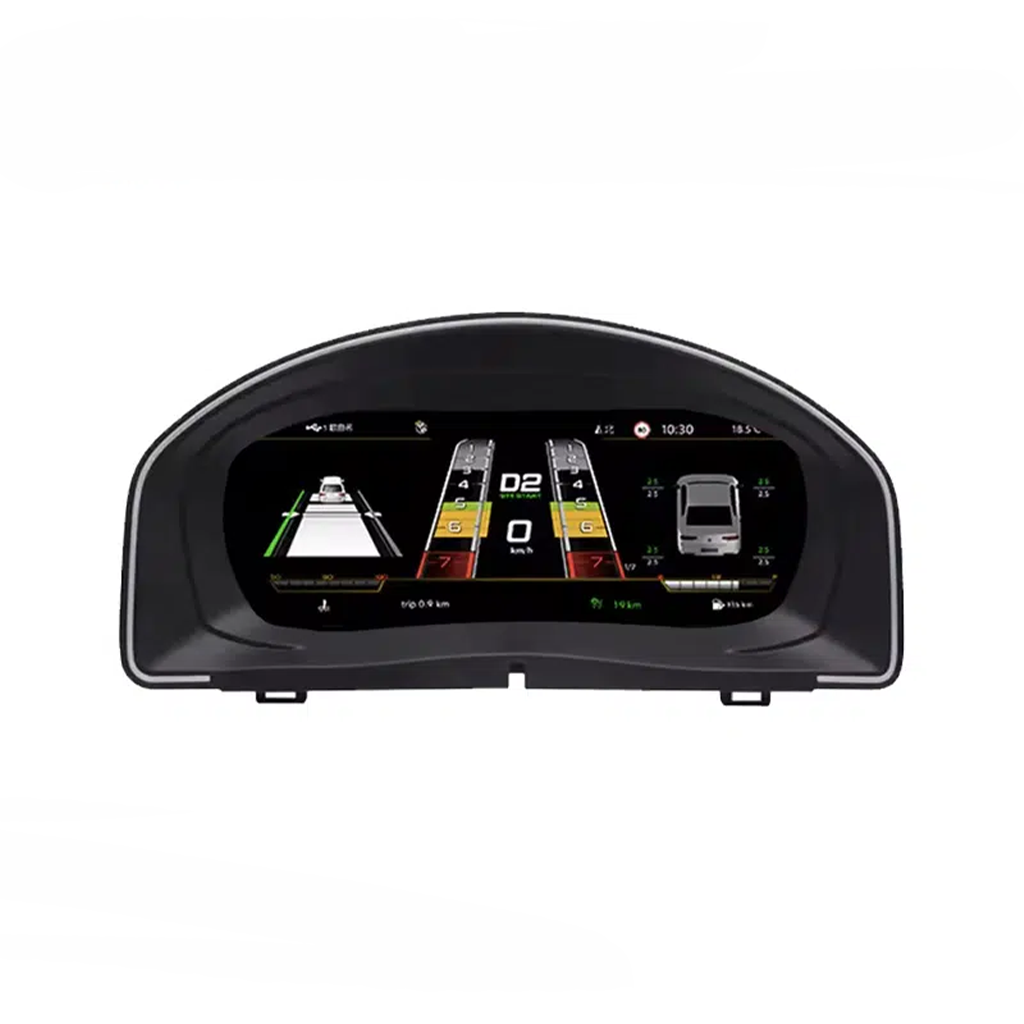
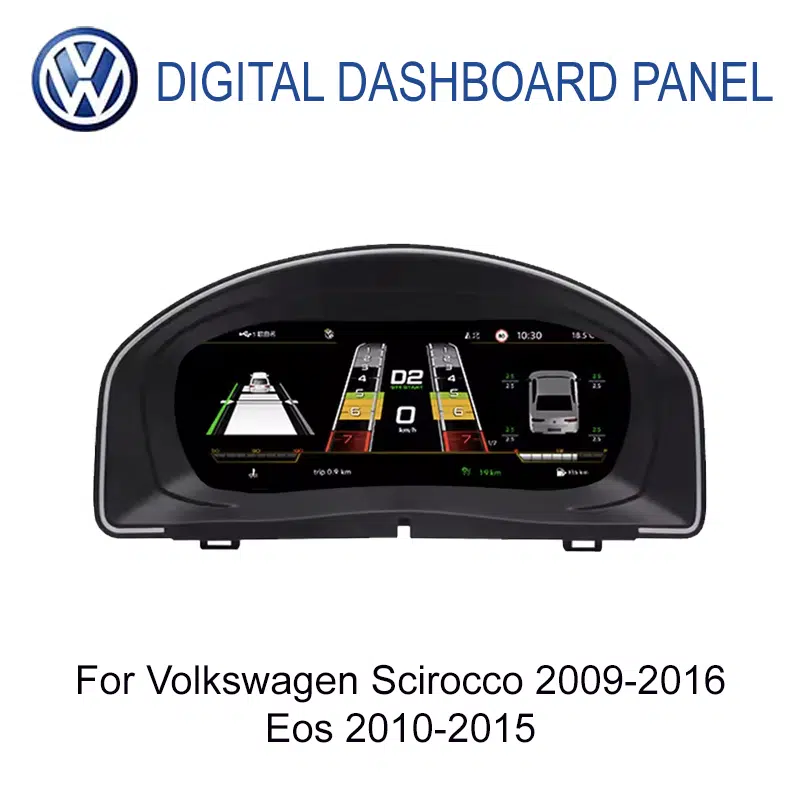
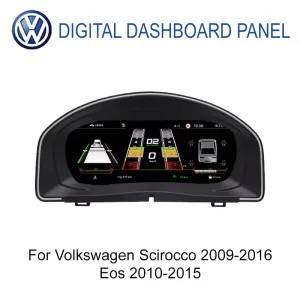
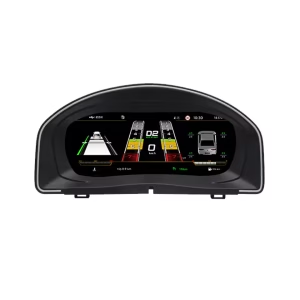
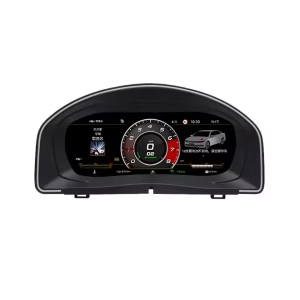
  • Volkswagen Scirocco 2009-2016 en Eos 2010-2015 10,25 inch digitaal instrumentenpaneel vooraanzicht
  • Volkswagen Scirocco 2009-2016 en Eos 2010-2015 10,25 inch digitaal instrumentenpaneel vooraanzicht
  • eos 2010 2015
  • scirocco 2009 2016
  • S9a62721e13f847bc8a8a09ca0bd24f4bU
  • Volkswagen Scirocco 2009-2016 en Eos 2010-2015 10,25 inch scherminterface digitaal instrumentenpaneel
  • Volkswagen Scirocco 2009-2016 en Eos 2010-2015 10,25 inch scherminterface digitaal instrumentenpaneel
  • 86e40b03cf46da8e9f1108da465506c8
  • S2e1af3478ae24e65bd0b46c84d8a289ej
  • S6cbc90ebb0684b45b3d834f533091510r

VW Scirocco Eos digitaal instrumentenpaneel voor Volkswagen Mk3 Type 13 en Eos 1F

Merk:
(2 klantbeoordelingen)

Oorspronkelijke prijs was: $660.00.Huidige prijs is: $398.00.

Belastingvrij Alleen EU & VS
Details
Beveiligd door PayPal
DDP belastingvoordeel service

Wij handelen alle btw en invoerrechten af. Geschatte besparingen: $120-$280.

VS (48 staten)OostenrijkBelgiëBulgarijeKroatiëCyprusTsjechiëDenemarkenEstlandFinlandFrankrijkDuitslandGriekenlandHongarijeIerlandItaliëLetlandLitouwenLuxemburgMaltaNederlandPolenPortugalRoemeniëSlowakijeSloveniëSpanjeZweden
of

Heb je vragen?

Voel je vrij om Neem contact op

Betaal veilig met Paypal Betaal veilig met Visa Betaal veilig met Master Card Veilig betalen met JCB Betaal veilig met American Express Veilig betalen met Alipay Veilig betalen met Google pay Veilig betalen met Klarna Betaal veilig met DISCOVER Veilig betalen met Apple Pay
Gegarandeerd veilig en betrouwbaar afrekenen
iKAGOO-kopersbescherming

Aankoopbescherming voor dit product

Compatibiliteitscontrole, veilig afrekenen, levering met tracking en praktische klantenservice.

Of iemand in aanmerking komt, de meldingstermijnen en de te nemen maatregelen zijn afhankelijk van het geldende beleid van iKAGOO en de beoordeling van het specifieke geval.

Bekijk het privacybeleid
Volkswagen OEM-Style Digital Cockpit

VW Scirocco Eos Digital Cluster for a Cleaner Volkswagen Cockpit

A 10.25-inch digital instrument cluster retrofit for Volkswagen Scirocco Mk3 / Type 13 / PQ35 platform / 2009-2016 and Volkswagen Eos / Type 1F / PQ35 platform / 2010-2015.

VW

Cleaner OEM-Style Driver Display

The VW Scirocco Eos Digital Cluster gives the older Volkswagen cockpit a sharper digital driver display while keeping the dashboard direction restrained, cool and close to the original cabin language.

Correct fitment is based on generation, not only the badge name. Volkswagen Scirocco Mk3 / Type 13 and Volkswagen Eos 1F share a PQ35-era upgrade logic, but your exact model year, cluster photo, steering-wheel controls, LHD/RHD position and previous modifications still need to be checked before shipment.
10.25-inch LCDA clearer instrument display for daily speed, RPM, mileage and supported vehicle data.
PQ35 RoutePrepared for Scirocco Mk3 / Type 13 and Eos 1F fitment logic.
iKAGOO CheckModel year, photos, LHD/RHD and visible configuration are reviewed before shipment.
Volkswagen Scirocco Mk3 Type 13 / PQ35 Volkswagen Eos 1F 10.25-inch LCD Niveau 3 — Gevorderden

Modern Digital Cluster View Without a Random Universal Look

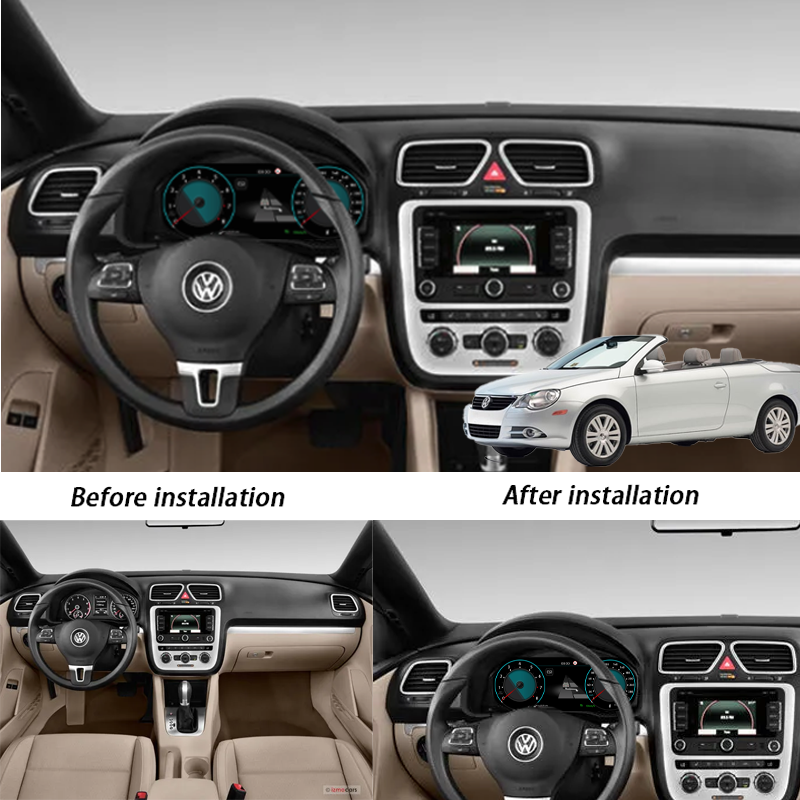
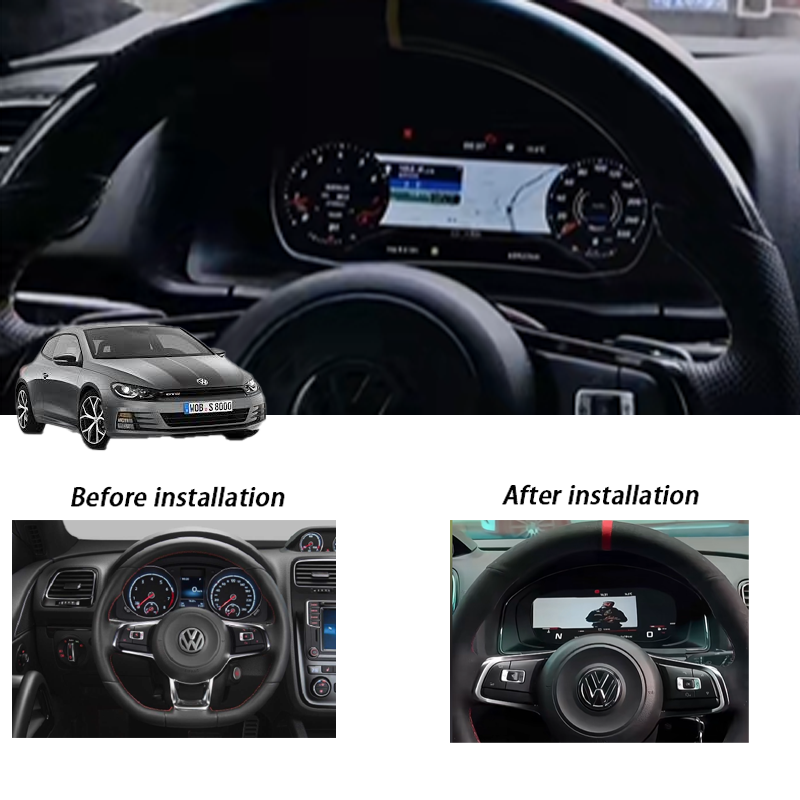
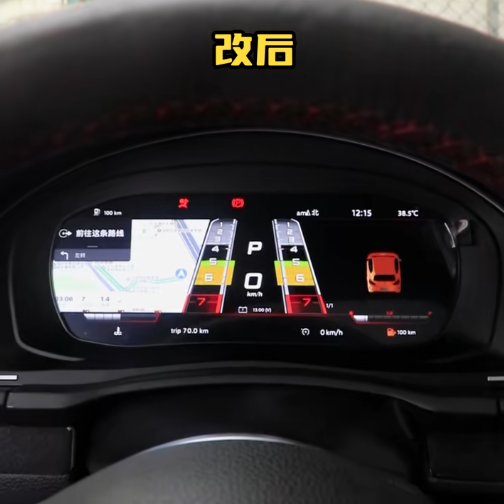
The first thing buyers notice after installation is the cleaner driver view. The upgrade keeps the screen in the original instrument-cluster position, so the cabin feels newer without losing the Volkswagen cockpit direction.

VW Scirocco Eos Digital Cluster installed in Volkswagen dashboard
iKAGOO-productbeoordeling

Three Checks Before You Buy This Volkswagen Digital Cluster

These iKAGOO standards help you judge upgrade value, original vehicle function retention and the correct installation path before ordering.

iKAGOO Standard

Noodzaak van een upgrade

92/100 Sterke argumenten voor een upgrade

This score means the upgrade gives real daily-use value: clearer driving information, a newer cockpit feel and a better long-term ownership experience for older Scirocco Mk3 and Eos 1F vehicles.

Weergave
94
Cabin
91
Value
90
  • Upgrades the original analogue-style instrument area to a 10.25-inch LCD cockpit.
  • Improves daily readability for speed, RPM, gear, mileage and supported vehicle data.
  • Creates a more modern Volkswagen interior without replacing the whole vehicle.
  • More complete than only adding a CarPlay module because the driver display itself is improved.
Lees de iKAGOO-norm inzake de noodzaak van upgrades
iKAGOO Standard

Compatibiliteit met het originele voertuig

90/100 Bijna identiek aan OEM

A score of 90/100 does not mean 10% of factory functions are lost. It means the upgrade route is strong when the correct Volkswagen model year, cluster type, wiring route and interface are confirmed.

Functie
90
Controle
89
Pasvorm
91
  • Factory Function Continuity: supported vehicle data and warnings continue through the matched interface.
  • Original Control Continuity: supported steering-wheel control logic can remain usable after correct setup.
  • Vehicle Data & Warning Integration: the cluster is intended to preserve useful driver information, not only show graphics.
  • Physical Architecture Match: the product is shaped for the original instrument-cluster area.
  • Installation & Hardware Integration: matched harness and vehicle preparation reduce wrong-version risk.
Lees de iKAGOO-norm voor de compatibiliteit van originele voertuigen
iKAGOO Standard

Gemak van installatie

Niveau 3 Gevorderde doe-het-zelvers

This level means the installation is suitable for experienced DIY installers or an automotive electronics installer. It requires careful trim removal, cluster handling, matched harness connection and full function testing.

L1
Easy
L2
Basis
L3
Gevorderde doe-het-zelvers
L4
Pro Route
L5
Specialist
  • Requires removal of the original instrument-cluster area and careful refitting.
  • Requires matched wiring connection and vehicle-interface configuration.
  • Requires post-install testing for display, warning data, steering-wheel control and vehicle information.
  • Er zijn geen plannen om de ondersteunde fabrieksbekabeling opzettelijk door te knippen.
Lees de iKAGOO-norm voor installatiegemak
Hero Value

A Digital Cockpit Upgrade for the Right Volkswagen Generation

This product is not a generic VW dashboard screen. It is a vehicle-specific digital instrument cluster retrofit route for Volkswagen Scirocco Mk3 / Type 13 and Volkswagen Eos 1F vehicles in the supported year range.

LCD

Cleaner Driver Display

The 10.25-inch LCD gives you a clearer view of speed, RPM, mileage, gear and supported vehicle information, making the older Volkswagen cabin feel more current in daily driving.

OEM

OEM-Style Cabin Direction

The design direction stays restrained, cool and Volkswagen-like instead of using an exaggerated universal aftermarket style.

FIT

Lower Wrong-Version Risk

iKAGOO checks your model year, dashboard photo, cluster photo, LHD/RHD position and existing modification information before preparing the order.

Snel antwoord

What This Volkswagen Digital Cluster Upgrade Does

The VW Scirocco Eos Digital Cluster is a 10.25-inch digital instrument-cluster upgrade for Volkswagen Scirocco Mk3 / Scirocco III / Type 13 / PQ35 platform / 2009-2016 and Volkswagen Eos / Type 1F / PQ35 platform / 2010-2015. It replaces the ageing analogue-style dashboard view with a sharper LCD cockpit while keeping the display in the original driver-focused cluster position. Supported vehicle data, warning information and steering-wheel control logic can continue to work after correct matching and installation. Before shipment, iKAGOO checks your model year, dashboard layout, cluster photos and vehicle configuration so the order is prepared around your actual car, not only the model name.

Buyer Concerns

The Five Questions Buyers Usually Need Answered First

These points reduce wrong orders before international shipping and reduce confusion during installation.

YEAR

Exact Fitment

Supported vehicles are Volkswagen Scirocco Mk3 / Type 13 / 2009-2016 and Volkswagen Eos 1F / 2010-2015. Earlier generations or other VW models should not be treated as supported.

CTRL

Standaardbediening

Supported steering-wheel control logic and supported vehicle data can continue to work when the matched interface is installed correctly.

NO

Not a Universal Screen

This is a digital instrument cluster retrofit route, not a universal tablet-style display or a generic Volkswagen listing.

WIRE

Geen opzettelijk doorsnijden van kabels

The intended route uses matched wiring and does not intentionally cut supported factory wiring. If plugs do not match, installation should stop.

CHK

Fitment Review Before Shipment

iKAGOO checks dashboard layout, cluster photos, LHD/RHD position and visible configuration before preparing the correct version.

SUP

Ondersteuning na de bevalling

If the installer has a wiring, setting or display issue, iKAGOO asks for clear photos and videos so the support route is based on usable evidence.

Core Buyer Benefits

What Changes After This Digital Cluster Upgrade

The value is not only a newer screen. The main value is a clearer driving display, a more modern Volkswagen cabin and a prepared installation route.

READ

Clearer Daily Readability

Speed, RPM, mileage, gear and supported vehicle information become easier to read than an ageing analogue-style dashboard.

CAB

Better Long-Term Ownership Value

The cockpit looks and feels newer, which matters for owners keeping a Scirocco Mk3 or Eos 1F for the long term.

KIT

Cleaner Installation Route

The matched harness and vehicle-interface preparation reduce the risk of improvising after the product arrives.

Fabrieksinstellingen blijven behouden

Original Volkswagen Functions Supported After Correct Matching

The product should be judged by whether it keeps the vehicle useful after installation, not only whether the screen turns on.

SWC

Bedieningsknoppen op het stuurwiel

Supported steering-wheel controls continue to work after correct connection and configuration. This keeps daily operation familiar instead of making the car feel like a universal aftermarket build.

DATA

Vehicle Data and Warnings

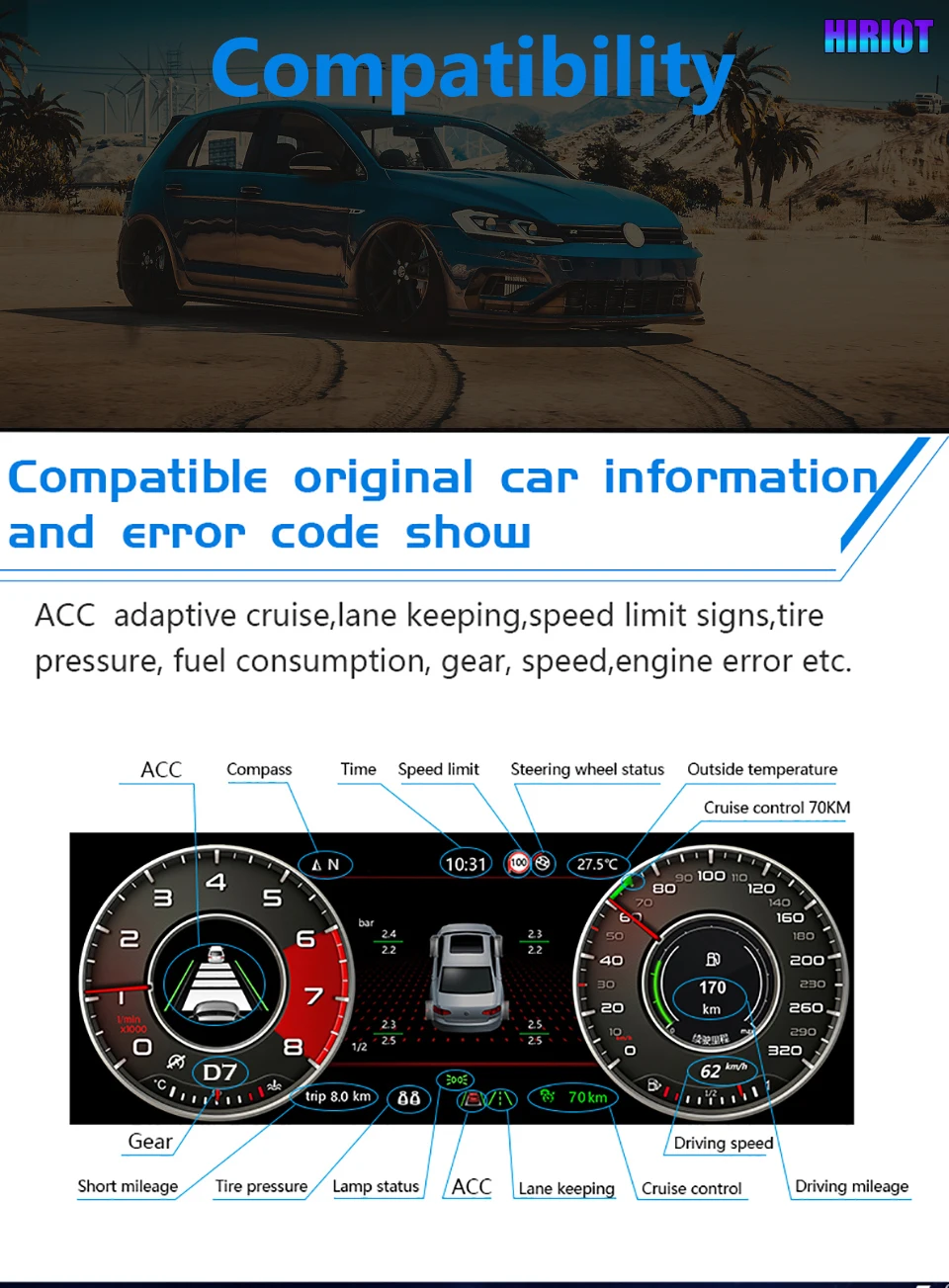
Supported speed, RPM, mileage, gear, fuel, temperature and warning information continue through the matched vehicle interface where supported by the vehicle configuration.

NO CUT

Geen opzettelijk doorsnijden van kabels

The intended route uses a matched harness and vehicle-specific connection logic. If plugs do not match, stop installation and contact iKAGOO instead of forcing or cutting wiring.

  • Special factory equipment, non-standard wiring, previous cluster repairs, previous aftermarket modifications or uncommon regional configurations may require extra checking before shipment.
Product | Media | Verhaal

See How the Upgrade Improves the Volkswagen Driver Area

Each visual section explains the buyer benefit before the image, so the page reads like a product story instead of a parts manual.

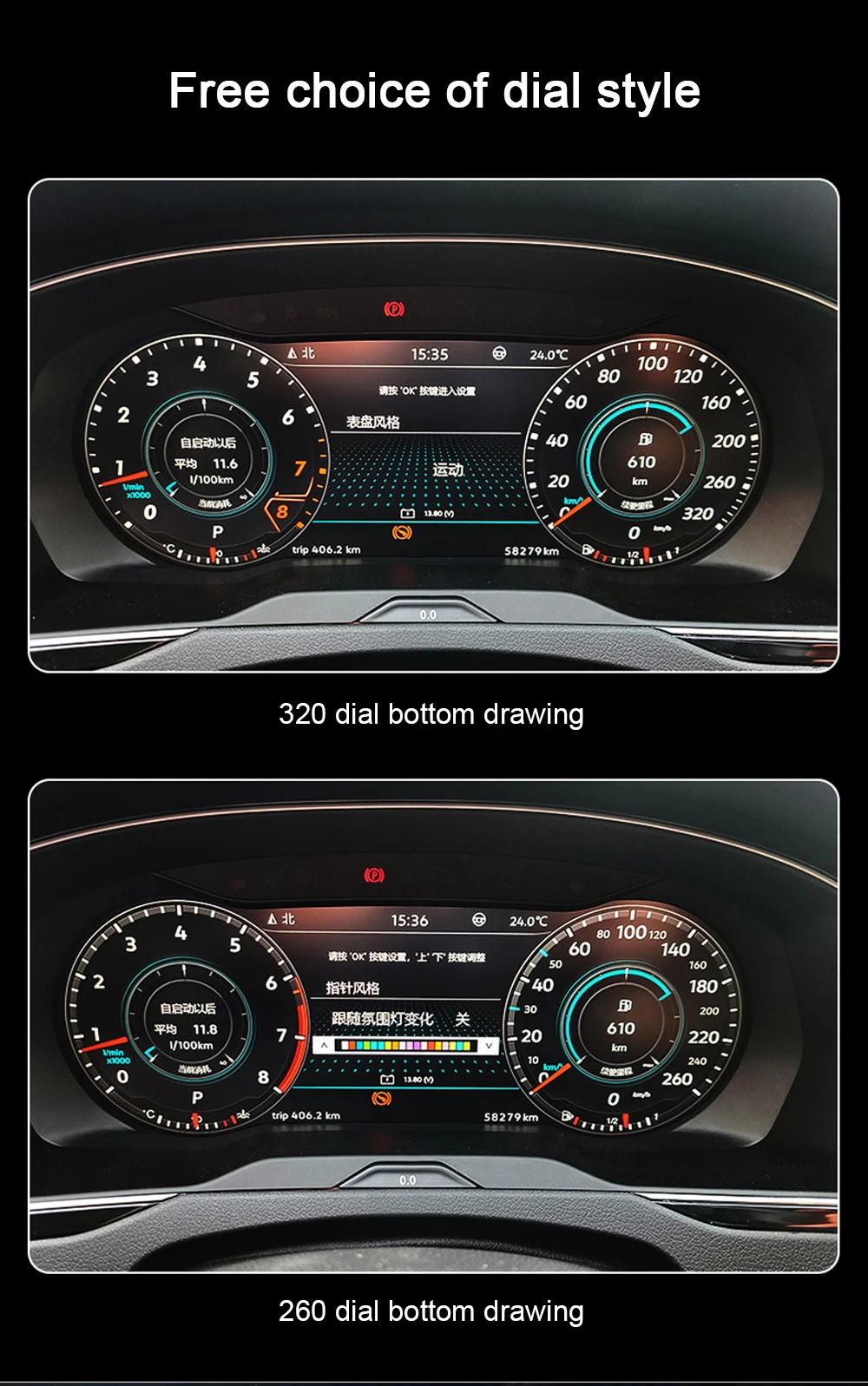
Multiple Display Modes Give the Older Volkswagen Cabin a Newer Cockpit Feel

The screen layout can present classic-style gauges, digital driving information and navigation-related display views. This helps your Scirocco Mk3 or Eos 1F feel more current in daily driving while keeping the main information where Volkswagen originally placed it: directly in front of the driver.

Volkswagen Scirocco Mk3 Type 13 and Eos 1F 10.25 inch digital cluster display

Clean Gauge View for Daily Driving

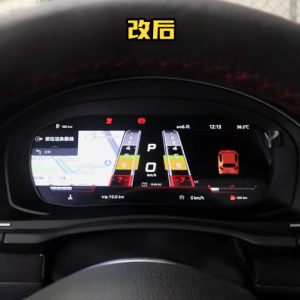
The gauge-style interface keeps the driving layout familiar while making the dashboard look newer. It is useful for owners who want modern display clarity without losing the simple Volkswagen cockpit logic.

VW Scirocco Eos Digital Cluster gauge display for Volkswagen cockpit upgrade

Vehicle Data View Keeps the Upgrade Practical

The dashboard should not become only a decorative screen. Supported driving data, warning information and vehicle status help the display stay useful every day after correct installation.

Volkswagen Scirocco Eos digital cluster vehicle information display

Matched Cluster Hardware and Harness Matter More Than the Screen Alone

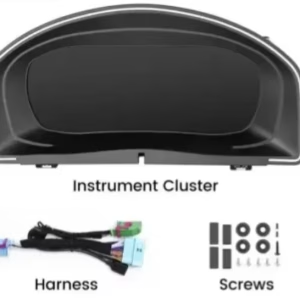
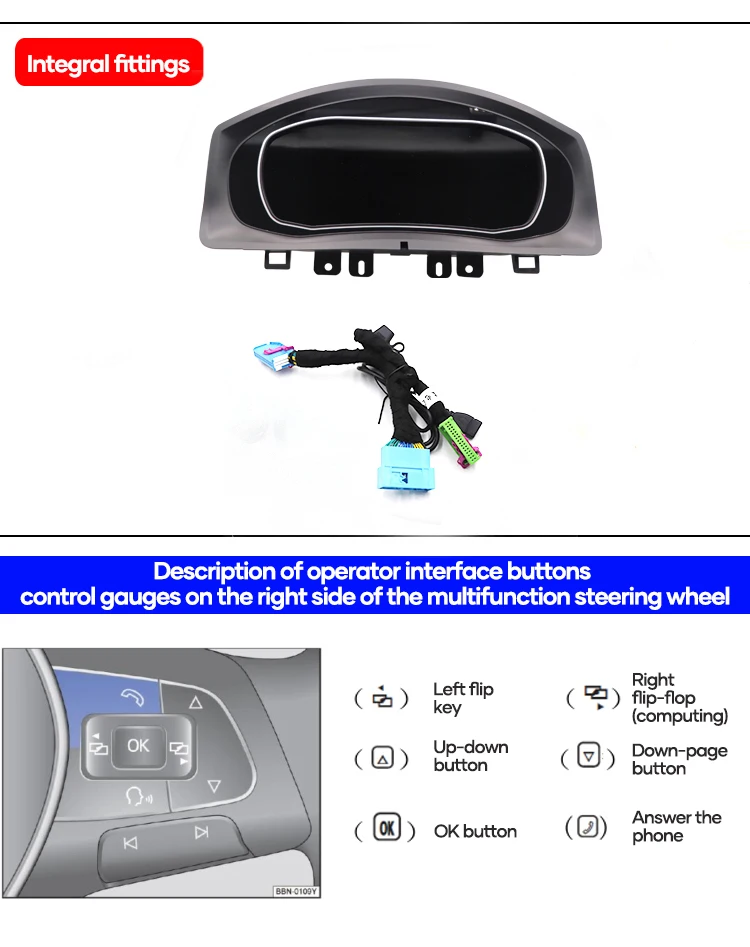
A Volkswagen digital cluster upgrade is not only a front screen. The housing, harness, mounting hardware and vehicle interface route decide whether the installation looks clean and whether the supported data path works correctly.

VW Scirocco Eos Digital Cluster wiring harness and Volkswagen fitment kit

Dashboard Housing Should Follow the Original Cluster Area

The cluster housing and hood structure help the new display sit in the correct dashboard position. Poor trim alignment quickly makes a cockpit upgrade look cheap, even if the screen itself works.

Volkswagen Scirocco Eos digital cluster housing for original dashboard area

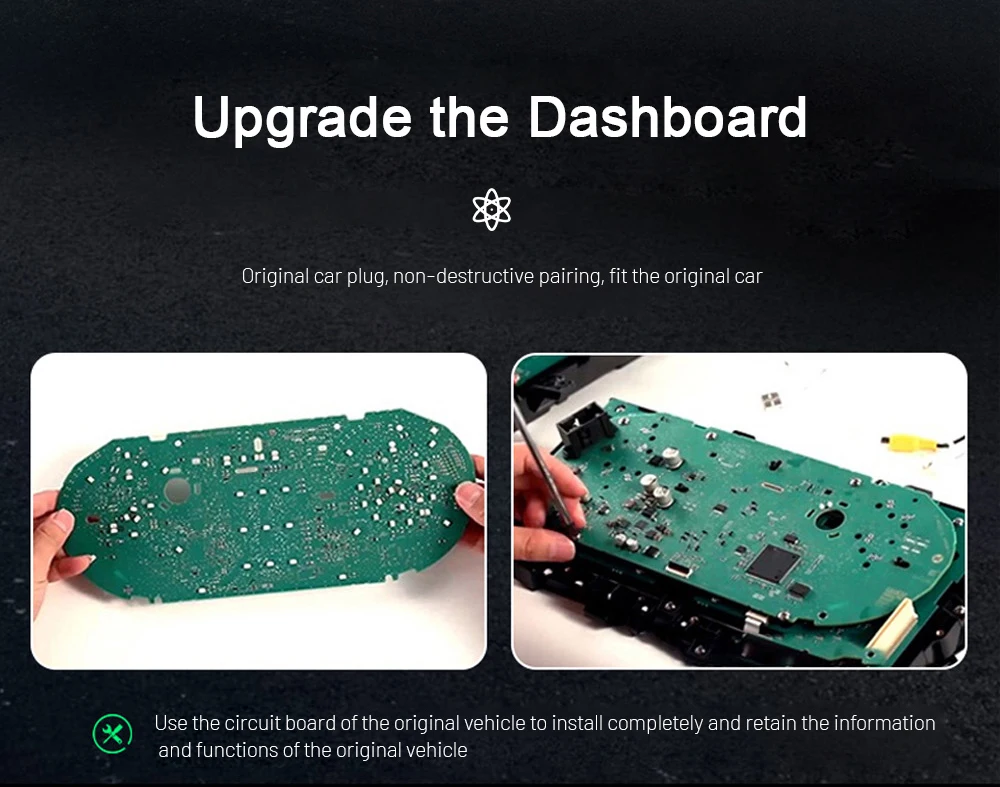
The Original Cluster Route Needs Careful Handling

The original information path matters on this type of digital cluster retrofit. A clean installation is not only about powering on the screen; it is about keeping supported vehicle information and driver controls usable.

Volkswagen digital cluster circuit board and dashboard upgrade route

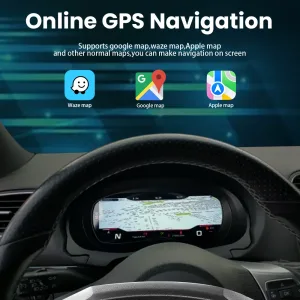
Navigation-Related Display Can Make Older VW Driving Feel Newer

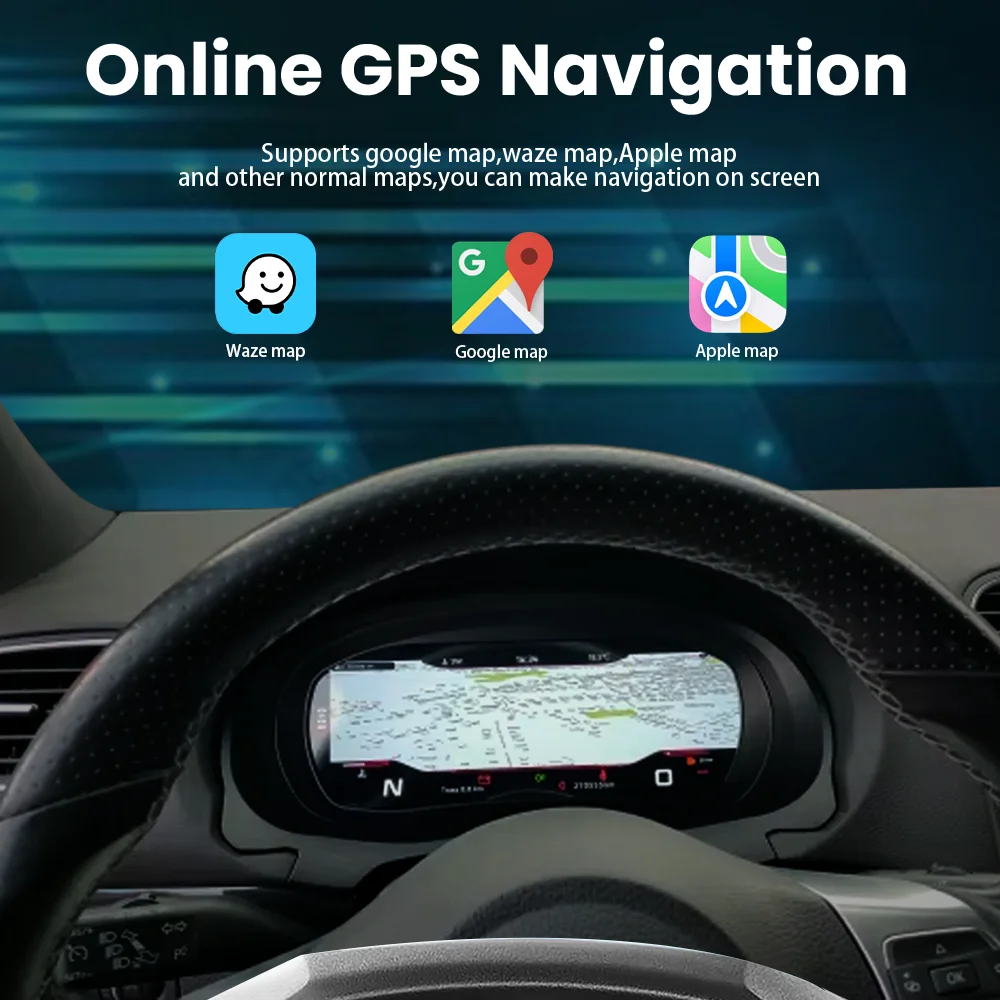
When used with the correct source and connection route, the digital cluster can show navigation-related display information. This is valuable for owners who want the cabin to feel more modern without replacing the whole car.

Volkswagen Scirocco Eos digital cluster navigation display mode

Supported Vehicle Information Stays in the Driver’s View

Supported information such as speed, gear, mileage, temperature, warning status and other vehicle data can continue through the matched interface. This keeps the digital cockpit useful instead of turning it into only a decorative screen.

Volkswagen digital instrument cluster vehicle data and warning information display

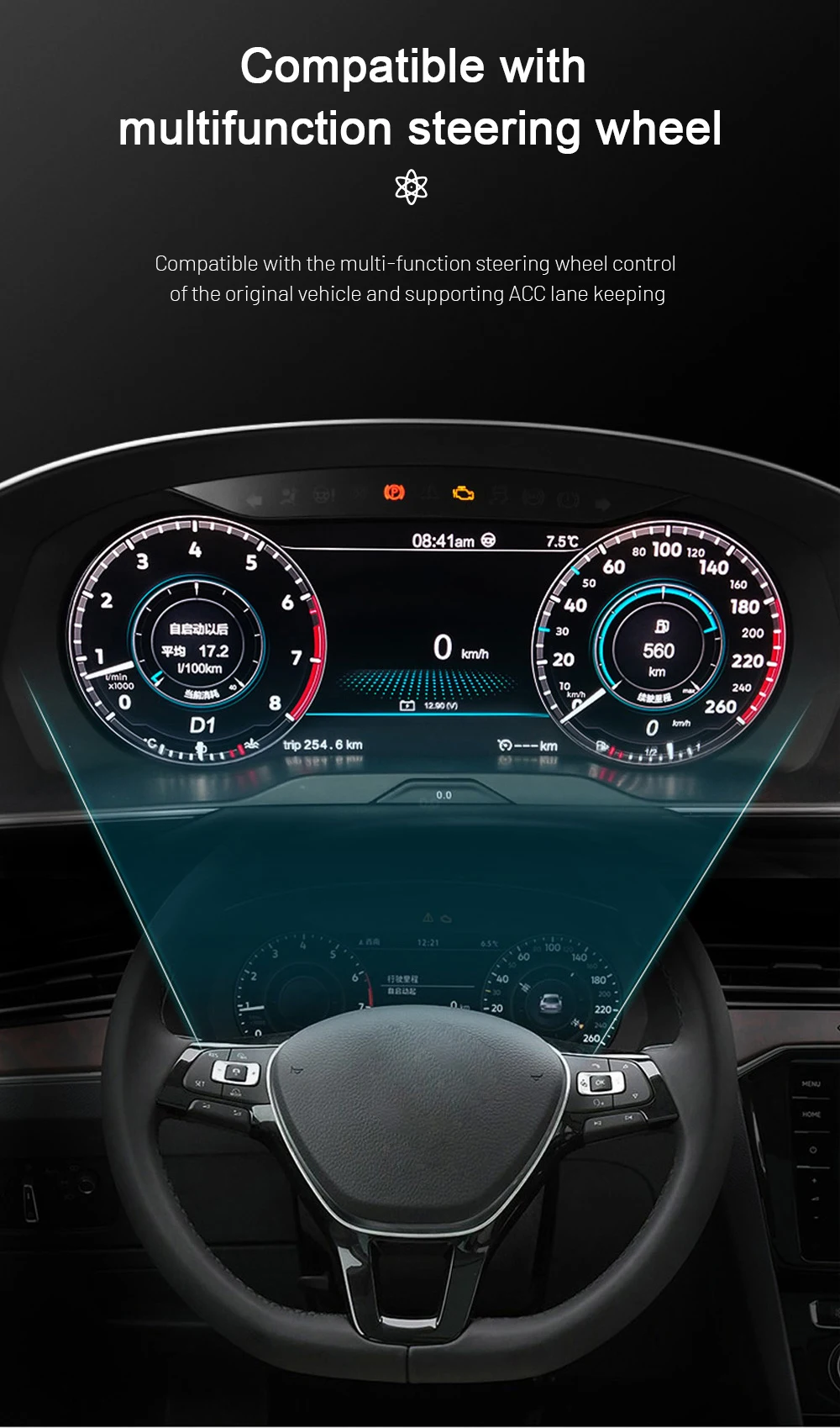
Multifunction Steering-Wheel Control Logic Is Considered

Correct steering-wheel control retention matters because you should not lose familiar operation after upgrading the cluster. iKAGOO checks the supported vehicle configuration and prepares the interface route for the order.

Volkswagen digital cluster multifunction steering wheel control display

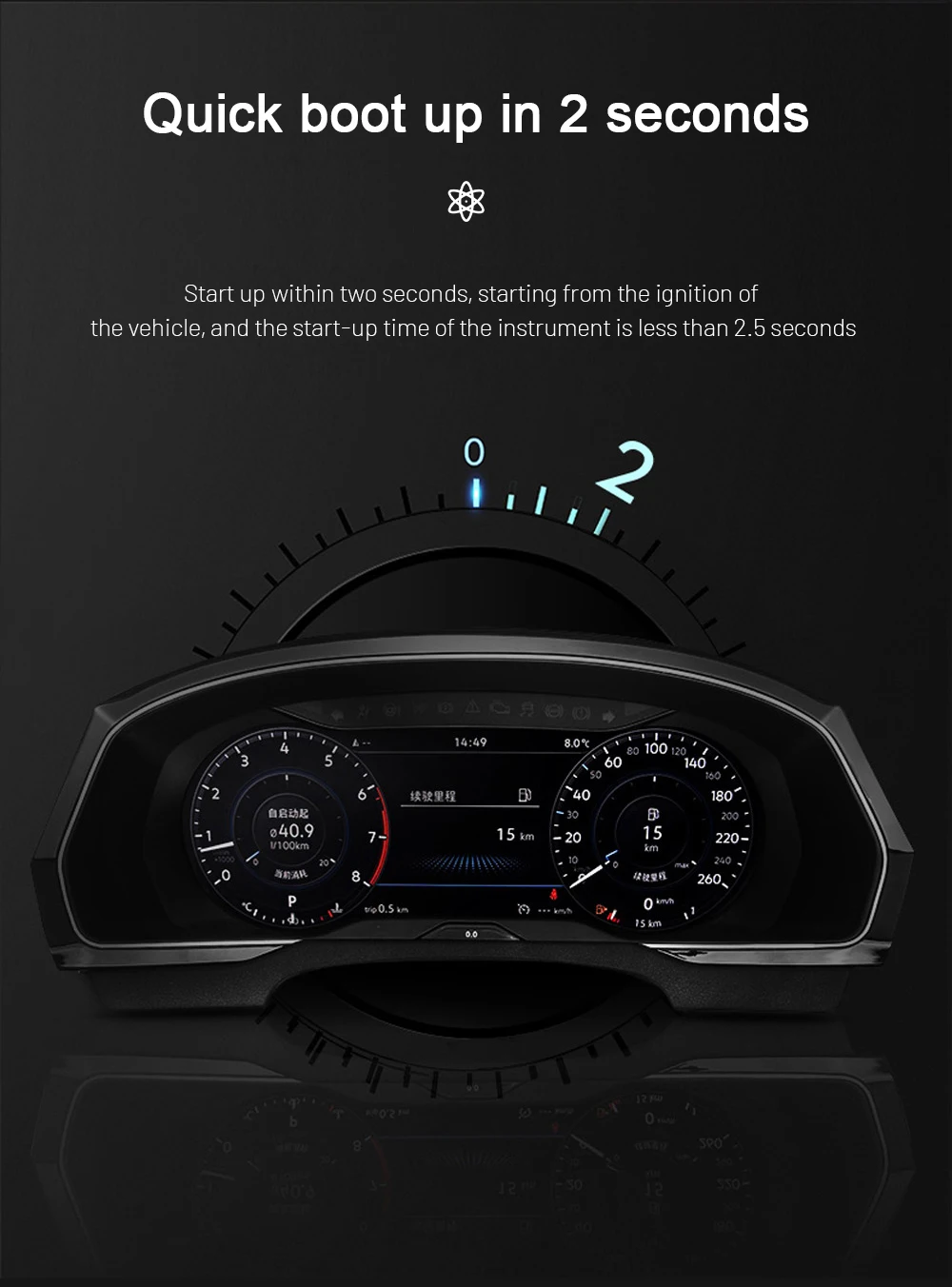
Fast Startup Helps the Cluster Feel Natural Every Day

A fast-starting cluster matters because the display should be ready when you start the car, not several moments after you begin driving. This improves the feeling of a factory-style upgrade in normal daily use.

Volkswagen digital cluster quick boot startup display

Linux-Based Instrument Display for Focused Use

A dedicated cluster system should focus on stable vehicle information display. The Linux-based system is used for a quick, focused cockpit experience rather than turning the instrument cluster into a general entertainment tablet.

Volkswagen digital instrument cluster Linux system stability graphic

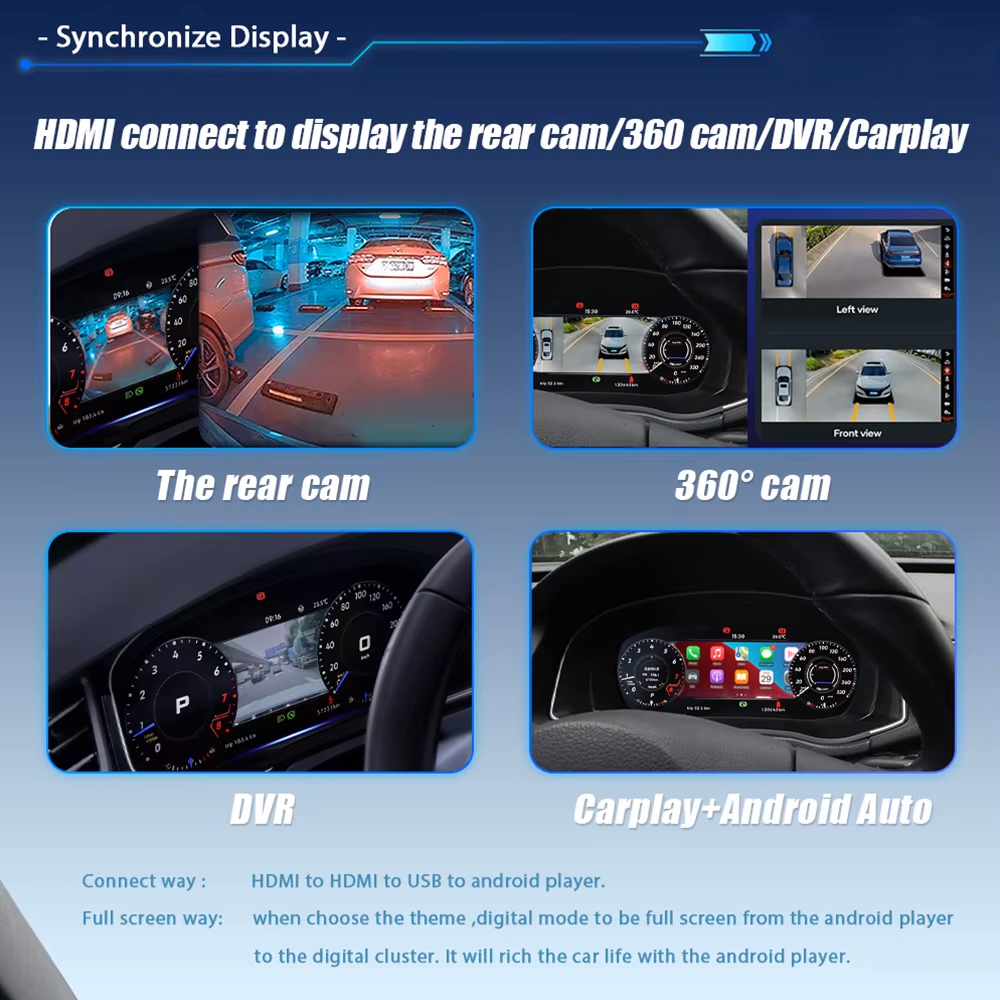
External Source Display Depends on the Correct Setup

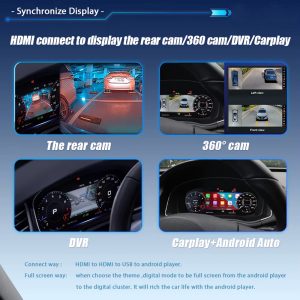
Where the correct source and connection route are used, the display can show reverse-view, 360-view, DVR or CarPlay-related content. This depends on the vehicle equipment and external source, so iKAGOO checks your setup before preparing the order.

Volkswagen digital cluster HDMI source display for camera and CarPlay content

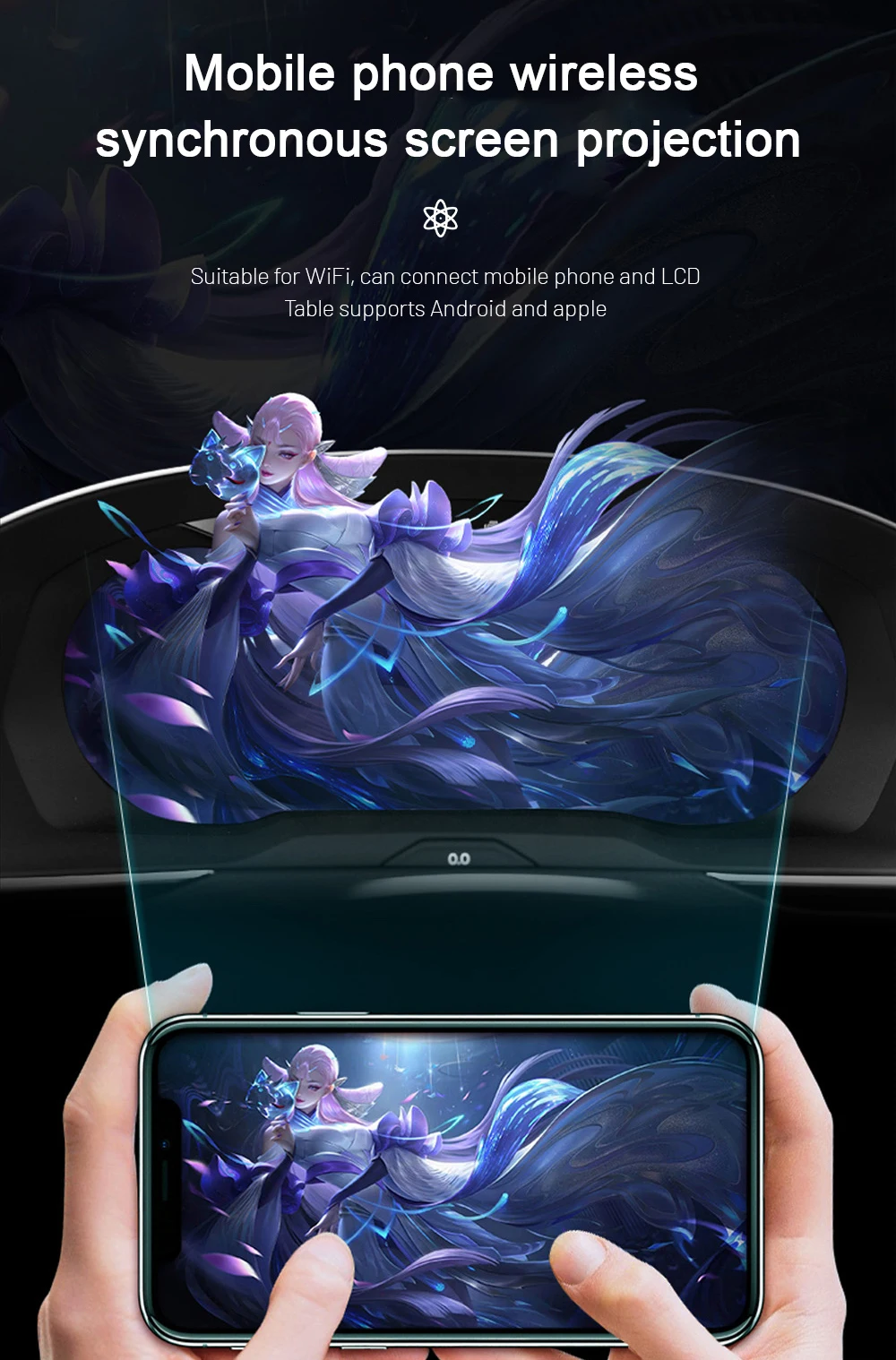
Phone Projection Support Requires a Compatible Source

Phone projection is useful when your vehicle has a compatible Android head unit or display source connected to the cluster route. This is why iKAGOO does not treat every Scirocco or Eos as identical before shipment.

Volkswagen digital cluster mobile phone projection display support
Vehicle Confirmation

Send These Details Before Shipment

The same Volkswagen name can hide different regional equipment, previous repairs or old modifications. These checks help reduce wrong-version risk before international shipping.

CAR
Model voertuigVolkswagen Scirocco Mk3 / Type 13 or Volkswagen Eos / Type 1F.
YEAR
Ondersteunde jarenScirocco 2009-2016; Eos 2010-2015.
DASH
Dashboard photoFront photo of the current instrument cluster and surrounding trim.
SWC
Steering wheel photoUseful for confirming supported multifunction control logic.
LHD
LHD / RHDDriver position matters for regional dashboard and installation planning.
MOD
Existing modificationTell us if the car already has aftermarket wiring, cluster repair history or warning lights.
Waarom deze upgrade de moeite waard is

It Solves More Than an Old Cluster Look

A digital cluster upgrade is worth buying when it improves daily driving visibility, keeps supported vehicle information usable and gives you a clear version-matching path before shipment.

VIEW

Better Daily-Use Display

The LCD cockpit makes important driving information easier to read and gives the driver area a more modern Volkswagen feel.

DRV

More Complete Than CarPlay-Only

A CarPlay module changes the centre-screen experience. This upgrade improves the driver’s instrument display itself.

PREP

Prepared Before Shipping

iKAGOO checks the vehicle generation, photos and wiring route before shipment to reduce avoidable mismatch problems.

Waarom bij iKAGOO kopen?

For This Product, Correct Volkswagen Matching Is the Real Value

A cheaper cluster is not a better deal if it arrives with unclear fitment, wrong wiring or no practical support. iKAGOO’s value is the matching process before shipment and the support route after delivery.

VIN

Voertuigspecifieke voorbereiding

iKAGOO checks whether your order is for Volkswagen Scirocco Mk3 / Type 13 / 2009-2016 or Volkswagen Eos 1F / 2010-2015, then reviews the visible dashboard and cluster information.

KIT

Afstemming van scherm, kabelboom en interface

The screen, harness and connection route are prepared for the supported Volkswagen digital cluster upgrade instead of treating all VW dashboards as the same.

KAN

Integratie van de oorspronkelijke functie

Supported vehicle data, steering-wheel controls and warning information are considered during the version-matching and installation-support route.

SAFE

Beveiliging van de fabrieksbedrading

The intended route avoids intentional cutting of supported factory wiring. If the harness does not match, installation should stop before damage occurs.

HELP

Ondersteuning bij installatie en configuratie

If an installer finds a setting, wiring or display question, iKAGOO asks for clear photos and videos so the support route is based on useful evidence.

12M

Warranty and After-Sales Route

The product is supported by a 12-month limited hardware warranty and a documented after-order support process.

Hoe iKAGOO je bestelling klaarmaakt

Correct Version Preparation Before Packing

For this VW Scirocco Eos Digital Cluster, the important work happens before the parcel is packed. The goal is to avoid discovering a wrong version only after international delivery.

Check 1 CAR

Model and Year Confirmation

iKAGOO checks whether your order matches Volkswagen Scirocco Mk3 / Type 13 / 2009-2016 or Volkswagen Eos 1F / 2010-2015. This prevents treating a different Volkswagen platform as the same product route.

Check 2 IMG

Dashboard and Cluster Photo Review

Dashboard photos, original cluster photos and steering-wheel photos help confirm the visible cluster route, multifunction control logic and signs of previous modification before shipment.

Check 3 KAN

Harness and Interface Route

The screen, harness and vehicle-interface route are prepared according to the supported Volkswagen generation, actual dashboard information and installation condition you provide.

Na je bestelling

Wat gebeurt er nadat u een bestelling plaatst?

This is the practical support route for your VW Scirocco Eos Digital Cluster order. It is designed for version matching, shipping clarity and installation support.

01

Bestelgegevens

Your order number becomes the reference for vehicle matching, shipping and after-sales service.

02

Autoreview

iKAGOO checks model, year, dashboard photo, cluster photo, LHD/RHD position and visible configuration.

03

Version Preparation

The screen, harness and connection route are prepared according to the vehicle information you provide.

04

Photo Before Packing

You can request product, harness or accessory photos before dispatch if you ask before packing.

05

Verpakking en verzending

After confirmation, the product is packed and shipped with tracking information.

06

Opvolging van de tracking

International tracking may update in stages when the parcel changes carriers or clears local handling.

07

Ondersteuning bij de installatie

If a problem appears during installation, iKAGOO may ask for wiring photos, videos and symptom details.

08

Engineer Route

If the issue is not a basic setting question, usable evidence can be escalated for technical judgement.

09

Settings or Firmware

If settings or firmware are involved, iKAGOO coordinates the applicable instruction after version confirmation.

10

Cable or Accessory Issue

If a required cable or accessory is missing or incorrect, iKAGOO checks the evidence and provides the approved route.

11

Hardware Mismatch

If no reasonable software, cable or configuration solution remains, iKAGOO provides a clear handling route under policy.

12

After It Works

You can still contact iKAGOO for applicable update, activation, troubleshooting or maintenance guidance using your order record.

Vergelijk upgrade-opties

Choose the Route That Actually Solves Your Dashboard Problem

For a Volkswagen Scirocco Mk3 or Volkswagen Eos 1F, a digital cluster purchase should not be judged only by price. The better question is whether the option improves the cockpit, keeps useful vehicle information and gives you a clear support route after delivery.

Option 1

Keep the Old Factory Cluster

What it solves: It keeps the vehicle fully original and avoids immediate installation work.

What it does not solve: It does not modernise the cockpit, improve the driver display or give the dashboard a newer Volkswagen digital look.

Geschikt voor: Owners who want to preserve the car exactly as-is and do not care about a digital cockpit upgrade.

Aankoopadvies: This is the lowest-change option, but it does not solve ageing display appearance or upgrade value.

Option 2

Het oude instrumentenpaneel repareren

What it solves: It may restore a faulty original cluster if the problem is repairable and the rest of the vehicle system is healthy.

What it does not solve: It still leaves you with the old analogue-style cockpit and does not add a 10.25-inch LCD digital instrument display.

Geschikt voor: Owners who only want fault repair and do not want a visual or functional dashboard upgrade.

Aankoopadvies: Repair can be reasonable for originality, but it is not the strongest route if your goal is a modern Volkswagen cockpit.

Option 3

Gebruikte OEM-instrumentenpaneel

What it solves: A used OEM cluster may keep the vehicle closer to factory parts if the exact compatible unit is found.

What it does not solve: It may still require matching, coding, mileage handling or condition checks, and it does not create the same 10.25-inch digital cockpit experience.

Geschikt voor: Owners who prioritise original used parts and have access to a qualified Volkswagen electronics specialist.

Aankoopadvies: This route can be useful in specific repair cases, but it is not the clearest upgrade path for buyers wanting a newer digital display.

Aanbevolen route

iKAGOO Digital Instrument Cluster

What it solves: The VW Scirocco Eos Digital Cluster upgrades the original driver display to a 10.25-inch LCD cockpit for Volkswagen Scirocco Mk3 / Type 13 and Volkswagen Eos 1F.

What it does not solve: It is not a universal repair for every Volkswagen cluster fault, and it still requires correct vehicle information, matched wiring and proper function testing.

Geschikt voor: Owners who want a cleaner Volkswagen-style digital cockpit, retained supported vehicle data, no intentional cutting of supported factory wiring and iKAGOO fitment support before shipment.

Aankoopadvies: This is the strongest purchase route when your goal is not only to fix an old cluster, but to modernise the driver display with a vehicle-specific upgrade path.

Specificaties

Key Product Information

TYPE
Soort productDigital Instrument Cluster / LCD Cluster / Virtual Cockpit Retrofit.
SCIR
Supported Volkswagen SciroccoVolkswagen Scirocco Mk3 / Scirocco III / Type 13 / PQ35 platform / 3-door coupe / 2009-2016.
EOS
Supported Volkswagen EosVolkswagen Eos / Type 1F / PQ35 platform / convertible coupe / 2010-2015.
10.25
Schermgrootte10.25-inch LCD display.
DATA
Display valueSpeed, RPM, mileage, gear, warning and supported vehicle information.
SYS
System directionDedicated digital instrument-cluster display route, not a universal dashboard tablet.
L3
Gemak van installatieNiveau 3 — Gevorderde doe-het-zelvers.
WIRE
Wiring approachMatched harness route; no intentional cutting of supported factory wiring.
CHK
Buyer confirmationModel year, dashboard photo, cluster photo, LHD/RHD and existing modification information.
SUP
OndersteuningFitment review, installation guidance, configuration support and 12-month limited hardware warranty.
Harness, Accessories and Installation

Install the Cluster Like a Vehicle Electronics Upgrade, Not a Decoration

This is a Level 3 — Advanced DIY installation path. It is suitable for experienced DIY installers or an automotive electronics installer who can remove the original cluster area, connect the matched harness and test the vehicle functions after installation.

TRIM

Physical Installation Work

The installer should remove the required trim and original instrument cluster carefully, position the 10.25-inch cluster assembly correctly and avoid forcing the dashboard housing or mounting points.

  • Remove trim and cluster components carefully.
  • Protect clips, screws and dashboard edges.
  • Fit the new cluster housing without forcing alignment.
KAN

Wiring and Vehicle Interface

The matched harness and vehicle interface must be connected according to the prepared route. The goal is to retain supported vehicle data and steering-wheel control logic without intentionally cutting supported factory wiring.

  • Connect the dedicated wiring harness.
  • Connect CANBUS or vehicle-interface wiring where applicable.
  • Check plugs, pins and locking tabs before powering on.
TEST

Function Testing After Installation

After connection, the installer should test the display, speed/RPM data, mileage display, warning information, steering-wheel controls and sleep/current behaviour before the trim is fully restored.

  • Test vehicle data and warning display.
  • Test steering-wheel control response where supported.
  • Check sleep behaviour and abnormal power draw symptoms.

Stop Installation and Contact iKAGOO If Any of These Happen

Do not force the installation. These warning signs can damage the vehicle, the cluster or the wiring route. Pause the work and send clear photos or videos to iKAGOO before continuing.

  • Connector shape or pin layout is clearly different from the prepared harness.
  • Any pin is bent, loose, pushed back or visibly damaged.
  • The wiring harness does not match the instruction route or vehicle connector.
  • There is abnormal heat, burning smell, smoke or visible electrical stress.
  • The same fuse blows repeatedly after connection.
  • Power, ground or ACC signal cannot be confirmed safely.
  • The installer needs to cut the factory main harness to continue.
  • CANBUS, camera, amplifier, audio or vehicle data behaviour is abnormal and cannot be explained.
Shipping, Warranty and After-Sales

Support Does Not Stop After Payment

iKAGOO treats this as a vehicle-specific electronics upgrade. The order record, vehicle information and installation evidence help us support the correct version after delivery.

SHIP

Wereldwijde verzending met tracking

After preparation and packing, the order is shipped with tracking. International tracking may update in stages when the parcel changes carriers or enters local delivery handling.

12M

12-Month Hardwaregarantie

The product is covered by iKAGOO’s 12-month limited hardware warranty under the published warranty policy. Installation damage, forced wiring changes and unsupported modifications are handled according to policy terms.

Read the iKAGOO Warranty Policy
RTN

Clear Return and Handling Boundary

If a confirmed hardware incompatibility remains after correct vehicle information, installation checks and technical review, iKAGOO gives a clear handling route under the return policy.

Lees het retour- en restitutiebeleid
Veelgestelde vragen

Veelgestelde vragen

Is this for every Volkswagen Scirocco or Eos?

No. This product is for Volkswagen Scirocco Mk3 / Type 13 / PQ35 platform / 2009-2016 and Volkswagen Eos 1F / PQ35 platform / 2010-2015. Earlier Scirocco generations, other Volkswagen models and earlier Eos years should not be treated as supported without checking the vehicle details first.

Will this fit my exact Volkswagen Scirocco or Eos?

It depends. The supported range is clear, but iKAGOO still checks your dashboard, cluster and vehicle details before shipment because regional equipment and previous modifications can change the installation route.

Zullen de originele bedieningsknoppen op het stuur nog steeds werken?

Yes, when your vehicle has the supported control system and the matched interface is connected correctly. Send clear steering-wheel and cluster photos before shipment.

Zullen de standaardcamera en de parkeersensoren blijven werken?

It depends. Camera, parking and external display behaviour depend on the vehicle equipment and the connected source. Send your factory system and dashboard information before shipment so iKAGOO can check the proper route.

Does this require cutting factory wiring?

No. The intended route uses a matched harness and does not intentionally cut supported factory wiring. If your installer finds mismatched plugs, stop and contact iKAGOO before modifying anything.

Is this a universal VW cluster?

No. This page is for the VW Scirocco Eos Digital Cluster route, not a universal Volkswagen screen for Tiguan, Jetta or Passat. Do not copy those model names into this product description.

Does it support Apple CarPlay or Android Auto display?

It depends. The digital cluster itself is not a standalone Android head unit. CarPlay or Android Auto display requires a compatible source or Android head unit connection and the correct display route.

Is het geschikt voor zelfmontage?

It depends. This is Level 3 — Advanced DIY, suitable for experienced DIY installers or automotive electronics installers who can remove the cluster area and test vehicle functions after installation.

Wat moet ik vóór de verzending opsturen?

Send your model year, dashboard photo, original cluster photo, steering-wheel control photo, LHD/RHD position and any existing modification information. These details reduce wrong-version risk.

Wat als mijn auto is uitgerust met een speciaal fabrieksaudiosysteem?

It depends. Special factory audio, previous retrofits or non-standard wiring can change the connection route. Tell iKAGOO before shipment so the product and support route can be prepared correctly.

What if my connector or factory system is different?

Stop installation and send photos to iKAGOO before changing wiring. Connector mismatch, pin differences or previous aftermarket wiring should be checked before continuing.

Wat gebeurt er nadat ik de bestelling heb geplaatst?

iKAGOO uses your order record to check vehicle information, prepare the correct version, arrange packing and provide support if your installer needs help during installation or configuration.

Can I request actual product photos before packing?

Yes. Ask before packing if you want to see the prepared product, visible accessories or harness items. This request should be made before dispatch, not after tracking has started.

Wat als de trackinggegevens niet duidelijk worden bijgewerkt?

It depends. International tracking may update in stages when a parcel changes carrier or enters local delivery handling. Contact iKAGOO with your order number so the logistics route can be checked.

Wat als mijn installateur een probleem met een kabel of een instelling ontdekt?

Send clear photos, videos and symptom details before changing wiring. iKAGOO can check the cable route, settings or vehicle-interface behaviour based on the information provided.

What if software, firmware or settings are required?

It depends. iKAGOO will first confirm your product version and symptom details. If an electronic instruction or file is appropriate, it may be provided after technical confirmation.

Waarom zou je bij iKAGOO kopen in plaats van een goedkoper merkloos apparaat?

Because version matching, harness preparation and after-sales support matter more than a low product price. A cheaper unit is not cheaper if it arrives with unclear fitment or no practical installation help.

Laatste CTA

Order the Correct VW Scirocco Eos Digital Cluster Version

Send your Volkswagen model year, dashboard photo, cluster photo, steering-wheel photo and LHD/RHD position before shipment. iKAGOO will use this information to prepare the correct version and support route for your order.

5.00

Gebaseerd op 2 beoordelingen
2
0
0
0
0

Beoordelingen van 2 voor VW Scirocco Eos Digital Cluster for Volkswagen Mk3 Type 13 and Eos 1F

  1. Nicolas Petit -

    Totale waardering
    Waar voor je geld

    C'est incroyable comme cet écran change l'intérieur de la voiture. De soepelheid van het Linux-systeem is uitstekend, het werkt onmiddellijk. Ik vind het heerlijk om de instructies voor CarPlay-navigatie direct voor me te hebben. De afwerking van de behuizing is heel mooi, het lijkt wel een Volkswagen product. Snelle levering zonder extra kosten voor Frankrijk.

    Is het nuttig?
  2. Carlos Mendez -

    Totale waardering
    Waar voor je geld

    Ik was van plan mijn auto te verkopen, maar door dit instrumentarium ben ik nu weer helemaal weg van hem. De resolutie 1920×720 is erg laag. Je kunt de kleuren en thema's aanpassen aan je persoonlijke voorkeur. De technische dienst heeft me goed geholpen bij een vraag over de kabel, ze zijn erg vriendelijk. Een verplichte aankoop als je een Scirocco hebt.

    Is het nuttig?
Een recensie toevoegen

Your email address will not be published. Required fields are marked

Je moet ingelogd zijn om foto's aan je recensie toe te voegen.

iKAGOO: verzending, garantie, retourzendingen en klantenservice
iKAGOO Klantenservice

Verzending, garantie en retourzendingen

Duidelijke informatie over de afhandeling van bestellingen, internationale verzending, voertuigspecifieke producten, garantieondersteuning, retourzendingen en beschadigde zendingen.

Orderverwerking Meestal 1–3 werkdagen vóór verzending.
Internationale verzending Normaal gesproken 5–20 werkdagen na verzending, afhankelijk van de bestemming.
Garantie op hardware 12 maanden beperkte garantie op in aanmerking komende fabricagefouten.
Voertuigspecifieke ondersteuning Er is ondersteuning beschikbaar op het gebied van compatibiliteit, bedrading en configuratie.

Veelgestelde vragen

Deze antwoorden bieden een praktisch overzicht. De volledige beleidsregels, waarnaar hieronder wordt verwezen, zijn van toepassing op alle bestellingen.

01

Van waaruit worden bestellingen verzonden en hoe lang duurt de levering?

De meeste iKAGOO-bestellingen worden verzonden vanuit ons distributiecentrum in China nadat de productconfiguratie en de voertuiggegevens zijn gecontroleerd. De normale afhandeling van een bestelling duurt ongeveer 1-3 werkdagen.

De geschatte levertijden na verzending zijn:

  • VS en Canada: ongeveer 5–9 werkdagen
  • Europese Unie: ongeveer 7–15 werkdagen
  • Het Verenigd Koninkrijk en Australië: ongeveer 7–10 werkdagen
  • Andere ondersteunde regio's: ongeveer 7–20 werkdagen

De geschatte levertermijnen kunnen worden beïnvloed door douaneafhandeling, lokale feestdagen, leveringen in afgelegen gebieden, weersomstandigheden of vertragingen bij de vervoerder.

02

Moet ik invoerbelasting, btw of douanekosten betalen?

Bij standaard internationale verzending zijn de btw van het land van bestemming, invoerrechten, makelaarskosten of douane-inklaringskosten doorgaans niet inbegrepen.

Voor in aanmerking komende bestemmingen binnen de Europese Unie is er een optionele DDP-verzenddienst zijn mogelijk van toepassing. Importgerelateerde kosten zijn alleen inbegrepen wanneer bij het afrekenen DDP is geselecteerd of door iKAGOO schriftelijk vóór verzending is bevestigd.

Als DDP niet is geselecteerd, is de ontvanger verantwoordelijk voor eventuele kosten die door de lokale douane of de vervoerder in rekening worden gebracht.

03

Kan ik een spoedverzending aanvragen?

Voor bepaalde producten en bestemmingen is expressverzending of versnelde verzending mogelijk. De beschikbaarheid, de vervoerder en eventuele extra kosten worden vóór de verzending bevestigd.

Afhankelijk van de bestemming en het producttype kan iKAGOO gebruikmaken van vervoerders zoals DHL, FedEx, UPS, EMS, 4PX of een andere logistieke dienstverlener die tracking aanbiedt.

04

Hoe kan ik mijn zending volgen?

Nadat de bestelling is verzonden, wordt het trackingnummer of de trackinglink doorgaans naar het e-mailadres gestuurd dat bij de bestelling is opgegeven.

Het kan enkele werkdagen duren voordat er nieuwe trackinggegevens verschijnen, aangezien een pakket tussen internationale en lokale vervoerders wordt overgedragen.

05

Wat is het retour- en terugbetalingsbeleid van iKAGOO?

Of een retourzending in aanmerking komt, hangt af van de reden voor de retourzending, de staat van het product, de installatiestatus, het verstrekte bewijsmateriaal en of de retourzending is goedgekeurd door iKAGOO.

Bij een retourzending zonder gebreken moet het product normaal gesproken ongebruikt, niet geïnstalleerd, compleet en geschikt voor wederverkoop zijn. De klant is in het algemeen verantwoordelijk voor de goedgekeurde verzendkosten voor de retourzending.

De oorspronkelijke verzendkosten, DDP-kosten, btw, douanerechten en andere logistieke kosten worden in het algemeen niet terugbetaald, tenzij dit op grond van de toepasselijke wetgeving vereist is of anderszins door iKAGOO is bevestigd.

Stuur een product niet terug zonder dat u een goedgekeurd retouradres en retourinstructies van iKAGOO hebt ontvangen.

06

Wat gebeurt er als iKAGOO de compatibiliteit heeft bevestigd, maar het product niet kan worden geïnstalleerd?

Er kan aanvullende bescherming van toepassing zijn wanneer iKAGOO de compatibiliteit vóór de aankoop heeft bevestigd, de klant de juiste voertuiggegevens heeft verstrekt en de klant heeft meegewerkt aan redelijke installatie- en diagnosestappen.

Als iKAGOO bevestigt dat er geen redelijke technische oplossing beschikbaar is, en het probleem wordt gemeld binnen 7 kalenderdagen na levering, dan komt de klant mogelijk in aanmerking voor een terugbetaling van de productprijs zonder dat hij het product hoeft terug te sturen.

De oorspronkelijke verzendkosten, DDP, btw, douanerechten en andere kosten van derden zijn niet inbegrepen in deze terugbetaling van de productprijs.

07

Welke garantie biedt iKAGOO?

Tot de in aanmerking komende iKAGOO-producten behoren onder meer een 12 maanden beperkte hardwaregarantie voor geverifieerde fabricagefouten en in aanmerking komende hardwarestoringen bij normaal gebruik.

Afhankelijk van het probleem kan de oplossing bestaan uit diagnose op afstand, hulp bij de configuratie, vervangende onderdelen, reparatie, vervanging van het product, een gedeeltelijke terugbetaling of een volledige terugbetaling.

De garantie dekt normaal gesproken geen schade die is veroorzaakt door onjuiste bedrading, ongeoorloofde aanpassingen, onopzettelijke schade, binnendringend water, stoten, verkeerd gebruik, onjuiste spanning, installatiefouten of incompatibele apparatuur van derden.

08

Valt de garantie automatisch weg als het product wordt geopend?

Een inspectie of controle door een derde partij leidt niet automatisch tot het vervallen van de volledige garantie. Schade die is veroorzaakt door ongeoorloofde reparaties, het vervangen van onderdelen, onjuiste aanpassingen, defecte circuits of onjuiste hermontage valt echter niet onder de garantie.

Neem contact op met iKAGOO voordat u het product demonteert of repareert, zodat de juiste diagnostische procedure kan worden uitgevoerd.

09

Wat als mijn bestelling beschadigd aankomt of als er onderdelen ontbreken?

Neem contact op met iKAGOO binnen 7 kalenderdagen na levering en bewaar de originele verpakking, het verzendetiket, de accessoires en het product.

Gelieve duidelijke foto’s of video’s aan te leveren waarop het volgende te zien is:

  • De buitenverpakking en het verzendetiket
  • Eventuele zichtbare schade aan de verpakking
  • Het product en het getroffen gebied
  • Alle ontvangen accessoires en bedrading

Na controle kan iKAGOO, afhankelijk van het specifieke geval, zorgen voor een verzending van ontbrekende onderdelen, vervanging, reparatie, terugbetaling of een andere redelijke oplossing.

10

Wat moet ik doen als ik het verkeerde product heb besteld?

Neem contact op met iKAGOO voordat u het product installeert of gebruikt. Een omruiling of teruggave kan worden goedgekeurd als het product ongebruikt, niet-geïnstalleerd, compleet en geschikt voor wederverkoop is.

Klanten zijn doorgaans verantwoordelijk voor de verzendkosten en eventuele prijsverschillen wanneer het verkeerde product, voertuigmodel, bouwjaar of de verkeerde fabrieksconfiguratie is geselecteerd.

Er wordt niet automatisch een gratis voorafbetaald retourlabel verstrekt.

11

Kan ik mijn bestelling na betaling nog wijzigen of annuleren?

Neem zo snel mogelijk contact op met iKAGOO, bij voorkeur binnen 12 uur na het plaatsen van de bestelling, wanneer u een adres, voertuigconfiguratie of productwijziging aanvraagt.

Een wijziging of annulering is pas van kracht nadat deze door iKAGOO is bevestigd. Voertuigspecifieke producten kunnen kort na betaling in de inkoop-, programmeer-, test-, configuratie- of maatwerkfase terechtkomen.

Zodra de voorbereiding of verzending is begonnen, is annulering mogelijk niet meer mogelijk, of kunnen reeds gemaakte redelijke kosten in mindering worden gebracht.

12

Wat is inbegrepen in het pakket?

De inhoud van de verpakking varieert per product, voertuigmodel, fabriekssysteem en gekozen configuratie.

Afhankelijk van het product kan de verpakking het hoofdapparaat, voertuigspecifieke kabelbomen, een CANBUS-interface, adapters, USB-kabels, antennes, microfoons, bevestigingsmateriaal en andere installatieaccessoires bevatten.

Raadpleeg de betreffende productpagina, de foto’s van de verpakking en de orderbevestiging voor de exacte inhoud van de verpakking.

13

Hoe kan ik contact opnemen met de klantenservice van iKAGOO?

Je kunt contact opnemen met iKAGOO via het contactformulier, e-mail, WhatsApp of de beschikbare ondersteuningskanalen op de website. De gemiddelde reactietijd bedraagt 24 werkuren.

Voor snellere technische ondersteuning verzoeken wij u uw bestelnummer, het model en bouwjaar van uw voertuig, foto’s van het fabriekssysteem, productfoto’s en een duidelijke video waarin het probleem te zien is, mee te sturen.

Bezoek: iKAGOO Contact en ondersteuning

14

Is de betaling veilig en zijn er mogelijkheden om in termijnen te betalen?

Betalingen worden verwerkt via de beveiligde betaalmethoden die worden weergegeven tijdens het afrekenen. De beschikbare opties voor betaalkaarten, digitale portemonnees en termijnbetalingen kunnen variëren per land, valuta, betalingsprovider en de geschiktheid van de klant.

Elke dienst voor betaling in termijnen, met inbegrip van opties die door PayPal of een andere aanbieder worden aangeboden, is onderworpen aan de regionale beschikbaarheid en goedkeuringsregels van die aanbieder.

Lees het volledige beleid van iKAGOO

Lees de volledige beleidsvoorwaarden door voordat u een bestelling plaatst, met name wat betreft voertuigspecifieke producten, internationale belastingregelingen en retourzendingen in verband met de installatie.

Deze FAQ is een vereenvoudigde handleiding voor klanten. Bij eventuele verschillen in de bewoordingen hebben de volledige gepubliceerde beleidspagina’s, de orderbevestiging en de toepasselijke consumentenwetgeving voorrang.

Volkswagen Scirocco 2009-2016 en Eos 2010-2015 10,25 inch digitaal instrumentenpaneel vooraanzicht VW Scirocco Eos Digital Cluste...

Oorspronkelijke prijs was: $660.00.Huidige prijs is: $398.00.

Toevoegen aan winkelwagen