Geïnstalleerd resultaat eerst: 8,8-inch Audi A4 A5 Android Radio Upgrade
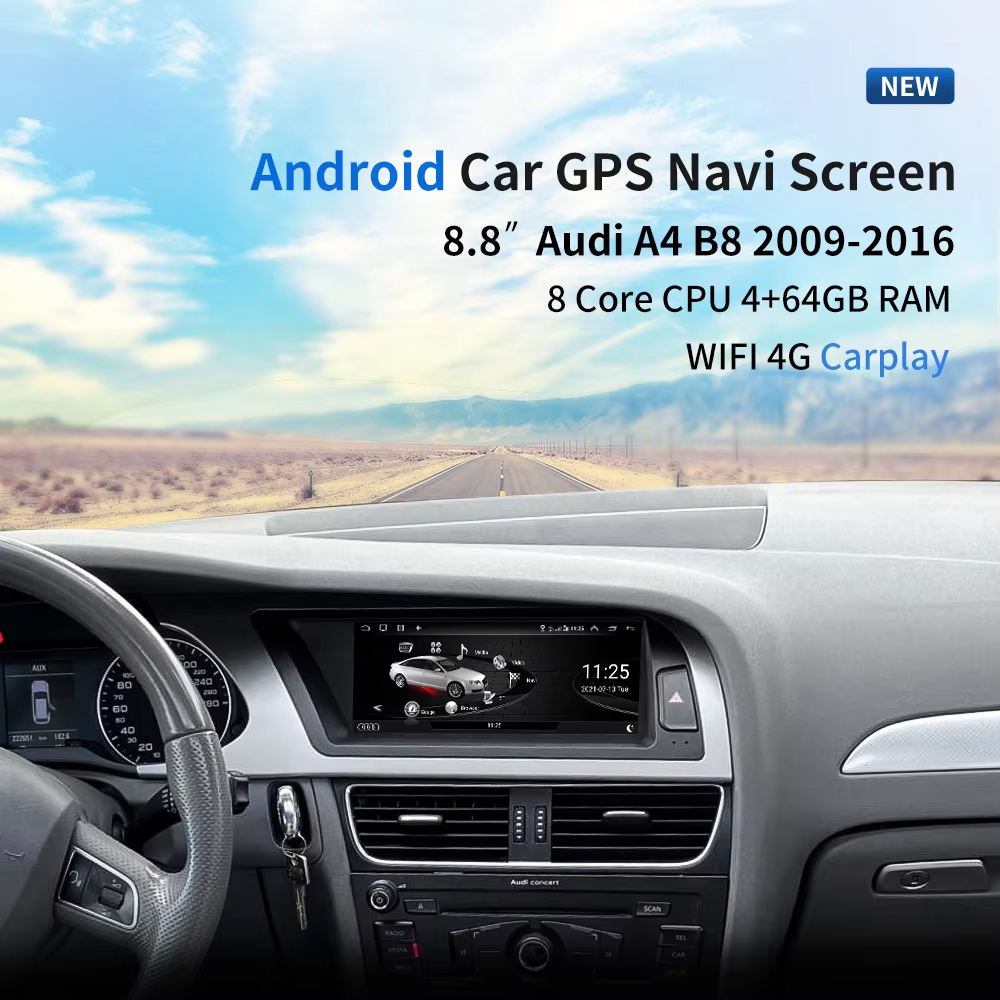
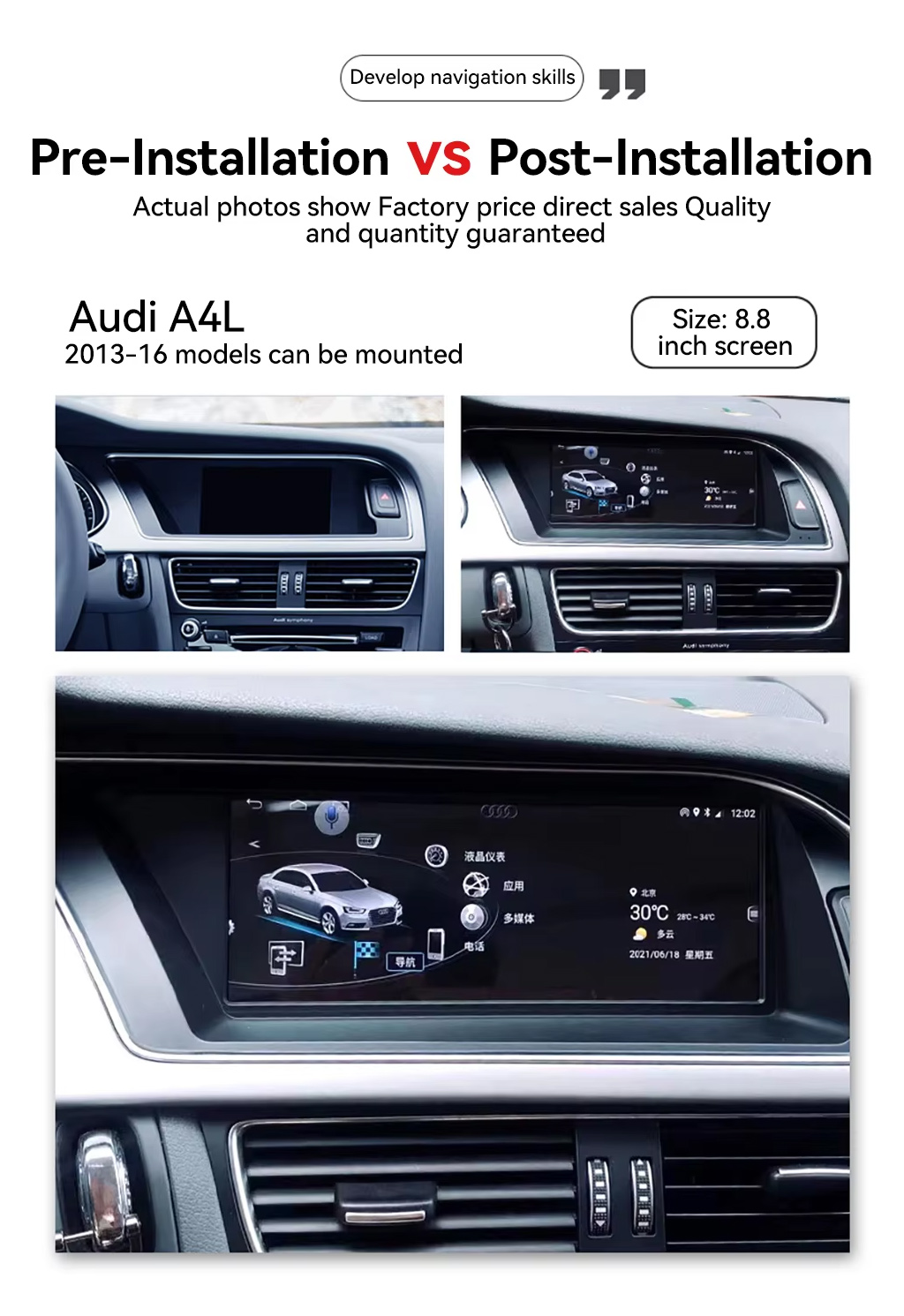
Dit zou de eerste afbeelding moeten zijn omdat het direct de echte waarde laat zien: het 8,8-inch scherm geïnstalleerd in een Audi-dashboard, met de originele cockpitvorm die er nog steeds strak en geïntegreerd uitziet.
Kies jaar, hoge / lage configuratie en LHD / RHD vóór het bestellen
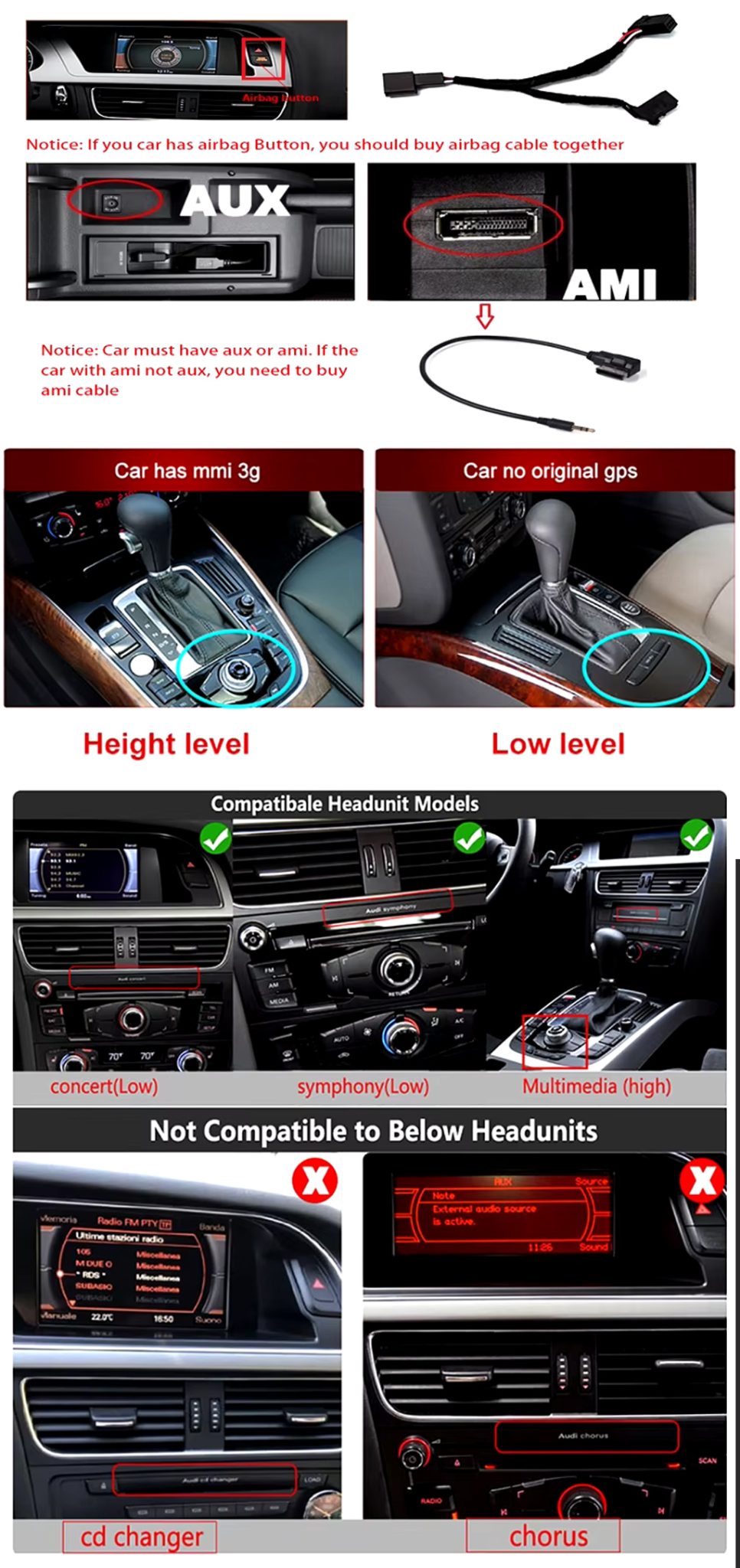
Dit product wordt niet geselecteerd op basis van alleen de naam “Audi A4” of “Audi A5”. Uw jaarband, type fabrieksradio, AUX/AMI-conditie, positie van de airbagknop, LHD/RHD-indeling en geheugenversie moeten vóór verzending worden gecontroleerd.
Drie controles die verkeerde bestellingen voorkomen
- Jaar: kies 2009–2012 of 2013–2016 volgens uw dashboard en productoptie.
- Fabriekssysteem: Kies hoge configuratie of lage configuratie op basis van uw originele MMI / Concert / Symphony / Multimedia-installatie.
- Stuurzijde: bevestig links- of rechtsgestuurd vóór verzending.
- AUX / AMI: bevestig of uw voertuig AUX of AMI heeft. Sommige uitvoeringen vereisen mogelijk de juiste AMI-kabelroute.
Controle van hoge/lage systeem- en kabelcompatibiliteit
Deze afbeelding helpt de koper begrijpen dat het originele Audi-hoofdsysteem en de connectorroute belangrijk zijn. Deze moet vroeg worden getoond omdat dit verkeerde bestellingen en installatieverwarring vermindert.
Deze iKAGOO Audi A4 A5 Android Radio upgrade geselecteerde 2009–2016 Audi A4-, A4L- en A5-modellen met een 8,8-inch Android 13-display, draadloze CarPlay, Android Auto, WiFi \/ 4G, GPS-navigatie, DSP-audio en omschakeling naar het originele systeem.
Kies voor deze upgrade als uw originele Audi-scherm klein, gedateerd of beperkt aanvoelt, maar u wilt toch dat het dashboard eruitziet alsof het in de auto hoort. iKAGOO controleert uw bouwjaar, fabrieks-hoofdeenheid, high\/low-configuratie, LHD\/RHD-positie en connectorroute vóór verzending.
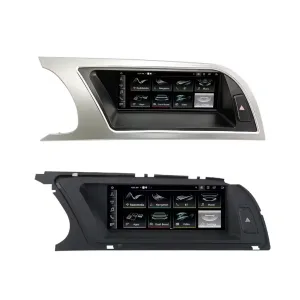
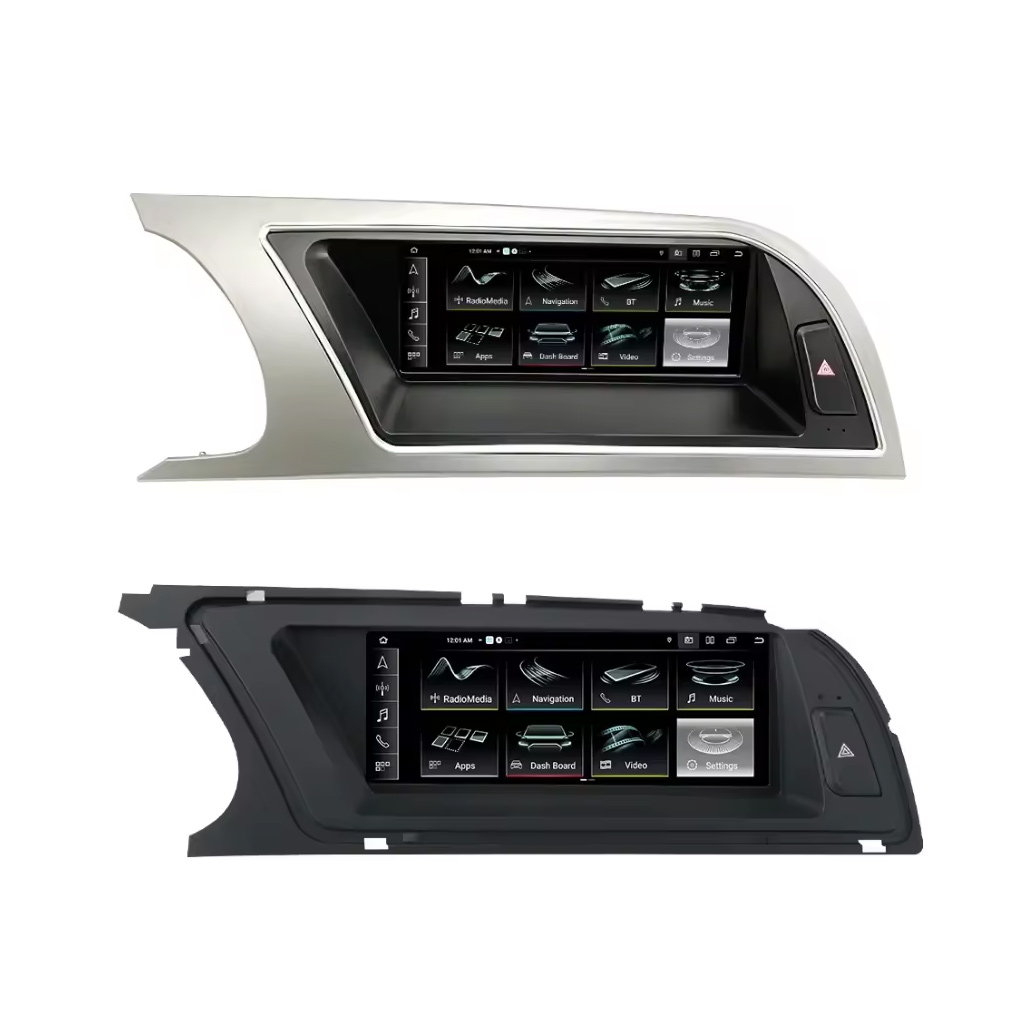
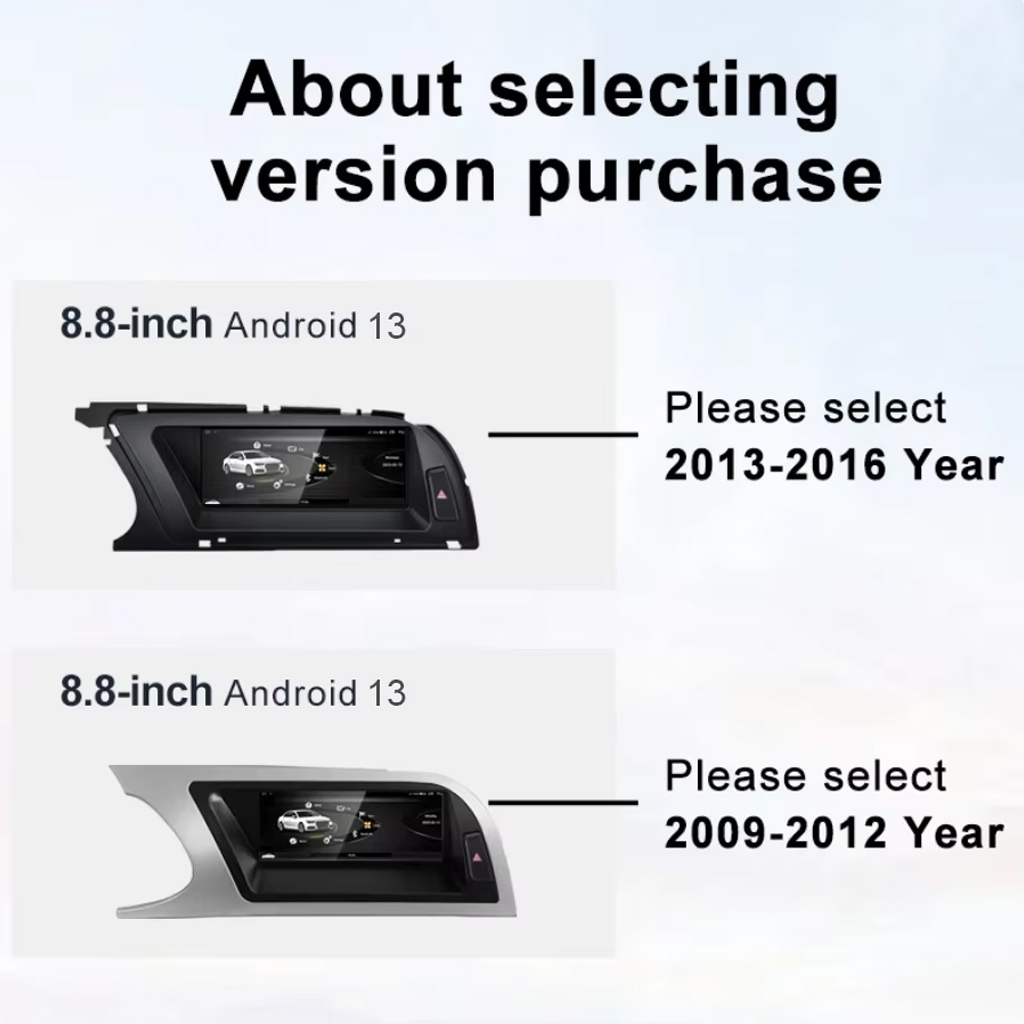
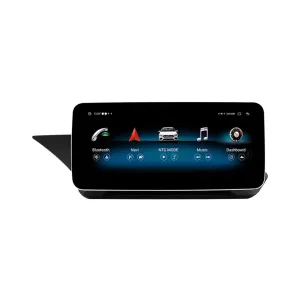
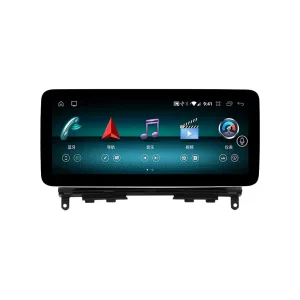
Bekijk de twee belangrijkste paneelrichtingen
De LHD\/RHD-visualisatie helpt u de vorm van de dashboardtrim en de positie van het scherm te vergelijken voordat u de juiste versie kiest.
Snel antwoord
Deze iKAGOO-upgrade is een voertuigspecifieke Audi A4 A5 Android Radio voor geselecteerde 2009–2016 Audi A4-, A4L- en A5-modellen. Het oorspronkelijke schermgebied wordt vervangen door een 8,8-inch Android 13-display, terwijl de dashboardpasvorm in Audi-stijl behouden blijft. Ondersteunde functies kunnen onder meer draadloze CarPlay, Android Auto, GPS-navigatie, WiFi \/ 4G, Bluetooth, DSP 32-bands equalizer, omschakeling naar het originele systeem, ingang voor achteruitrijcamera, 360 panoramaroute en behoud van originele bediening omvatten, waar de bijpassende versie dit ondersteunt. Vóór verzending controleert iKAGOO uw modeljaar, hoge of lage fabrieksconfiguratie, stuurzijde, AUX\/AMI-conditie, originele hoofdunit en connectorfoto's. Het is geschikt voor eigenaren die een strakkere fabrieksstijl-upgrade willen in plaats van een universeel zwevend scherm.
Waarom deze upgrade zinvol is voor Audi A4, A4L en A5-eigenaren
Fabrieksstijl 8,8-inch pasvorm
Het scherm bevindt zich in het originele Audi-dashboardgebied, waardoor de auto een modernere interface krijgt zonder dat het interieur eruitziet als een universele aftermarket-tabletinstallatie.
Draadloos CarPlay en Android Auto
Gebruik telefoonkaarten, oproepen, muziek en ondersteunde apps via een groter in-dashscherm in plaats van te vertrouwen op de oudere fabrieksinterface.
DSP-audio- en navigatiewaarde
DSP 32-bands EQ, GPS / Glonass-navigatie, Bluetooth en WiFi / 4G maken dit een upgrade voor dagelijks gebruik, niet alleen een visuele verandering.
Ondersteuning voor originele voertuigfuncties
Behoud van het originele Audi-systeem
- Schakelen tussen origineel / Android-systeem wordt ondersteund via de bijbehorende route.
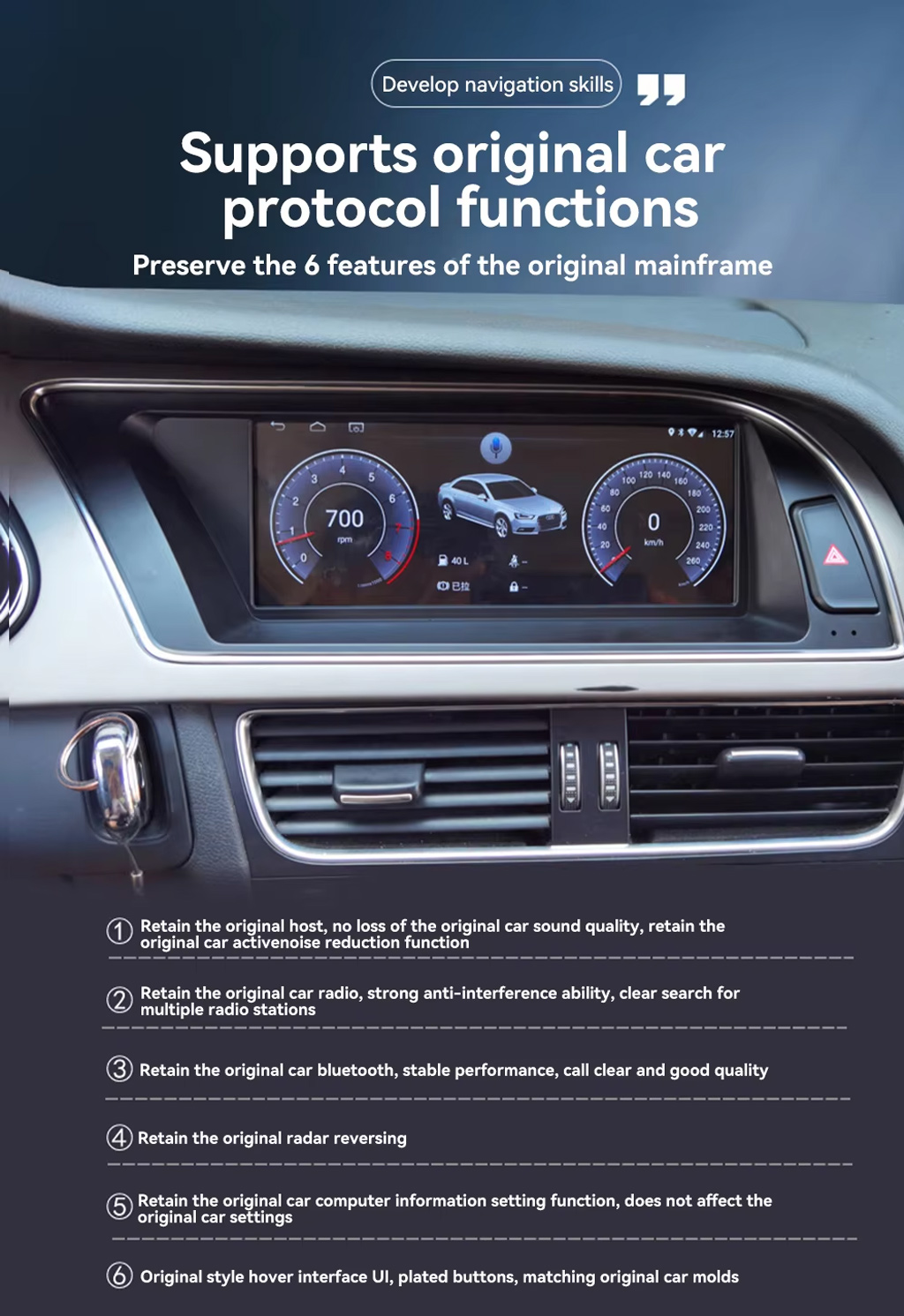
- Supported original radio, Bluetooth, radar reversing and vehicle settings can continue to work where the factory system and selected version support them.
- Original sound route can be retained when the correct AUX / AMI / wiring path is prepared.
- Steering-wheel controls and MMI-related interaction depend on the matched factory configuration and harness route.
Android Daily-Use Functions
- Wireless CarPlay and Android Auto support phone maps, calls, music and voice control.
- WiFi and 4G support app use and online navigation where the selected hardware and SIM/network conditions allow it.
- Rear camera, AHD / CVBS and 360 panorama routes are supported where the selected version and vehicle setup match.
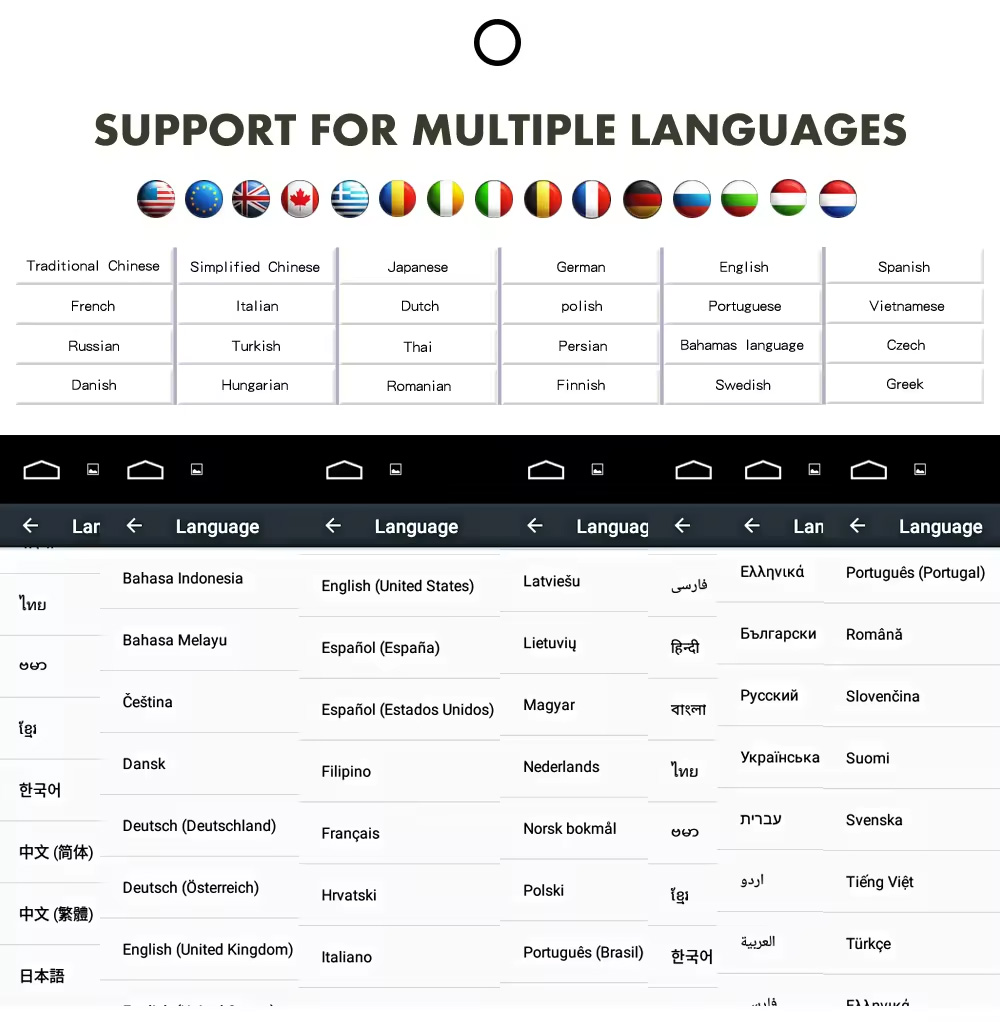
- Multiple language interface support helps international buyers use the system in their preferred language.
Audi Fitment and Configuration Check
This product is mainly positioned for Audi A4, Audi A4L and Audi A5 2009–2016. The correct version is selected by vehicle year, dashboard layout, factory head unit type, high or low configuration, LHD/RHD position, AUX/AMI condition and connector photos—not only the model badge.
Help iKAGOO om de juiste versie klaar te maken voor verzending
Vereiste voertuiggegevens
- Exact vehicle: Audi A4, A4L or A5.
- Model year: 2009–2012 or 2013–2016.
- Linksgestuurd of rechtsgestuurd.
- Factory head unit photo: Concert, Symphony, Multimedia, high or low configuration.
- Original screen and dashboard photo.
- AUX / AMI condition and whether an AMI cable is needed.
- Whether rear camera, 360 panorama, DVR, DSP or CarPlay is important for your setup.
Waarom deze details belangrijk zijn
These details help iKAGOO prepare the correct Audi panel, Android unit, wiring harness, AMI/AUX route, CANBUS interface and camera/audio route. They reduce the risk of choosing the wrong year version or ordering a product that does not match your factory head unit.
Belangrijkste productspecificaties
Kies de juiste versie
2GB + 32GB
Suitable for basic CarPlay, Android Auto, Bluetooth and navigation use. Choose this only if your expectations are simple.
- Basic daily use
- Lower cost route
- Good for light apps
4 GB + 64 GB
A more balanced choice for buyers who want smoother app switching, navigation and media playback.
- Betere dagelijkse bruikbaarheid
- More storage
- Good for normal app use
8GB + 128GB DSP CarPlay
Recommended for buyers who want stronger performance, more storage, DSP audio and the best long-term experience from this product page.
- Best performance route
- DSP audio advantage
- Wireless CarPlay focus
- Recommended for long-term owners
Waarom eigenaren voor iKAGOO kiezen
Voertuigspecifieke voorbereiding
iKAGOO checks your Audi model, year, high/low configuration, steering side and dashboard photos before shipment so the product is prepared around your vehicle.
Harness and System Matching
The correct wiring harness, AMI/AUX route, CANBUS and factory-system match matter more than simply buying an 8.8-inch screen.
Integratie van de oorspronkelijke functie
The upgrade is prepared to retain supported original audio, radio, Bluetooth, vehicle settings and reversing function where the matched version allows it.
Beveiliging van de fabrieksbedrading
The matched connection route is designed to avoid intentionally cutting the main factory wiring when the vehicle and harness match.
Ondersteuning bij installatie en configuratie
If your installer needs help identifying the factory head unit, cable route or function test result, iKAGOO can provide order-based support.
12-Month Hardwaregarantie
Hardwareproblemen die onder de garantie vallen, worden afgehandeld in het kader van de beperkte garantie van 12 maanden van iKAGOO, waarbij aftersalesondersteuning wordt geboden voor diagnose en passende oplossingen.
iKAGOO Purchase Assessment for This Audi Android Radio
Noodzaak van een iKAGOO-upgrade
88/100Strong Upgrade Case. The Audi A4/A5 2009–2016 cabin benefits clearly from a modern Android screen, wireless phone projection, navigation and DSP audio.
- Visible dashboard modernization
- Integratie van mobiele telefoons
- Better navigation and app use
Compatibiliteit met het originele voertuig
86/100Strong compatibility route when the correct year, high/low configuration, AUX/AMI route, harness and CANBUS setup are prepared before shipment.
A score of 86/100 does not mean that 14% of factory functions are lost. It means the result is judged against function continuity, controls, vehicle data, physical fit and installation integration.
Op basis van de norm voor het behoud van fabrieksfunctiesMoeilijkheidsgraad van de installatie
Niveau 3Advanced DIY. Suitable for experienced DIY installers or an automotive electronics installer. It requires dashboard trim removal, matched harness connection, CANBUS setup, AUX/AMI route checking and full function testing.
Gebaseerd op de gids voor de moeilijkheidsgraad van de installatie van auto-elektronicaKeep the Old Screen, Add a Box or Upgrade with iKAGOO?
Factory Screen Only
Best only if you are satisfied with the old screen size, old interface and limited phone integration.
- Geen upgrade-kosten
- De oude interface blijft bestaan
- Beperkte app-ervaring
Alleen-CarPlay-box
Useful if you only need phone projection, but it does not give the dashboard a new Android system or new display hardware.
- Limited display change
- Geen volledig Android-systeem
- Depends on factory screen condition
Universeel Android-scherm
May be cheaper, but dashboard fit, high/low configuration and AUX/AMI route can become the real risk.
- Onzekerheid over de geschiktheid
- Ziet er misschien uit als een aftermarket-onderdeel
- More wiring risk
iKAGOO Audi A4 A5 Android Radio
Best for owners who want an 8.8-inch factory-style display, Android system, wireless phone projection, DSP audio and version checking before shipment.
- 8.8-inch Audi-style fit
- De weg naar Android 13
- Draadloos CarPlay / Android Auto
- DSP 32-bands EQ
- Voertuigspecifieke voorbereiding
Aankoopafhandeling
If you want your Audi A4, A4L or A5 to feel modern without making the dashboard look cheap, this iKAGOO Android radio is the stronger route than a generic screen or a small CarPlay-only box.
Productfoto’s en hoe ze je helpen bij het nemen van een beslissing
Compare the 2009–2012 and 2013–2016 Version Route
This version-selection image helps you choose the correct year range before ordering. It should be checked before you select memory or optional features.
Review Both Dashboard Trim Directions
This second trim view helps confirm whether your dashboard matches the silver or black panel direction before shipment.
Preserve Original Audi Protocol Functions
This product route is valuable because it does not only add Android. It is designed to retain supported original host, radio, Bluetooth, reversing radar, vehicle settings and original-style interface behavior where matched correctly.
See the Before and After Upgrade Result
The before-and-after view shows the main daily-use improvement: the old blank or small-screen area becomes a wider Android display with a more modern interface.
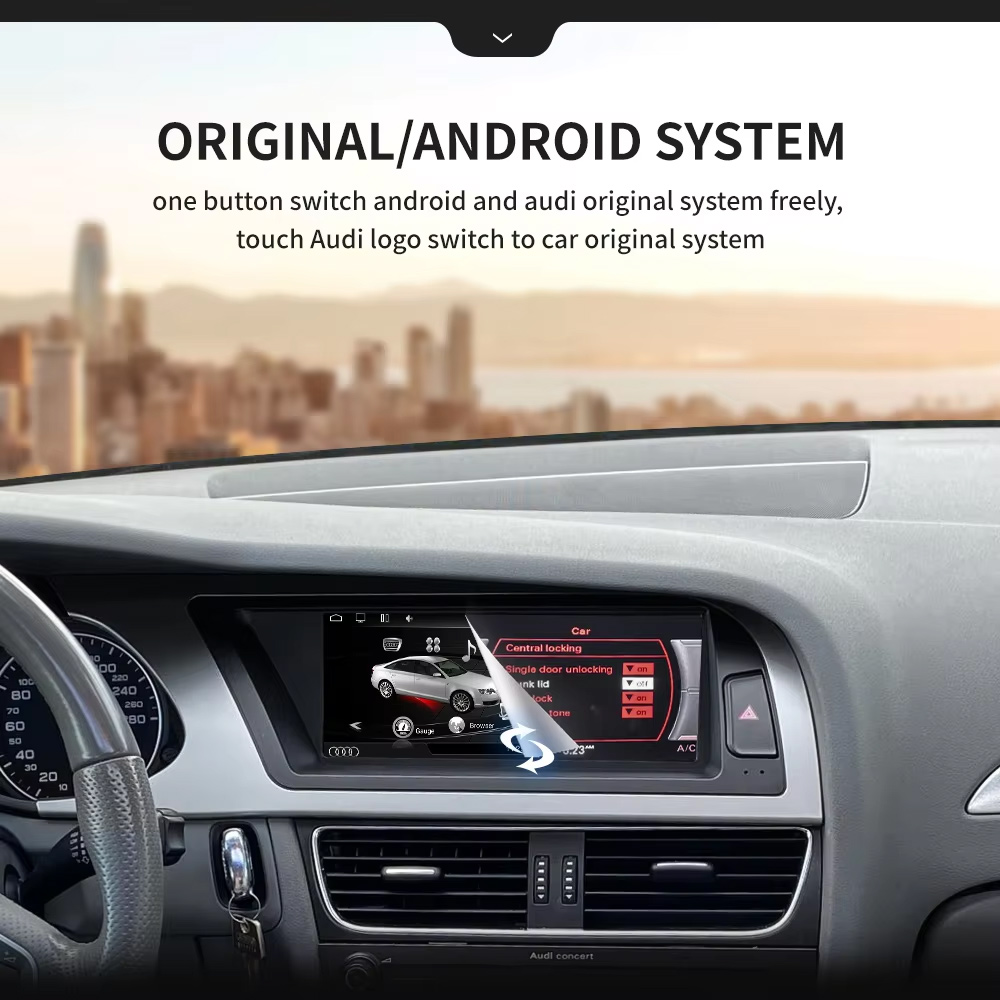
Use Original and Android System Switching
One-button switching between Android and the Audi original system helps you keep familiar factory settings while adding modern app and phone functions.
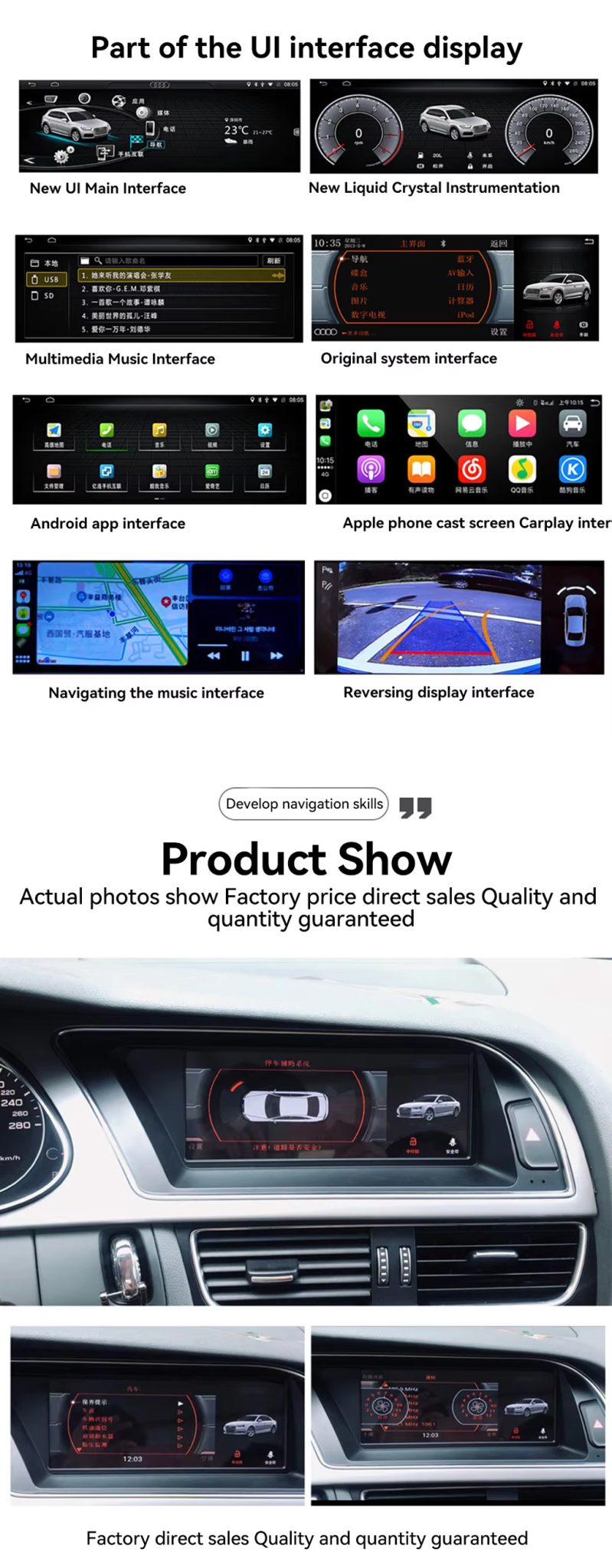
Check the UI, CarPlay, Navigation and Reversing Display
The UI display panel shows the key buyer benefits together: Android home interface, factory system interface, CarPlay screen, navigation and reversing display route.
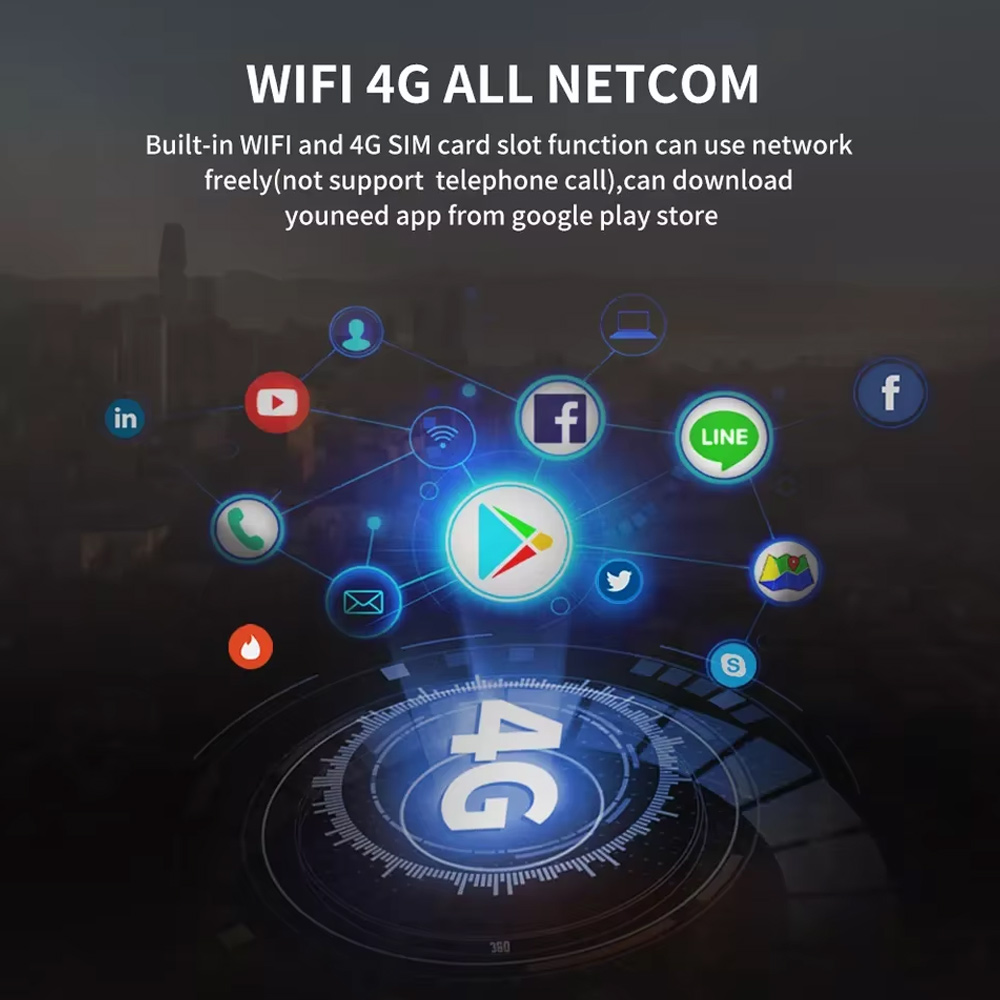
Use WiFi and 4G for Online Apps
WiFi and 4G support make the Android radio more useful for online maps, music apps and Google Play app downloads where local network conditions allow it.
Confirm Multilingual Interface Support
Multiple language support is useful for international buyers and installers who need the system interface in English, German, French, Spanish, Arabic and other supported languages.
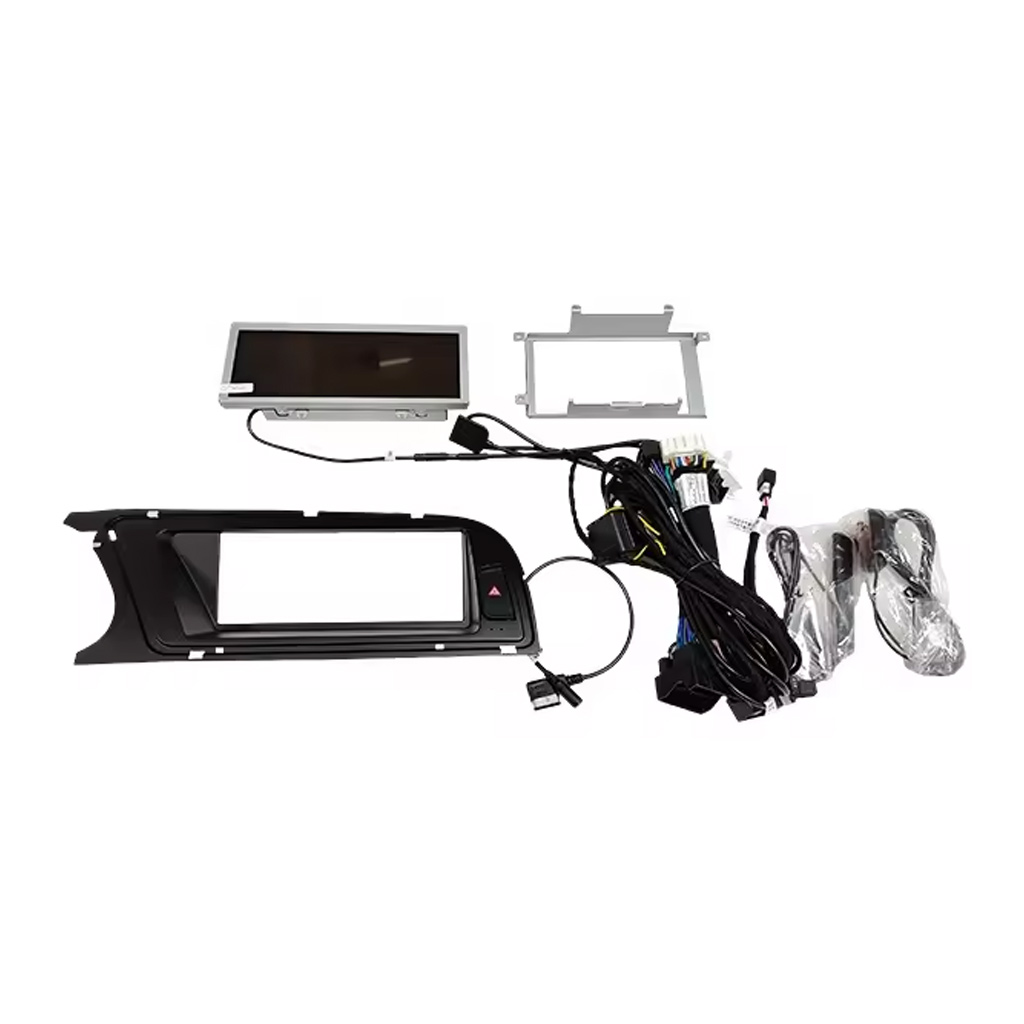
Check the Device, Frame, Harness and Accessories
The accessory image matters because correct wiring and included cables decide whether the installation can preserve the original vehicle functions cleanly.
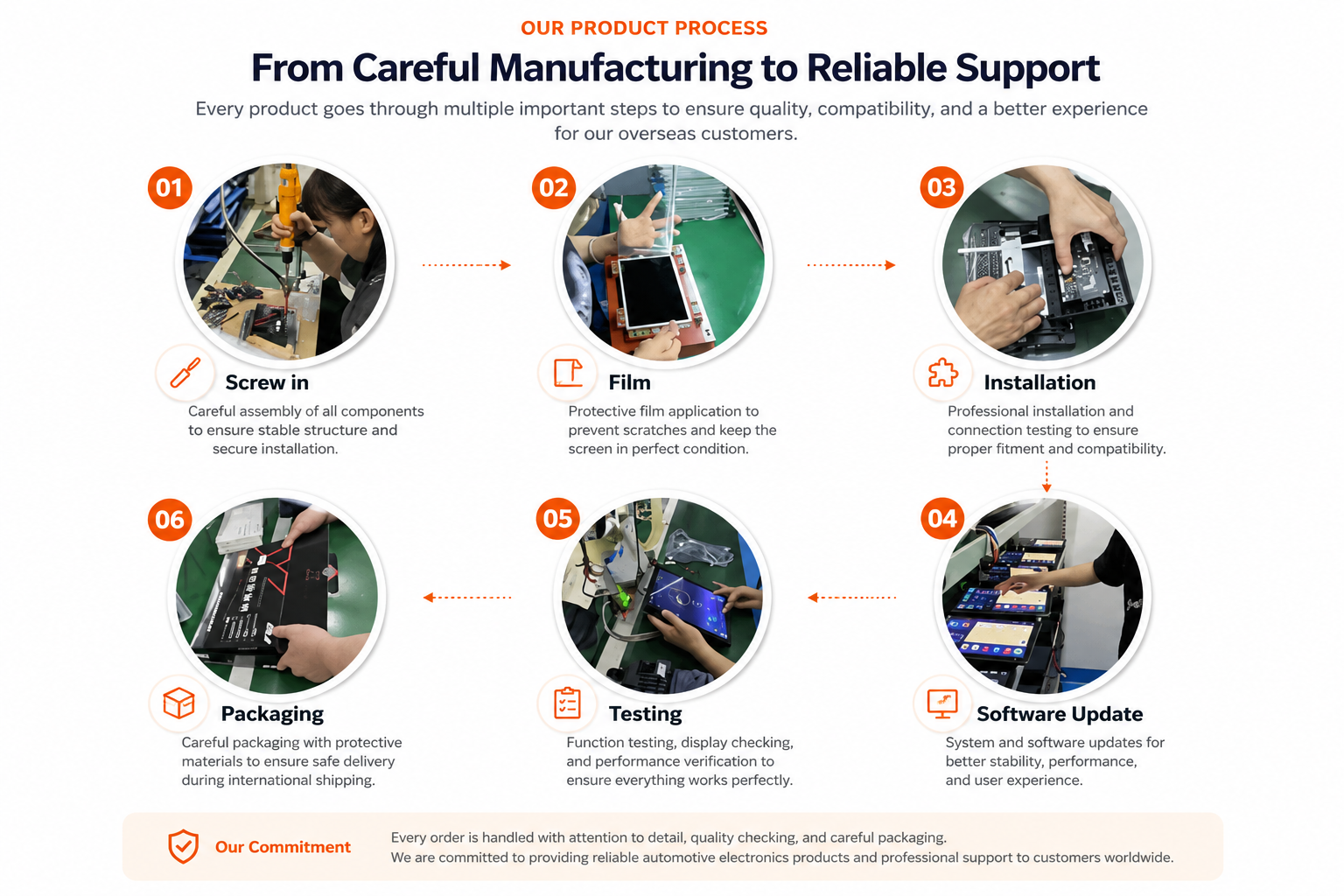
Understand iKAGOO Preparation Before Shipment
Vehicle-specific Android units need careful assembly, screen protection, function testing, software update checks and safe packaging before international delivery.
Installation Route for the Audi A4 A5 Android Radio
Belangrijkste benodigde werkzaamheden
- Confirm 2009–2012 or 2013–2016 version before shipment.
- Confirm high or low factory configuration and original head unit type.
- Verwijder het originele schermgedeelte en de benodigde dashboardbekleding voorzichtig.
- Connect the matched power harness, CANBUS interface and AUX / AMI route.
- Connect USB, GPS, camera, 4G antenna and audio routes according to selected configuration.
- Power on the unit before final reassembly.
- Test original system switching, CarPlay, Android Auto, audio, radio, Bluetooth, camera input and sleep/wake behavior.
Aanbevolen installatieprogramma
This is Level 3 — Advanced DIY. It is suitable for experienced DIY installers or an automotive electronics installer who can remove Audi dashboard trim carefully, identify factory connectors correctly and complete a structured function test.
Do not treat “plug-and-play” as “no dashboard work.” The original screen and trim still need to be removed, connected, configured and tested correctly.
Stop de installatie en neem contact op met iKAGOO als dit gebeurt
- De vorm van de connector of de pinindeling komt duidelijk niet overeen met de meegeleverde kabelboom.
- The car has a factory head unit route listed as not compatible.
- AUX / AMI audio route cannot be identified.
- Een aansluitpin is verbogen, zit los of is beschadigd.
- De route van de veiligheidsgordel komt niet overeen met de meegeleverde instructies.
- Je ruikt een ongewone hitte, brandlucht of rook.
- Er springt steeds weer een zekering.
- Het is niet mogelijk om op veilige wijze vast te stellen of er sprake is van spanning of aarding.
- Voor de installatie zou de hoofdkabelboom van de fabriek moeten worden doorgesneden.
- Camera, audio, steering-wheel control, CANBUS or sleep/wake behavior is abnormal and cannot be explained during testing.
Verzending, garantie en klantenservice
Orderverwerking
De normale verwerkingstijd bedraagt doorgaans 1 tot 3 werkdagen nadat de configuratie van uw voertuig is gecontroleerd.
Wereldwijde verzending met tracking
Internationale zendingen kunnen worden gevolgd. De geschatte levertijd is afhankelijk van de bestemming, de douaneafhandeling en de verzendmethode die bij het afrekenen is gekozen.
12-Month Hardwaregarantie
Problemen met in aanmerking komende hardware vallen onder de beperkte garantie van iKAGOO. Schade als gevolg van onjuiste bedrading, verkeerd gebruik, binnendringend water of ongeoorloofde aanpassingen valt doorgaans niet onder de garantie.
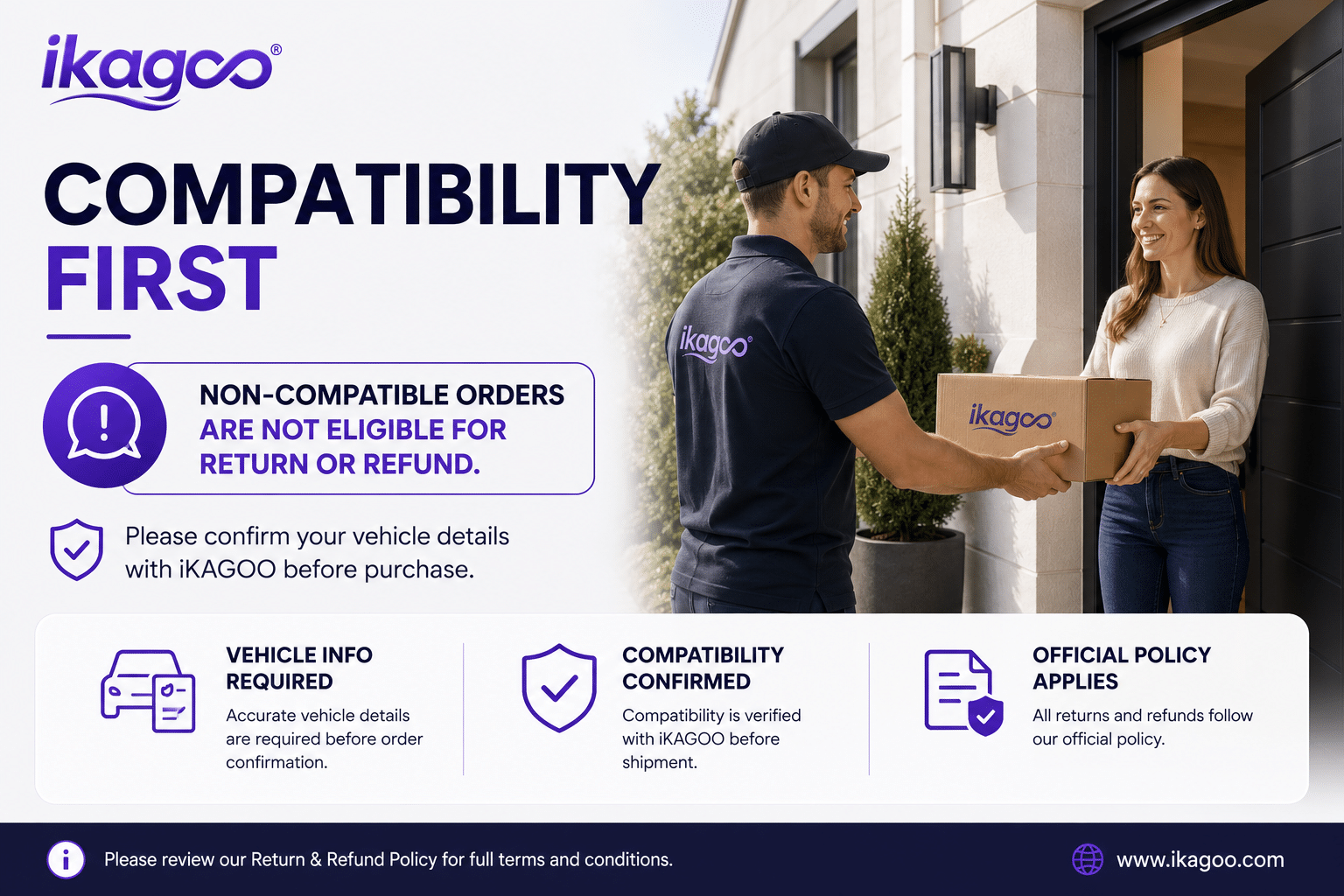
Voor voertuigspecifieke producten is correcte informatie vereist vóór verzending. Indien iKAGOO de compatibiliteit vóór de aankoop heeft bevestigd, uw informatie juist was en er na het doorlopen van de ondersteunde probleemoplossingsstappen geen redelijke installatieoplossing beschikbaar is, is het huidige gepubliceerde retour- en restitutiebeleid van toepassing.
Audi A4 A5 Android Radio FAQ
Is this Audi A4 A5 Android Radio for 2009–2016 vehicles?
Yes, this product is positioned for selected Audi A4, A4L and A5 2009–2016 vehicles. Please choose the correct 2009–2012 or 2013–2016 version before shipment.
Do I need to choose high configuration or low configuration?
Yes, this is required. Your original Audi head unit type, dashboard layout, AUX/AMI condition and factory system decide which configuration route should be prepared.
Ondersteunt het draadloze CarPlay en Android Auto?
Yes, wireless CarPlay and Android Auto are supported where the selected version and phone setup support the function.
Does it keep the original Audi system?
Yes, supported original-system switching is available where the correct version and wiring route are prepared. You can use Android functions and return to the Audi original system interface.
Ondersteunt het DSP-audio?
Yes, DSP 32-band EQ is supported on the DSP version. Choose the DSP CarPlay route if audio tuning is important to you.
Does it support rear camera or 360 camera?
Yes, rear camera AHD/CVBS and 360 panorama routes are supported where the selected version, camera hardware and vehicle wiring support them.
Does it work with LHD and RHD vehicles?
Yes, LHD and RHD routes can be prepared, but you must provide your steering position and dashboard photos before shipment.
Is de installatie plug-and-play?
Yes, the matched route is designed for clean connection, but installation is still Level 3 — Advanced DIY because dashboard trim, wiring, CANBUS, AUX/AMI and full function testing must be handled carefully.
Wat moet ik opsturen voordat ik een bestelling plaats?
Yes, send your vehicle model, year, steering side, original dashboard photo, factory head unit photo, AUX/AMI condition, and whether you need CarPlay, DSP, rear camera, 360 panorama or DVR functions.
Make Your Audi A4, A4L or A5 Feel Modern Again
Choose the Audi A4 A5 Android Radio if you want an 8.8-inch factory-style screen, wireless CarPlay, Android Auto, DSP audio, navigation, WiFi / 4G and version-specific preparation for your vehicle.


Jordan Miles -
Geïnstalleerd in mijn A4 uit 2013. Het 8,8-inch scherm past er perfect in en ziet eruit alsof het er standaard in zit. Draadloos CarPlay maakt binnen enkele seconden verbinding en de MMI-bediening werkt nog steeds. De verpakking van Sky Universe was stevig.
Derek Harrington -
Echte game-changer voor mijn 2011 Audi A5! De oude Symphony-radio met dat kleine niet-aanraakscherm maakte me gek. Deze Android-unit blaast nieuw leven in de auto. Schakelt naadloos tussen de standaard Audi-interface en het Android-systeem. Draadloze Apple CarPlay maakt automatisch verbinding binnen enkele seconden na het starten van de motor. Geluidskwaliteit via AUX is uitstekend.
yan Mitchell -
Installation wasn’t difficult, but checking the original MMI and AUX setup first was important. We spent extra time confirming the correct cable route before putting everything back together. Once installed, everything worked properly.